
You can use the Auto Number Helper app to modify the way of autonumbering of fields, it provides you with unique values based on picklist fields which you map during the configuration of the app.
It's all about the number of ways we can use to see our records in different ways.
Here are a few examples of Auto Number Helper App:
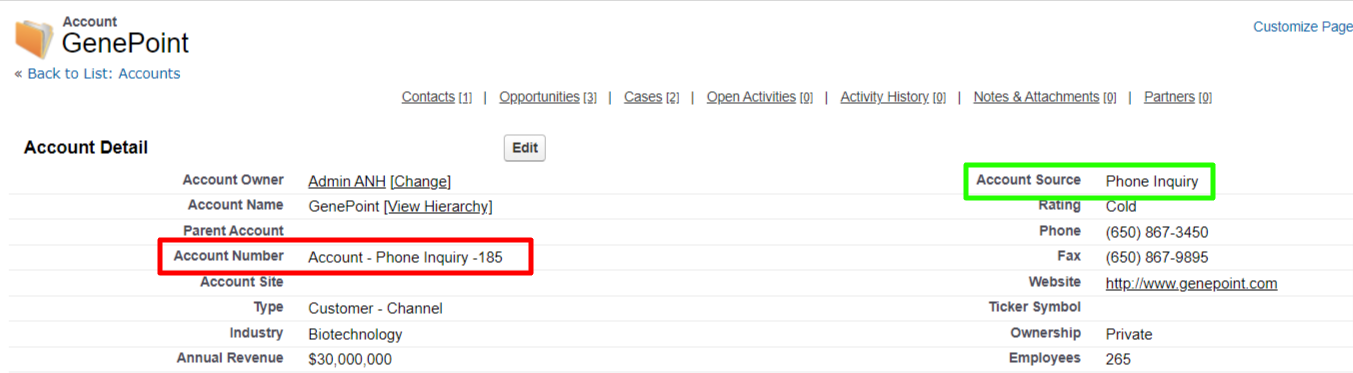
1. Account Object - In the below image you can see the "Account Source" field value is stamped on the "Account Number" field as this is configured by the Auto Number Helper App.
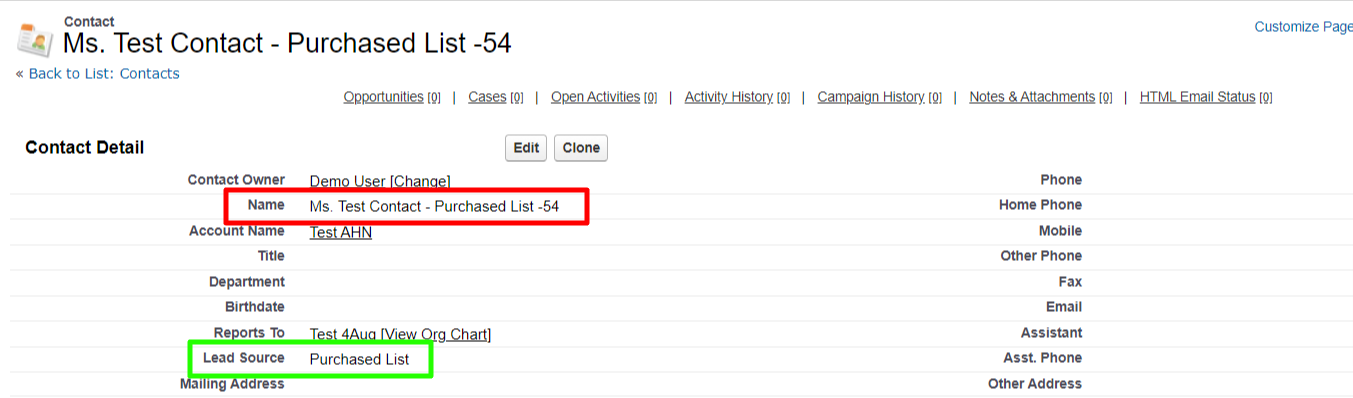
2. Contact Object - In the below image you can see the "Lead Source" field value is stamped on the "Name" field as this is configured by the Auto Number Helper App.
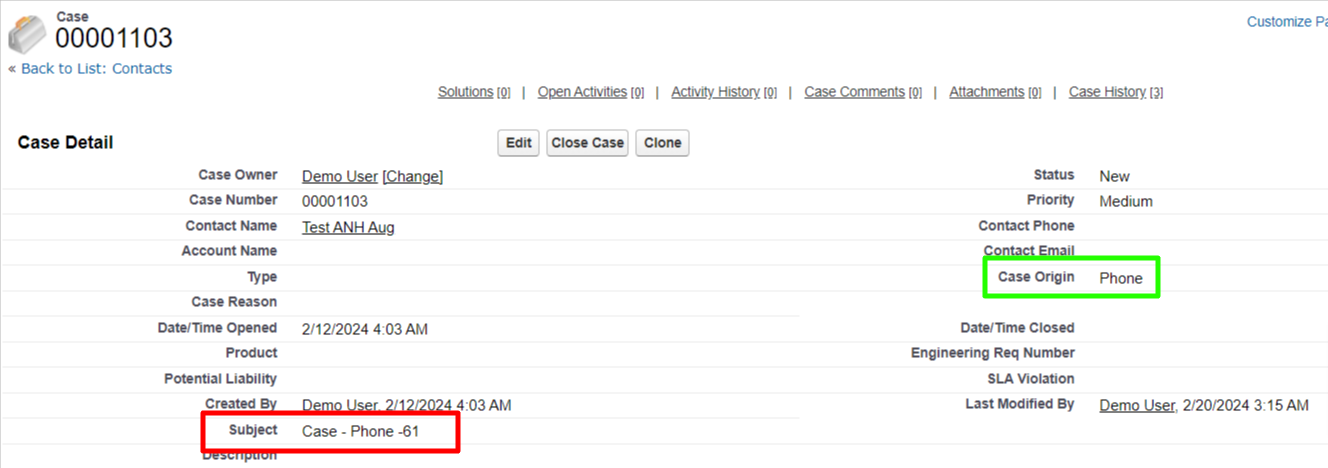
3. Case Object - In the below image you can see the "Case Origin" field value is stamped on the "Subject" field as this is configured by the Auto Number Helper App.
P.S. Discover Auto Number Helper, the simple way to update Auto Number values in Salesforce. Find it on AppExchange - https://appexchange.salesforce.com/appxListingDetail?listingId=a0N30000000puTcEAI