Yes, user can configure Migrate Attachment/File to S3 setting to auto-delete the attachment/file from Salesforce org after it's successfully uploaded to Amazon S3.
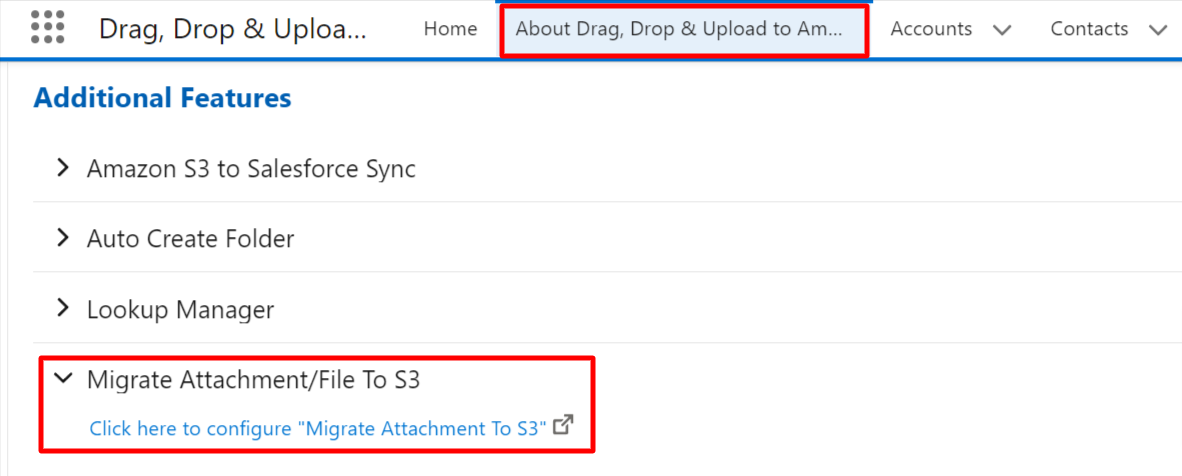
- Go to About Drag Drop & Upload to Amazon S3 Tab
- Under the Additional Features click on Migrate Attachment to S3
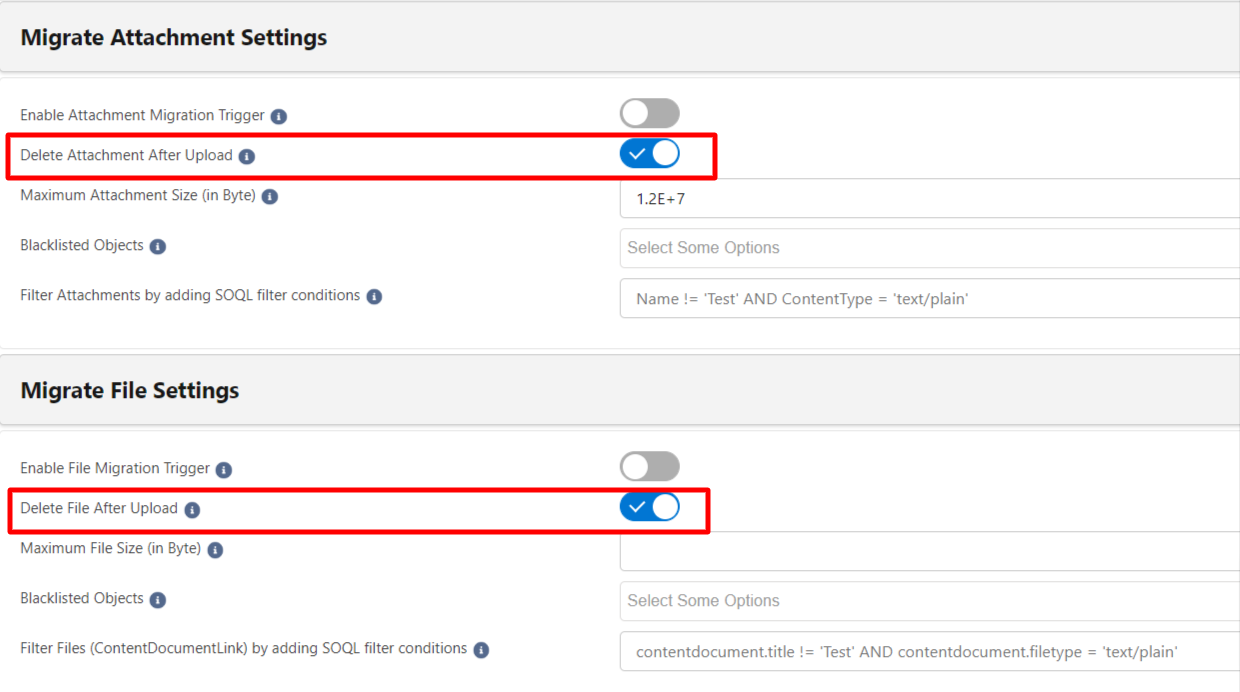
- Turn ON the Delete Attachment After Upload and Delete File After Upload toggles and Click on Save Button