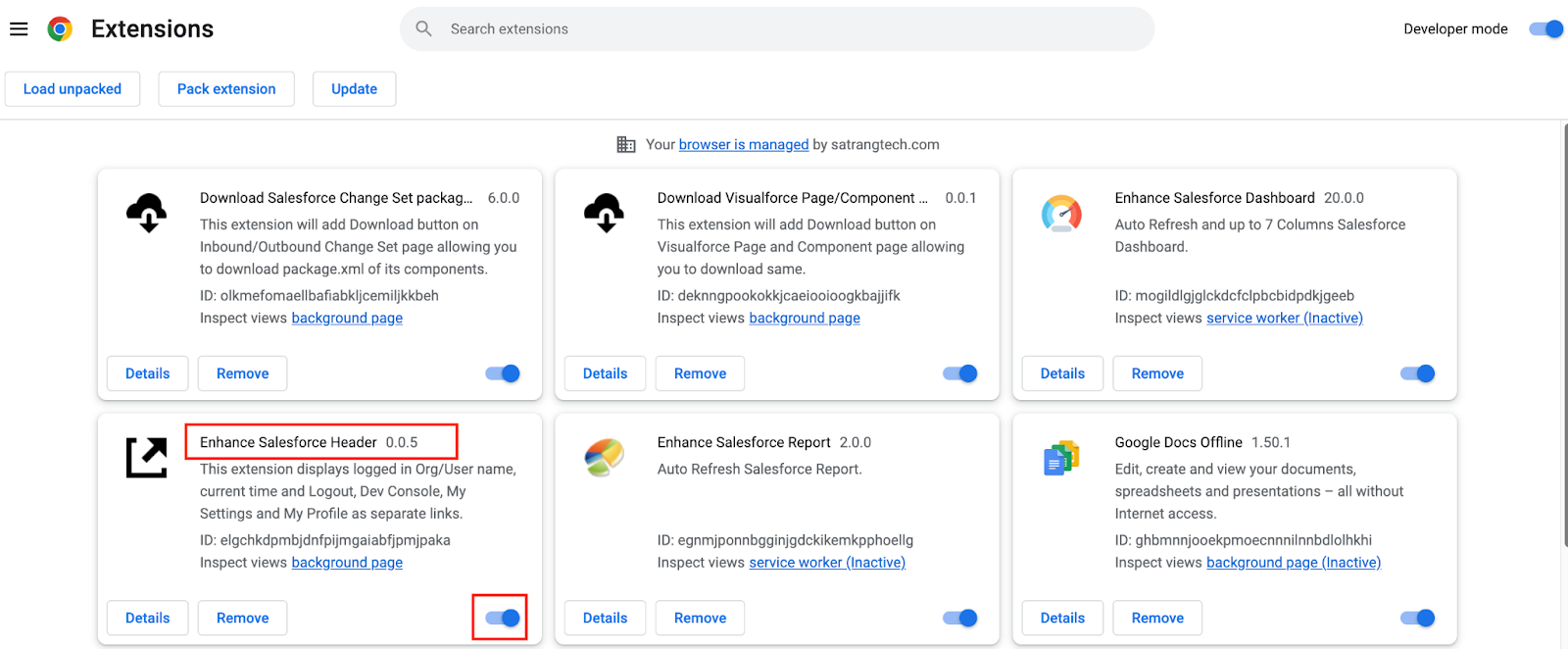
Steps to enable Enhance Salesforce Header -
Download Enhance Salesforce Header extension from the chrome web store.
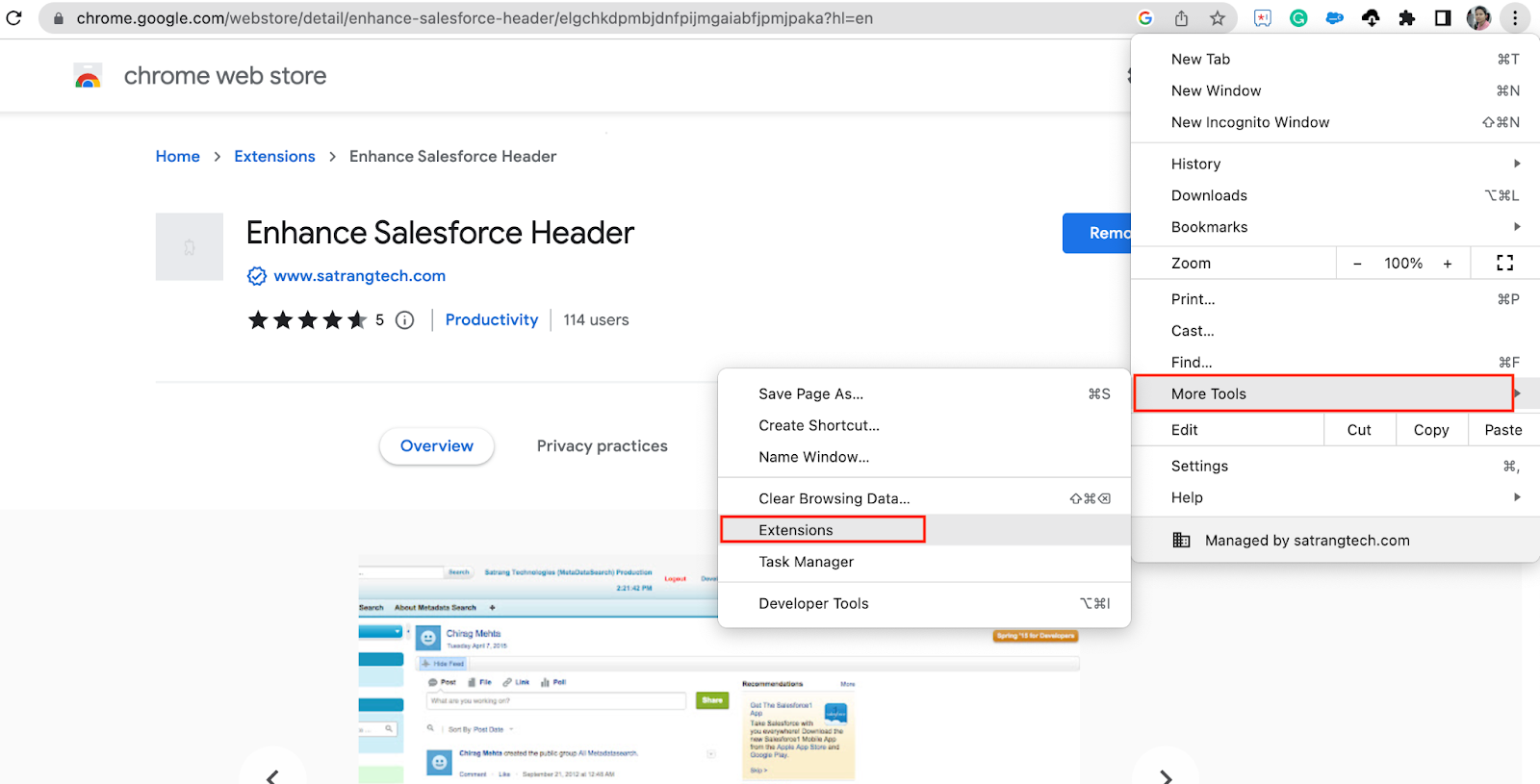
- Go to Customise and Control Google Chrome (click on the right top corner of the 3 dots).
- Click on More Tools
- Click on Extensions
- It will redirect you to all extensions page.
- Click on Enhance Salesforce Header.
- Click the Enable button.