
Mass File Upload has one component named massFileUpload Component from which you can upload files from the record page only into the record.
To add this component, follow the steps below: Let’s take an example of adding a lightning component on Account Record (the same process can be followed to add a lightning component on other standard or custom object records).
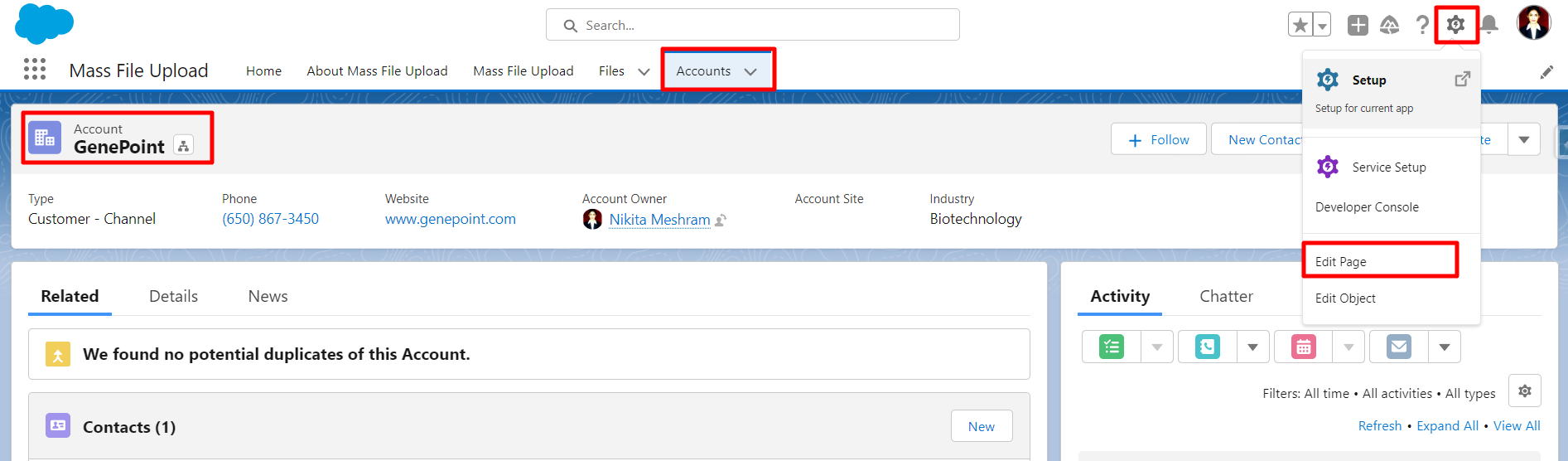
- Go To Account -> Select any record -> Click on the setup icon -> Click on Edit Page.
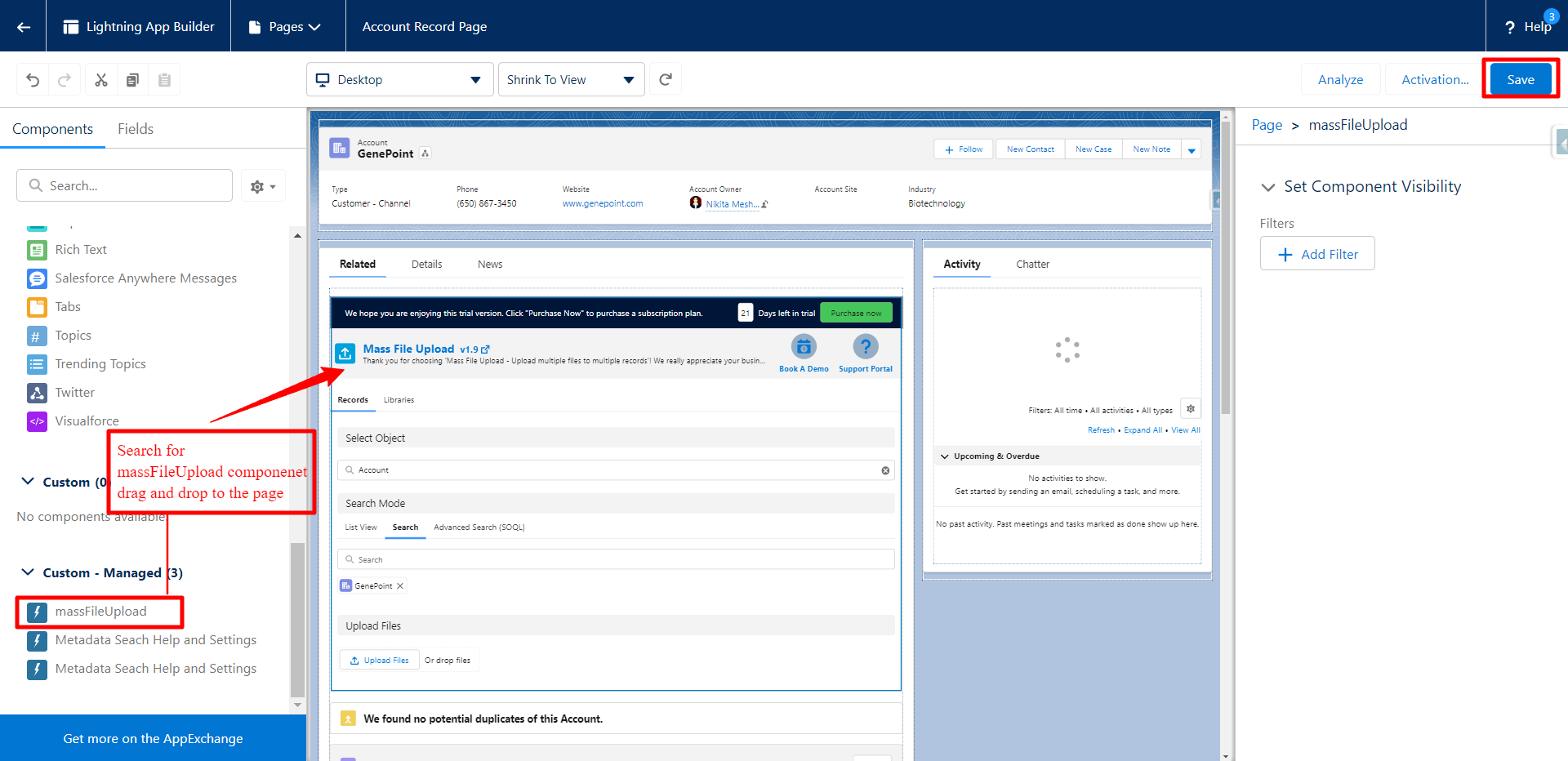
- Search for the component: massFileUpload, or look for it in the custom section on the left side menu.
- Drag and drop the massFileUpload component anywhere on the record page where you want to see the Upload files option appear.
- Click on Save.
- Click on Activate and follow the instructions for activation (if the record page is not activated).
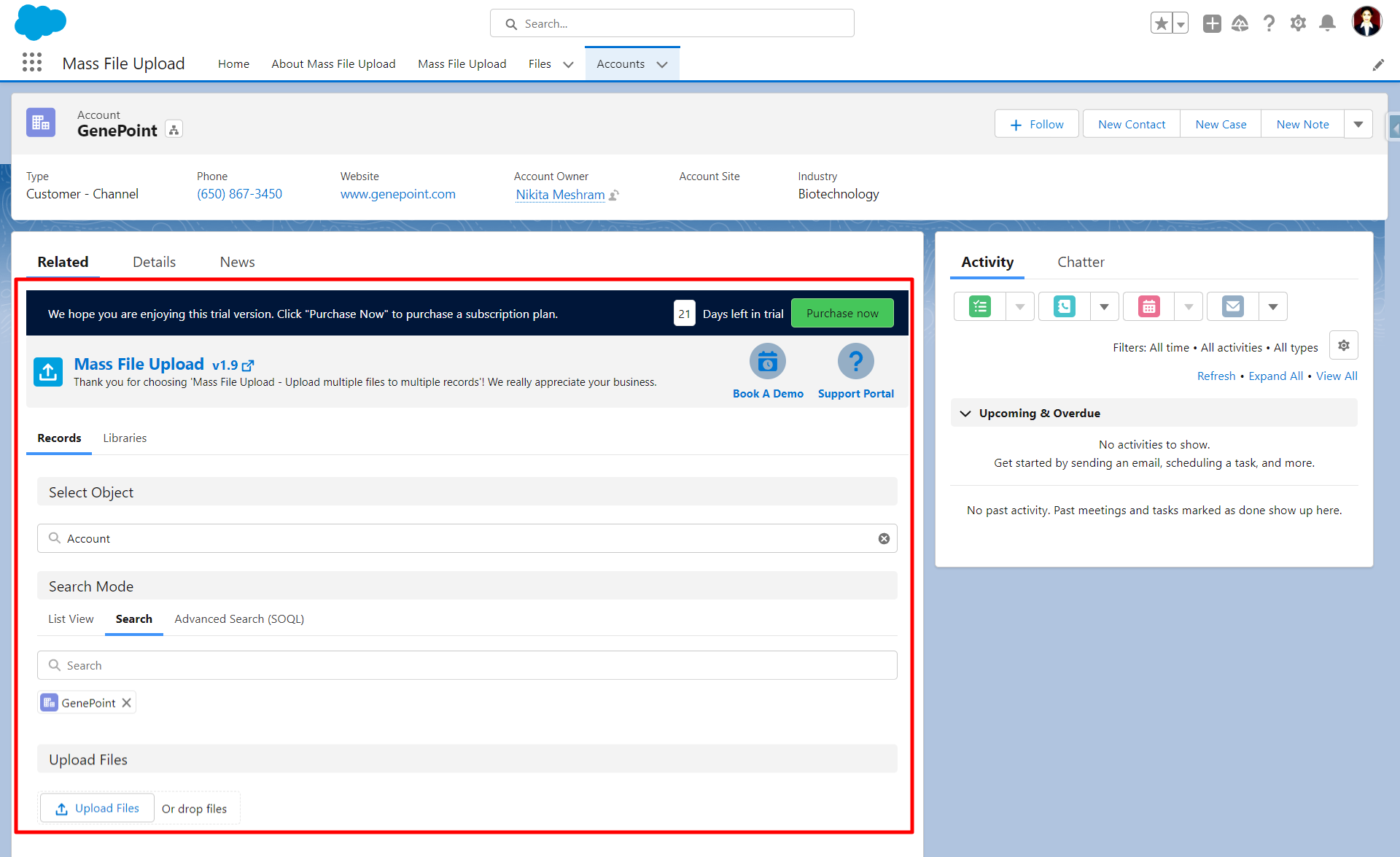
- On the record page, you'll see the following, as shown in the image below.
PS: View Mass File Upload, Salesforce file upload app, on Salesforce AppExchange: https://appexchange.salesforce.com/appxListingDetail?listingId=82cf236b-1ee8-4ea7-aebf-fd0c89fb93bd