
Yes! This Azure Integration App support both experiences (UI) Lightning & Classic.
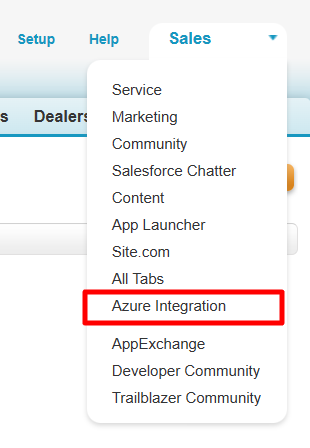
Accessing the app in Classic
- Click on the App Menu drop-down (present at the top right corner of the page).
- Select the Azure Integration App.

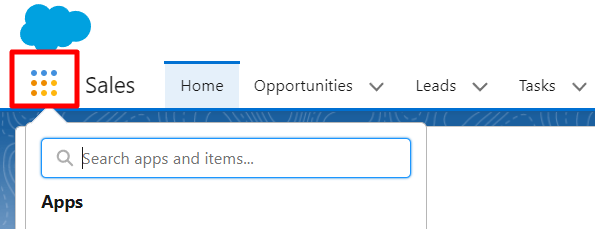
Accessing the app in Lightning
- Note: In order to switch between the classic and lightning experience. Click on Switch to Lightning Experience.
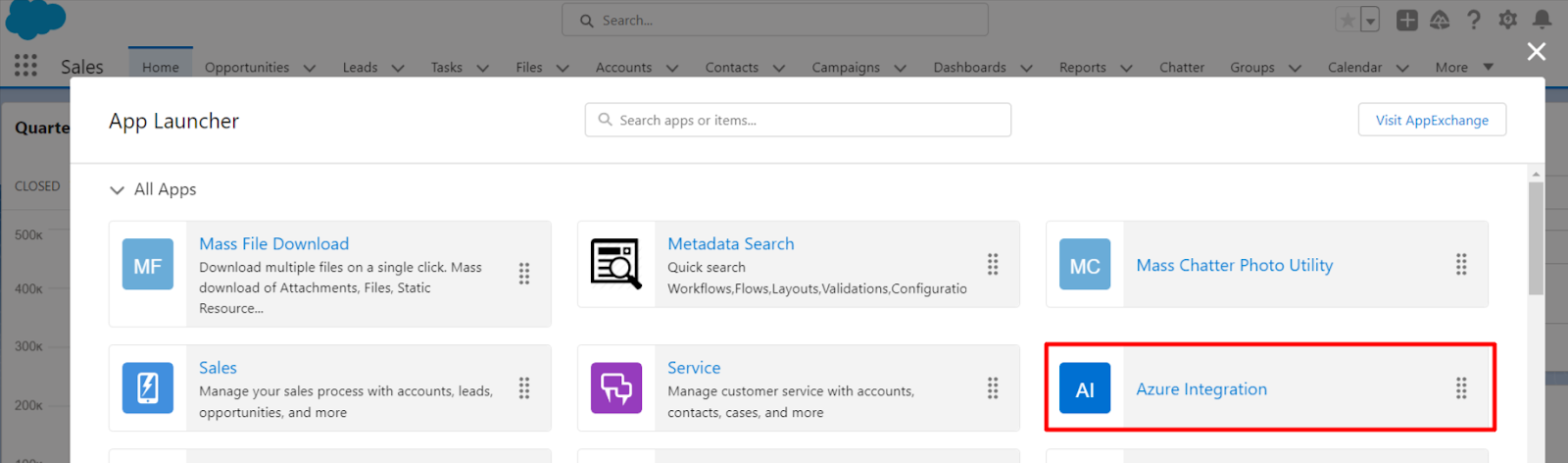
- Click on App Launcher.
- Select the Azure Integration App

P.S. Discover Azure Integration, the easy way to upload files from any Salesforce record to Azure. Find it on AppExchange: https://appexchange.salesforce.com/appxListingDetail?listingId=c9e71bd6-5bab-4182-a461-b82d4f971183