
Follow the steps below to download all files that are uploaded to Azure using the Azure Integration app:
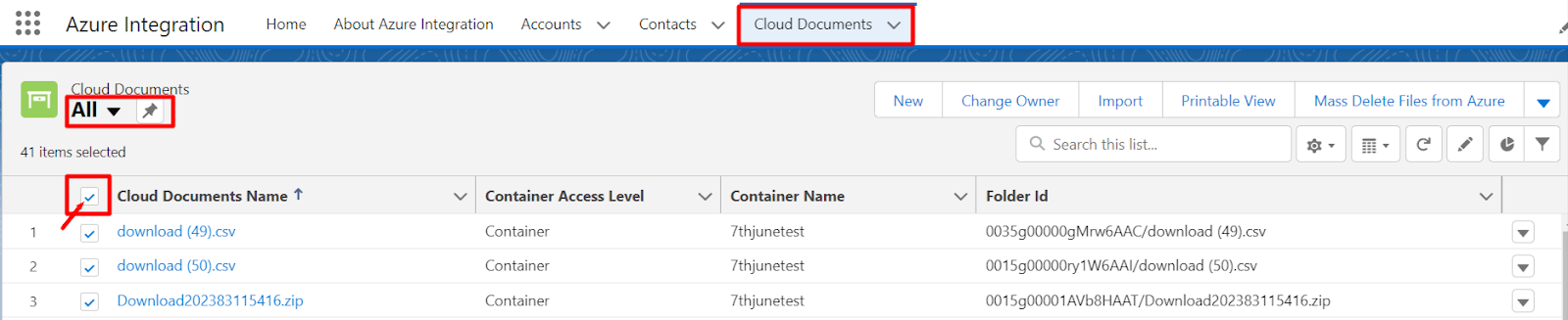
- Go to the “Cloud Document” object.
- Select the “All” listview and check the select all checkbox as shown below -
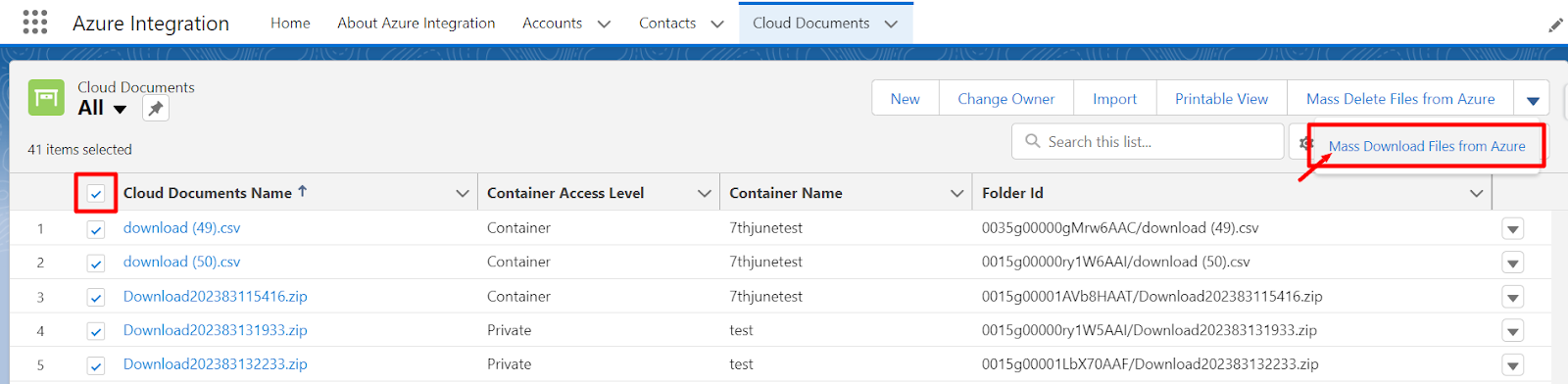
- Now click on the “Mass Download Files from Azure” button.
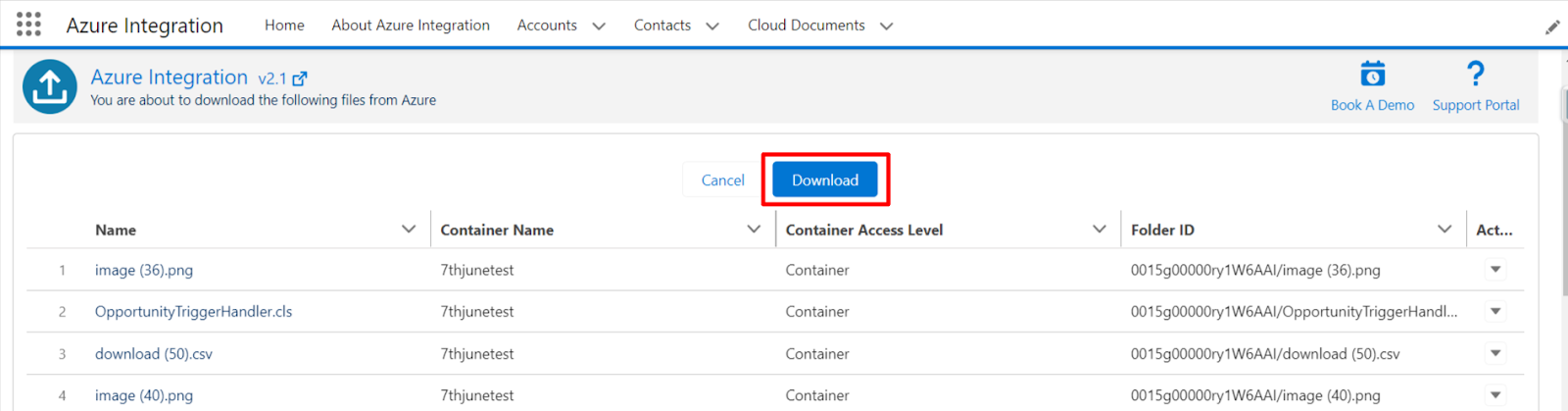
- It will redirect to the page below. Here, click on the “Download” button.
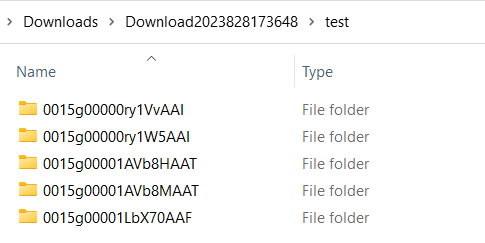
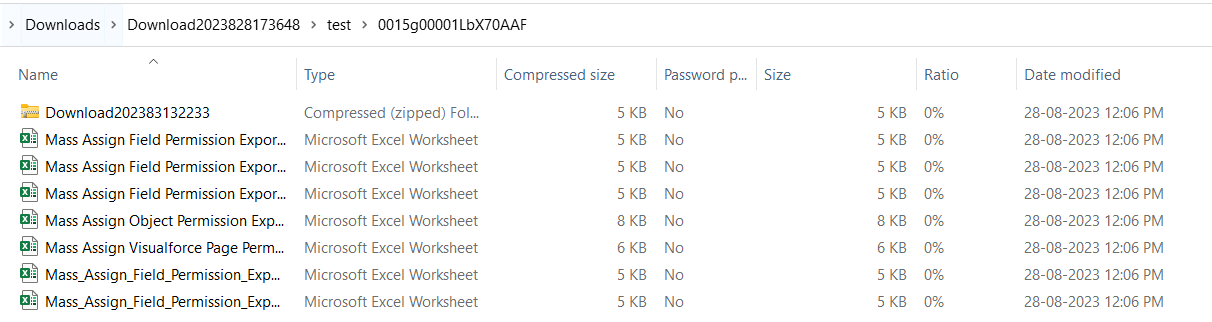
- Once the download is completed, you will get files in the folder with the record ID, as shown below.
P.S. Discover Azure Integration, the easy way to upload files from any Salesforce record to Azure. Find it on AppExchange: https://appexchange.salesforce.com/appxListingDetail?listingId=c9e71bd6-5bab-4182-a461-b82d4f971183