
To download files from individual records, use the “Mass Download Files from Azure” button. To add this button, follow Step 7, which is mentioned in the “About Azure Integration”.
- Go to the Record from where the files you want to download.
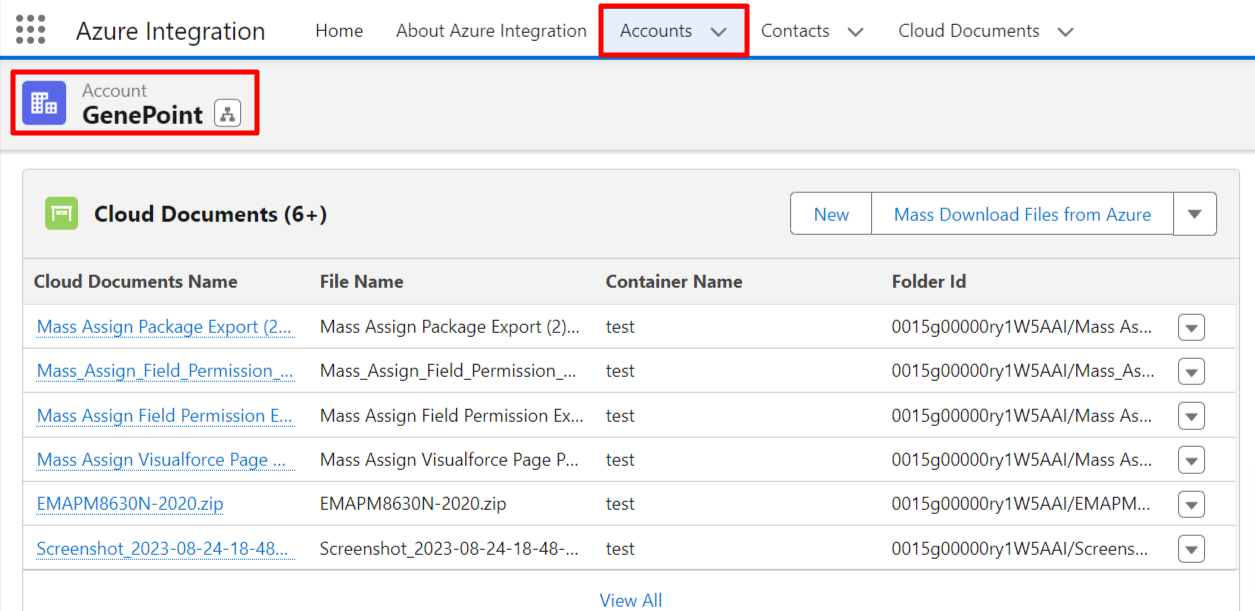
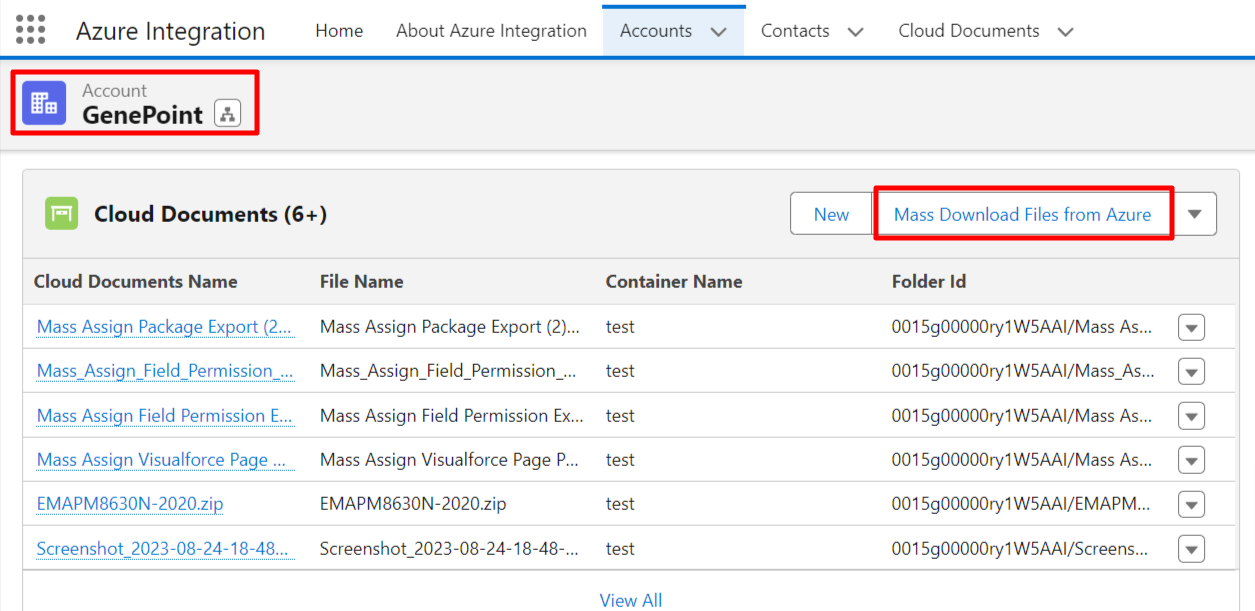
- Now, click on the “Mass Download Files from Azure” button to download all files of the selected record
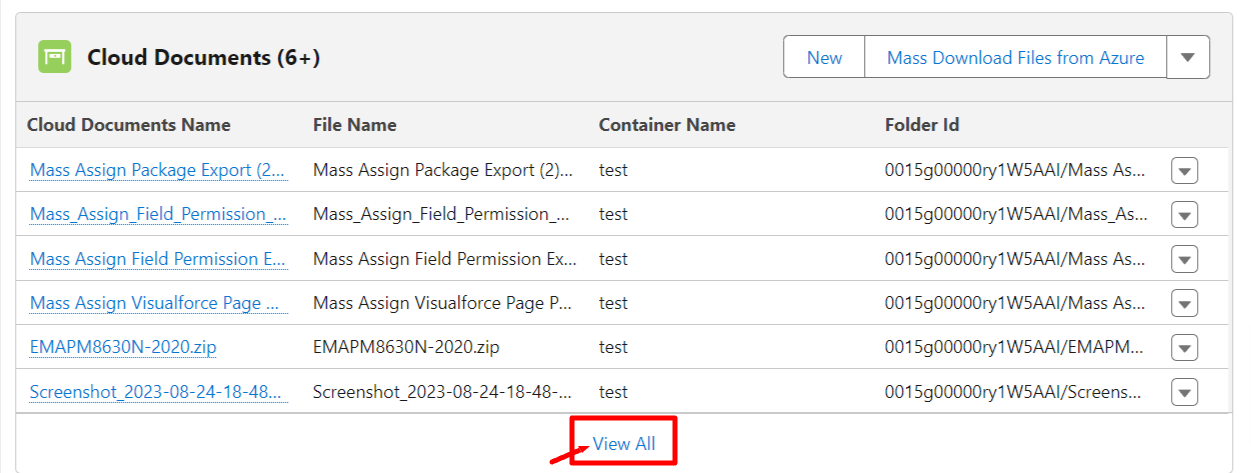
- Or click on “View All” to select a few of the files to download.
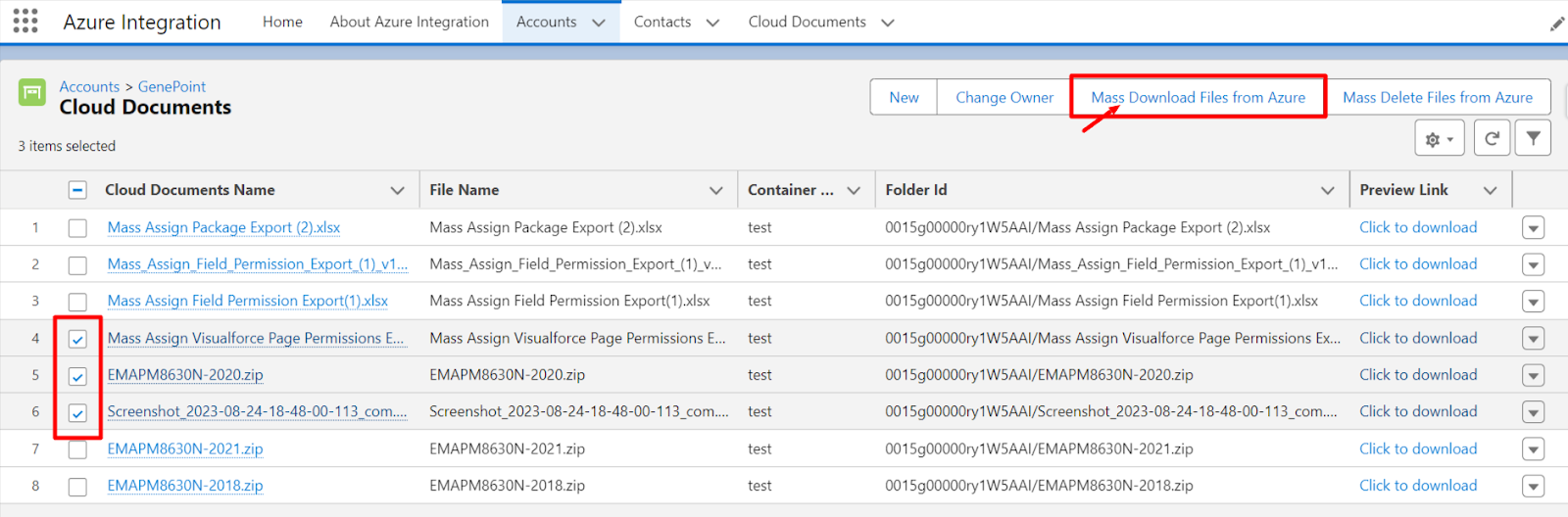
- Select files and click on the “Mass Download Files from Azure” Button as shown below.
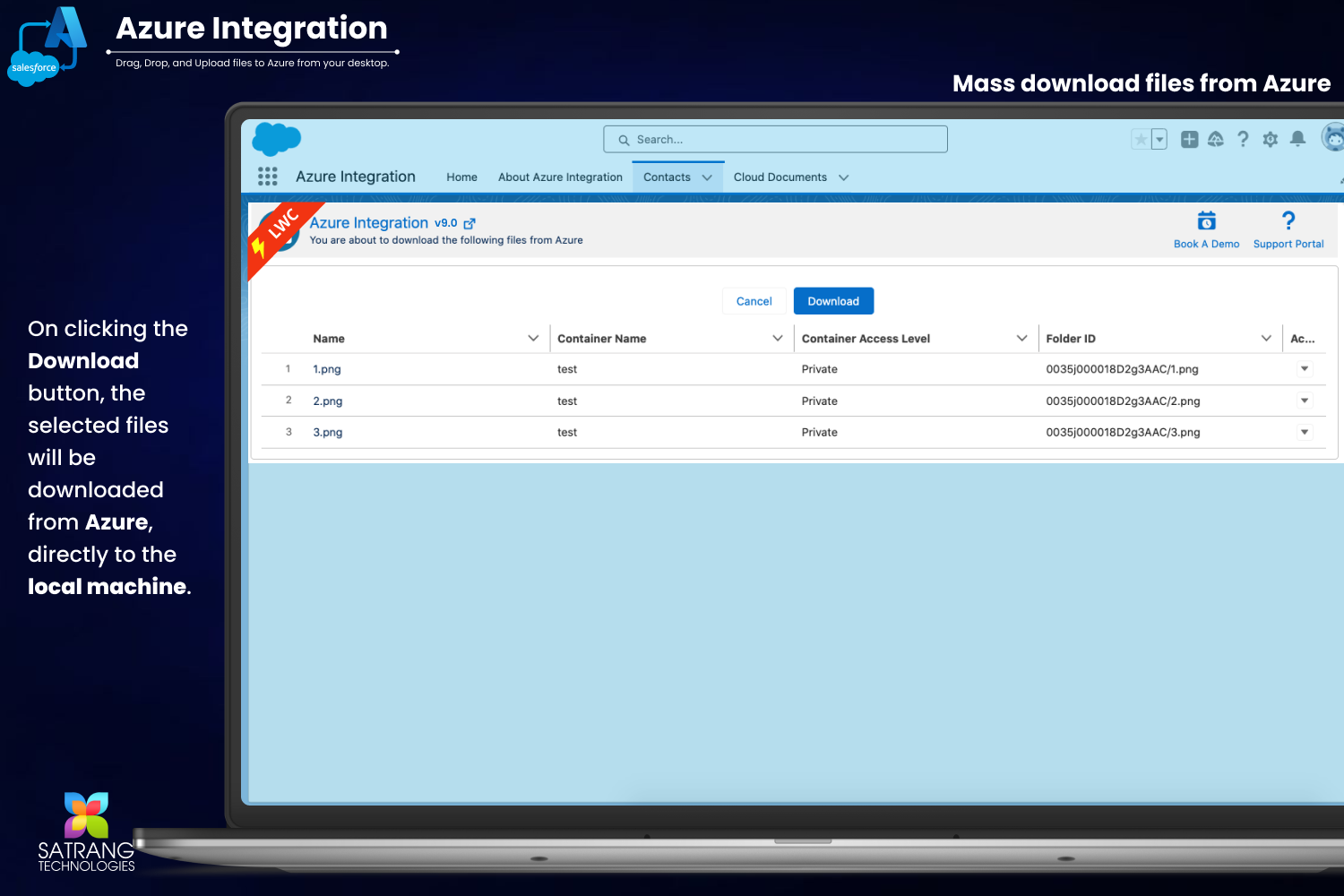
- This will direct you to the page below. Click the "Download" button, and all the selected files will be downloaded.
P.S. Discover Azure Integration, the easy way to upload files from any Salesforce record to Azure. Find it on AppExchange: https://appexchange.salesforce.com/appxListingDetail?listingId=c9e71bd6-5bab-4182-a461-b82d4f971183