
To delete files from individual records, use the “Mass Delete Files from Azure” button. To add this button, follow Step 7, which is mentioned in the “About Azure Integration.”
- Go to the Record where the files you want to delete.
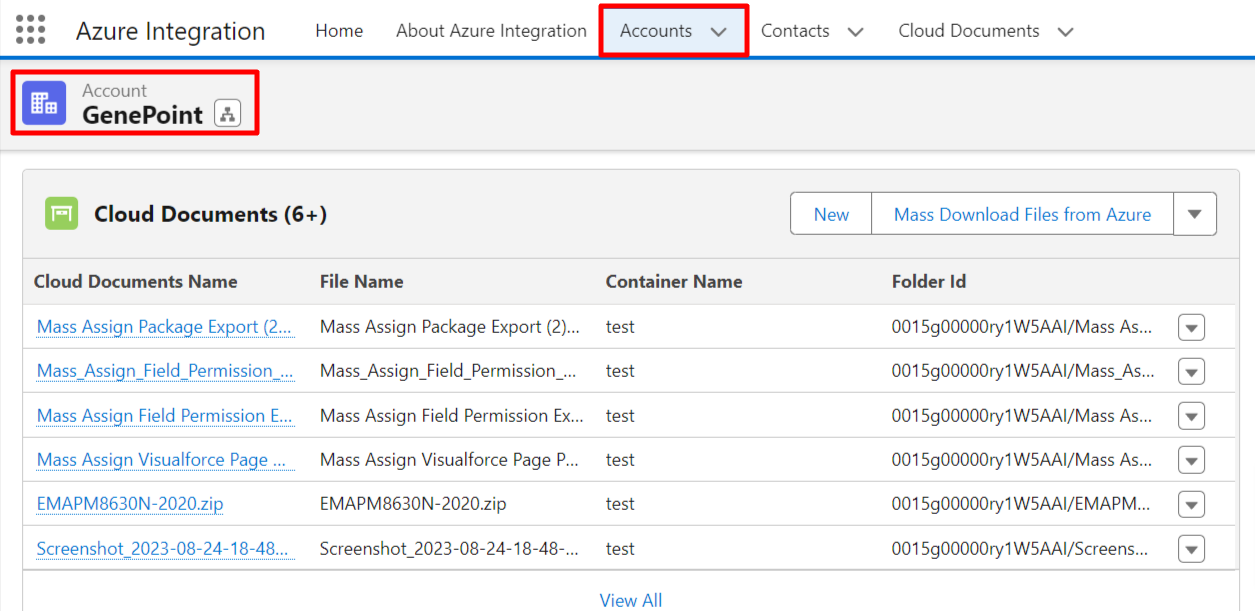
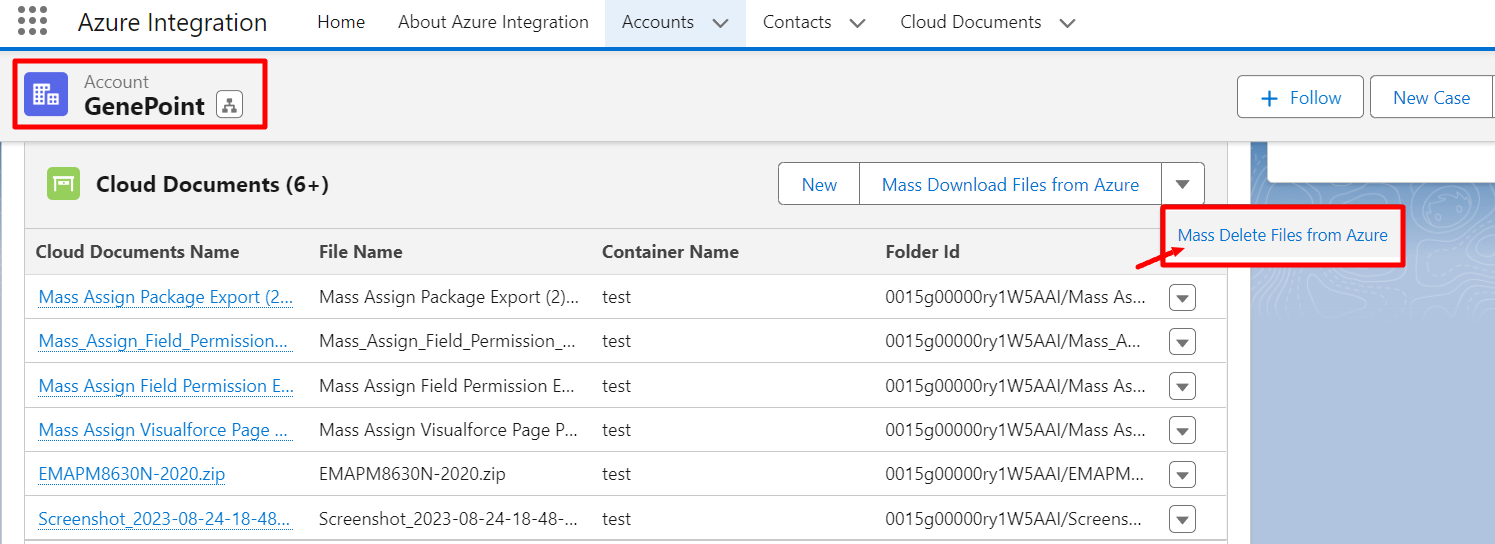
- Now, click on the “Mass Delete Files from Azure” button to delete all files of the selected record.
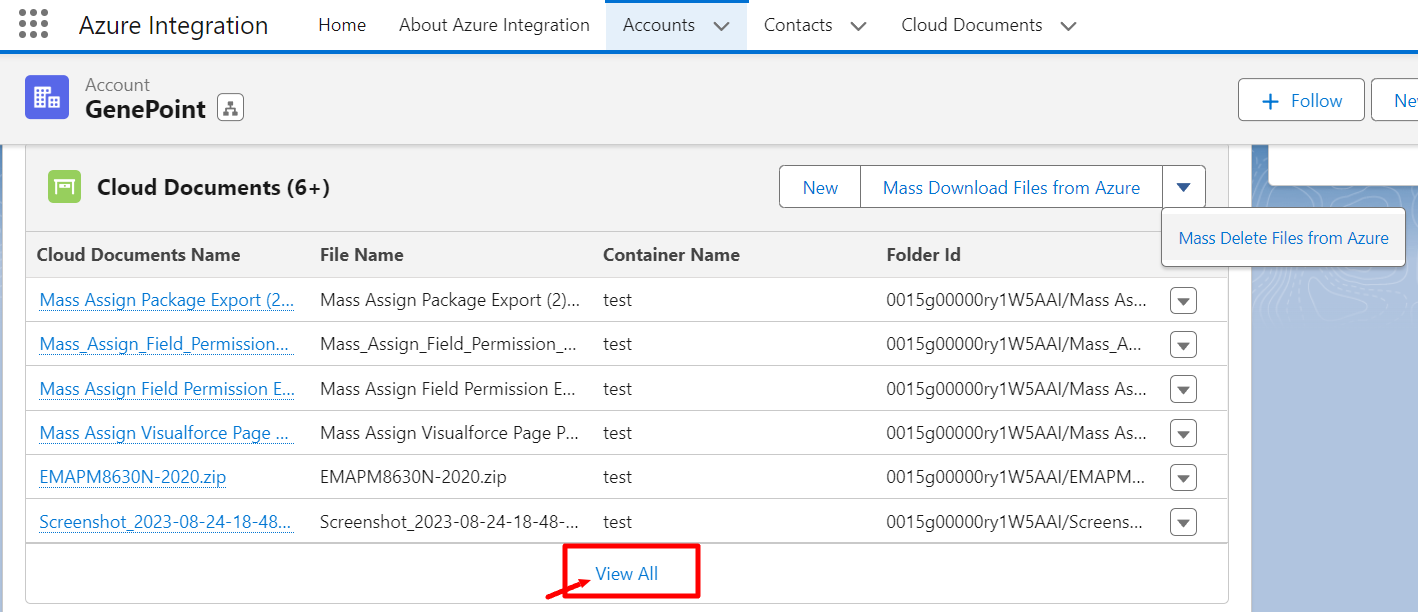
- Or click on “View All” to select a few of the files to delete.
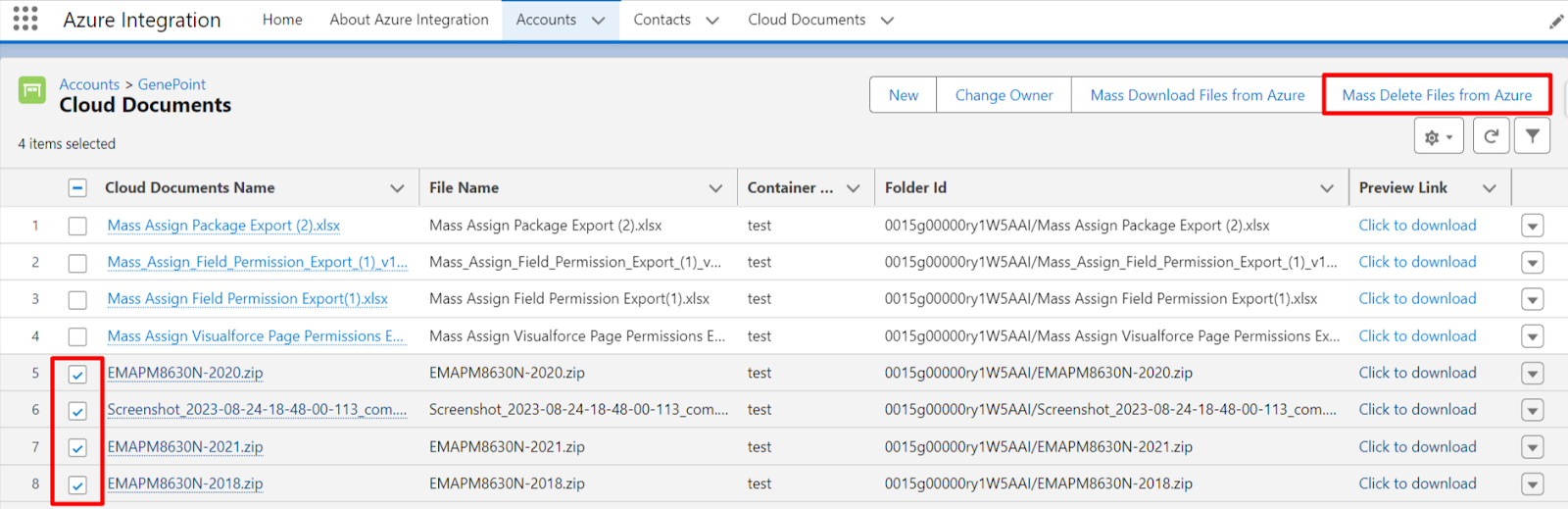
- Select files and click on the “Mass Delete Files from Azure” Button as shown below.
- It takes you to the page below; click the "Delete" button, then click on “OK”
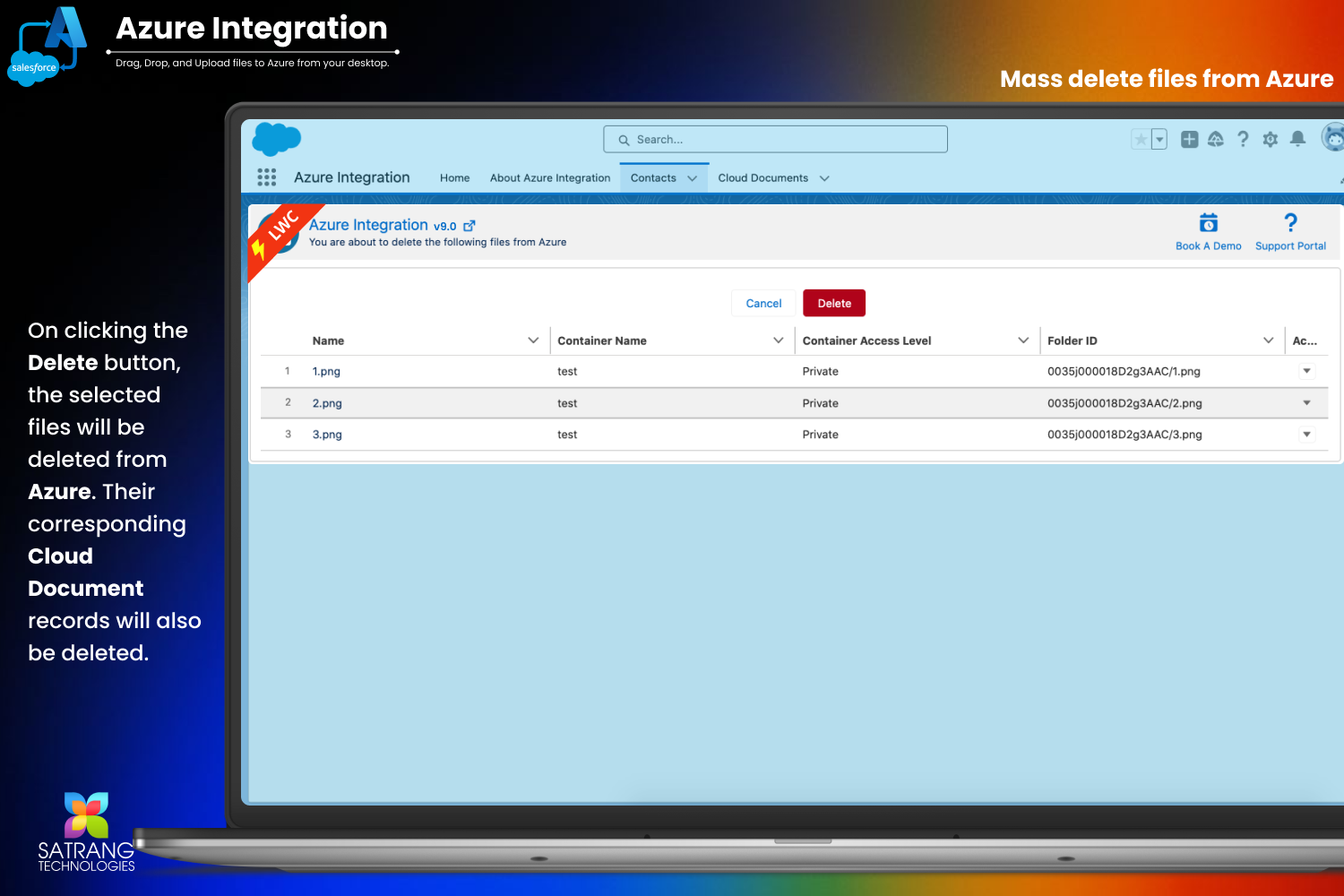
- Your entire set of chosen files will be removed/Deleted from Azure.
P.S. Discover Azure Integration, the easy way to upload files from any Salesforce record to Azure. Find it on AppExchange: https://appexchange.salesforce.com/appxListingDetail?listingId=c9e71bd6-5bab-4182-a461-b82d4f971183