
The "Custom Attribute Mapping" feature provides users with the functionality to send Salesforce object record values as metadata key-value pairs to the files that are uploaded from Salesforce to Amazon S3. In this context, the key corresponds to the field's API name of the object record against which the files are being uploaded, and the value is the record's field value.
Steps to configure the Custom Attribute Mapping feature:
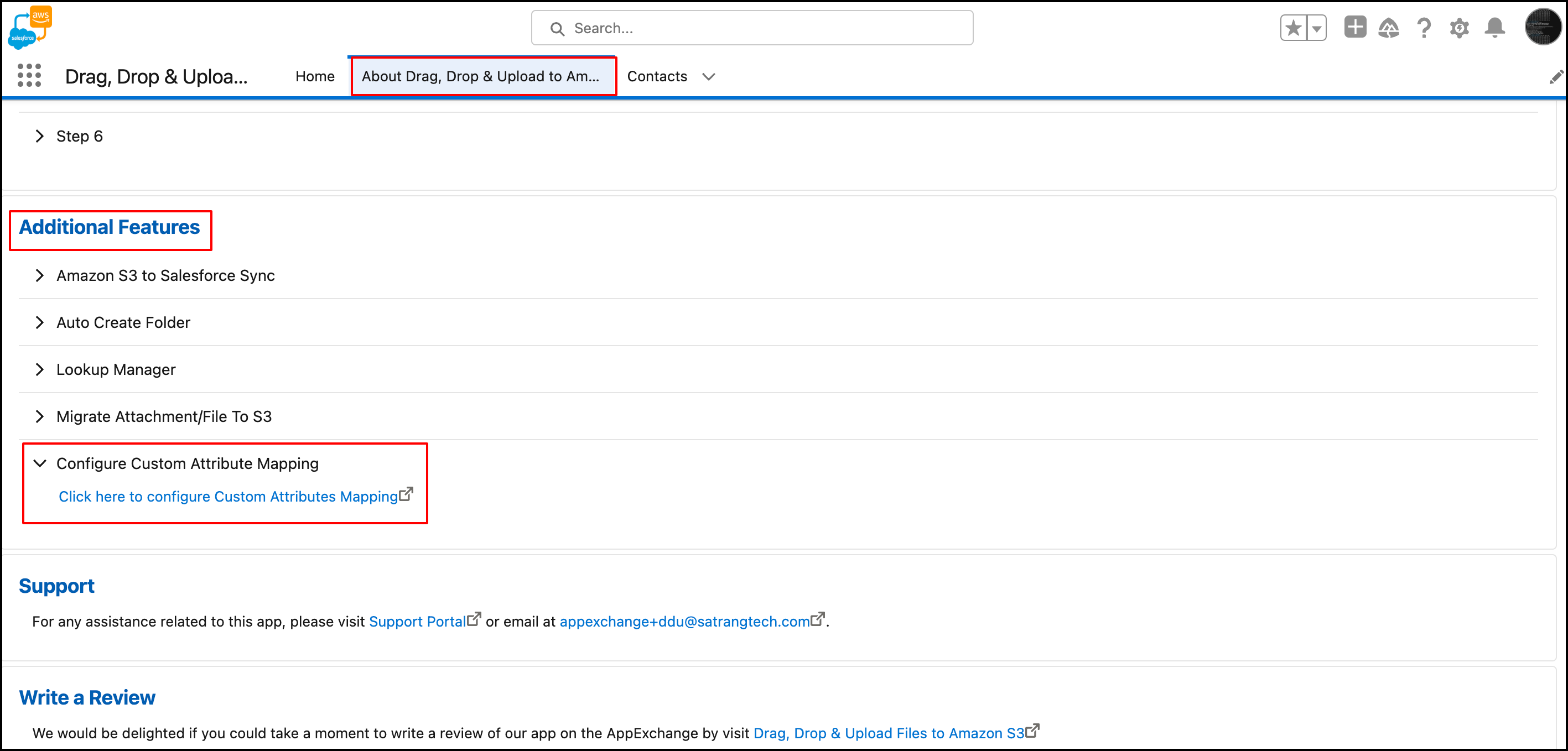
- Go to the "About Drag Drop & Upload to Amazon S3" Tab.
- Under the "Additional Features" section, click on "Configure Custom Attribute Mapping Feature." This action will redirect you to a new window.
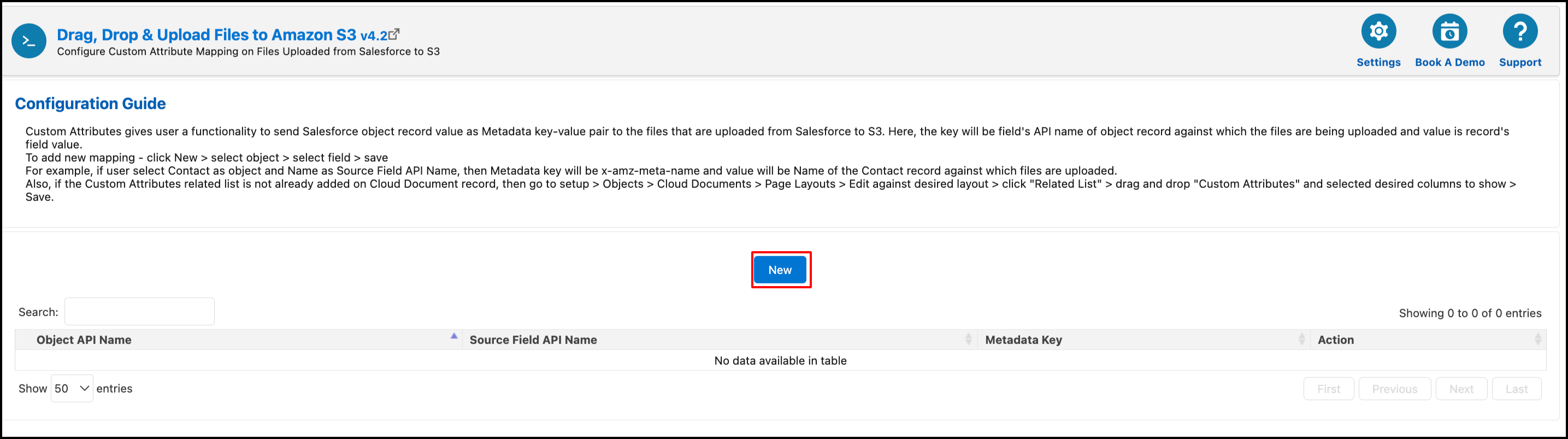
- In the new window, click on the "New" button.
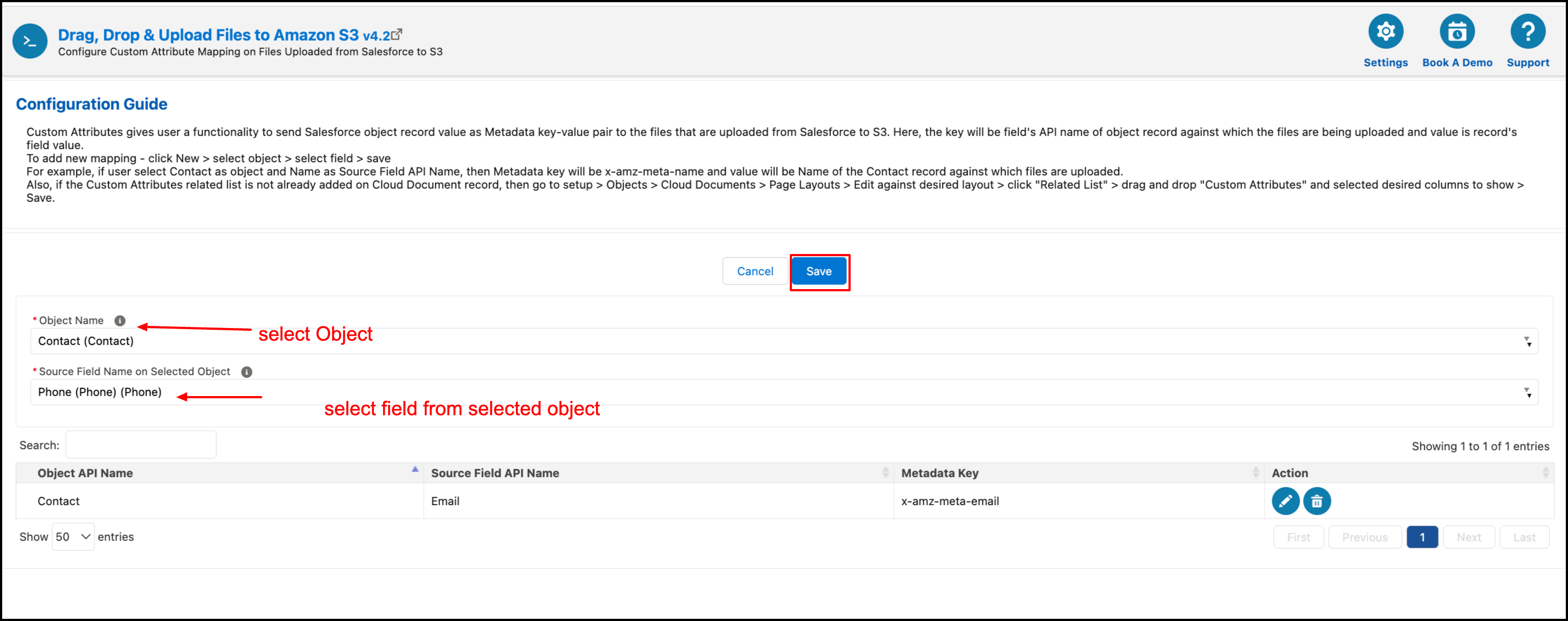
- Fill in all the fields as described in the screenshot below and then click on the "Save" button.
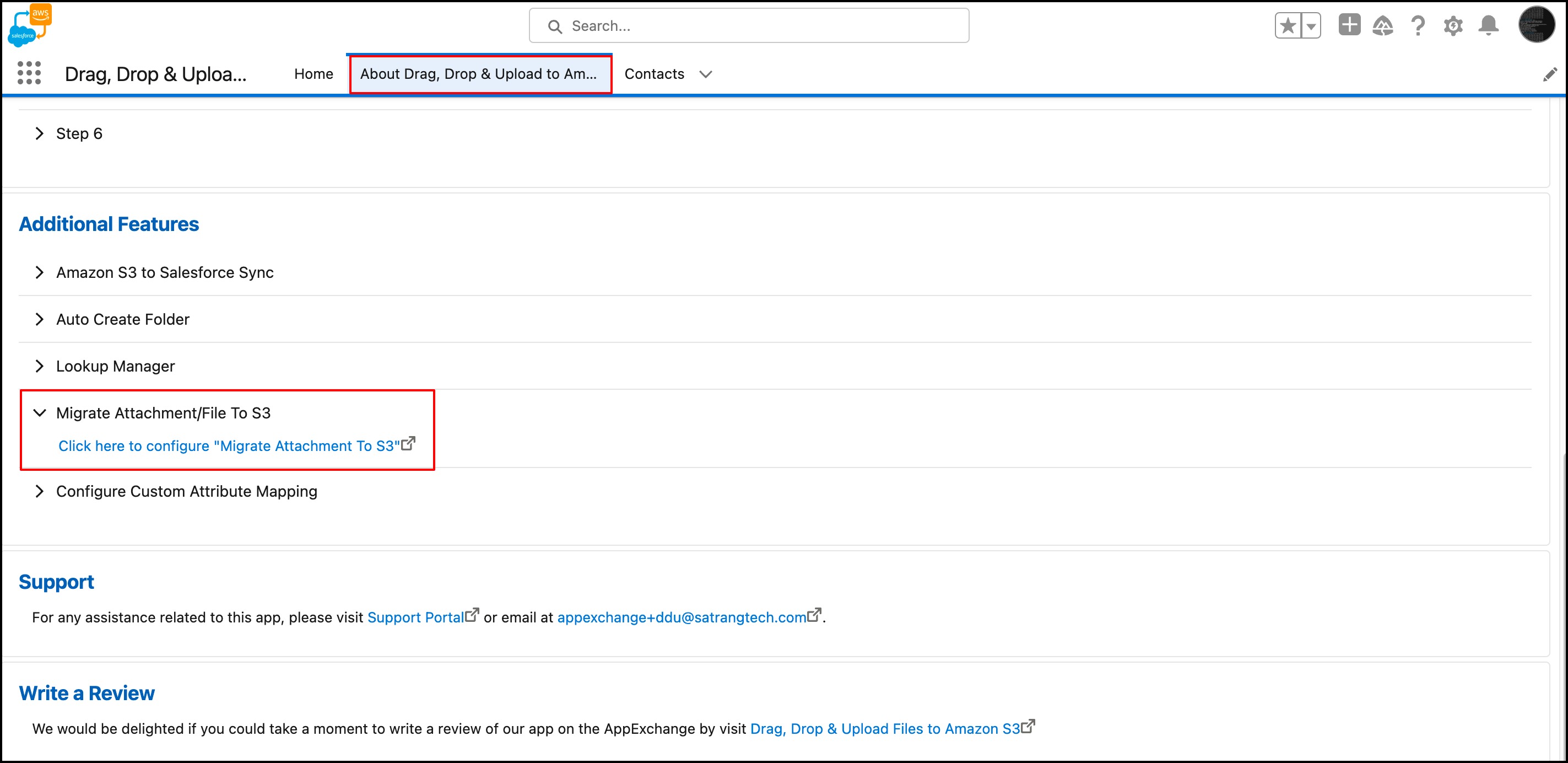
- Now, go back to the "About Drag Drop & Upload to Amazon S3" Tab.
- Under the "Additional Features" section, click on "Migrate Attachment/File to S3 Feature." This will redirect you to another new window.
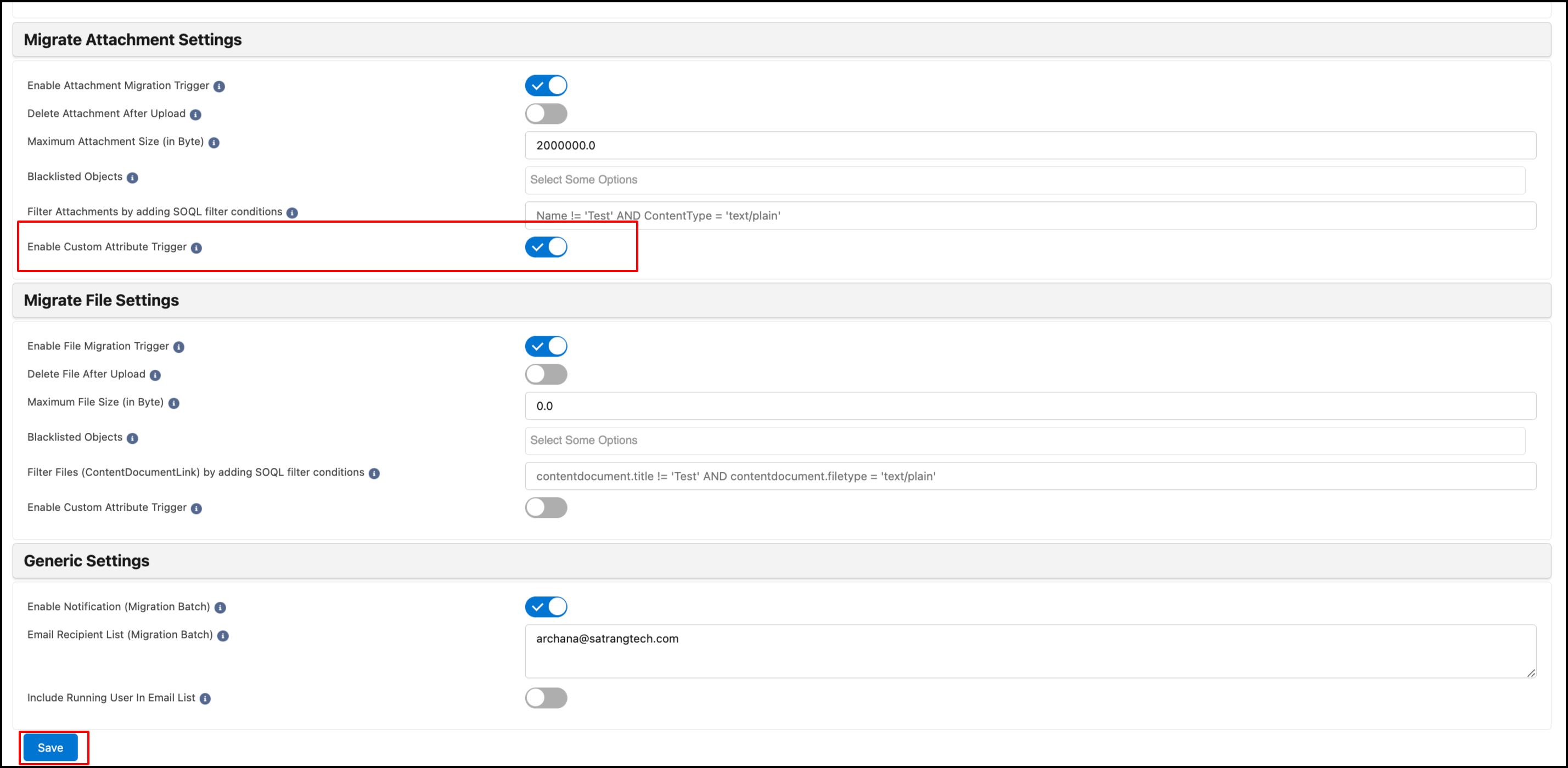
- On that screen, enable "Custom Attribute Trigger" in the settings and click on "Save."
 Example -
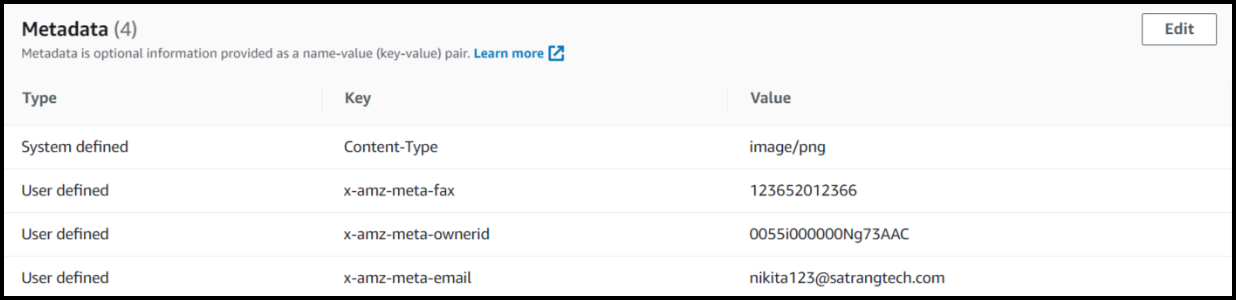
 - When the user uploads files from salesforce, the fields values based on this custom attribute mapping will sent to S3 object to set the metadata.
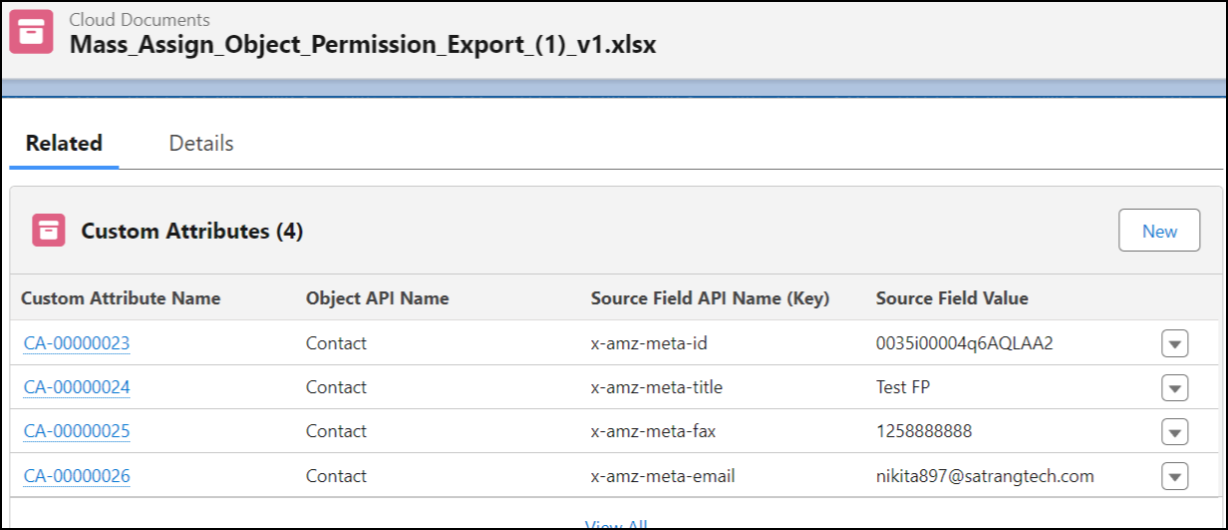
- Custom Attribute records also created to cloud doucment records.
PS: View Drag, Drop & Upload Files to Amazon S3, a Salesforce AppExchange app for moving files from Salesforce to Amazon S3: https://appexchange.salesforce.com/appxListingDetail?listingId=a0N3000000B5ZPqEAN