
You are receiving this error because you don't have the "View All Custom Settings" permission. To resolve this error, please grant the "View ALL Custom Settings Permission" to the user.
To grant permission, follow these steps:
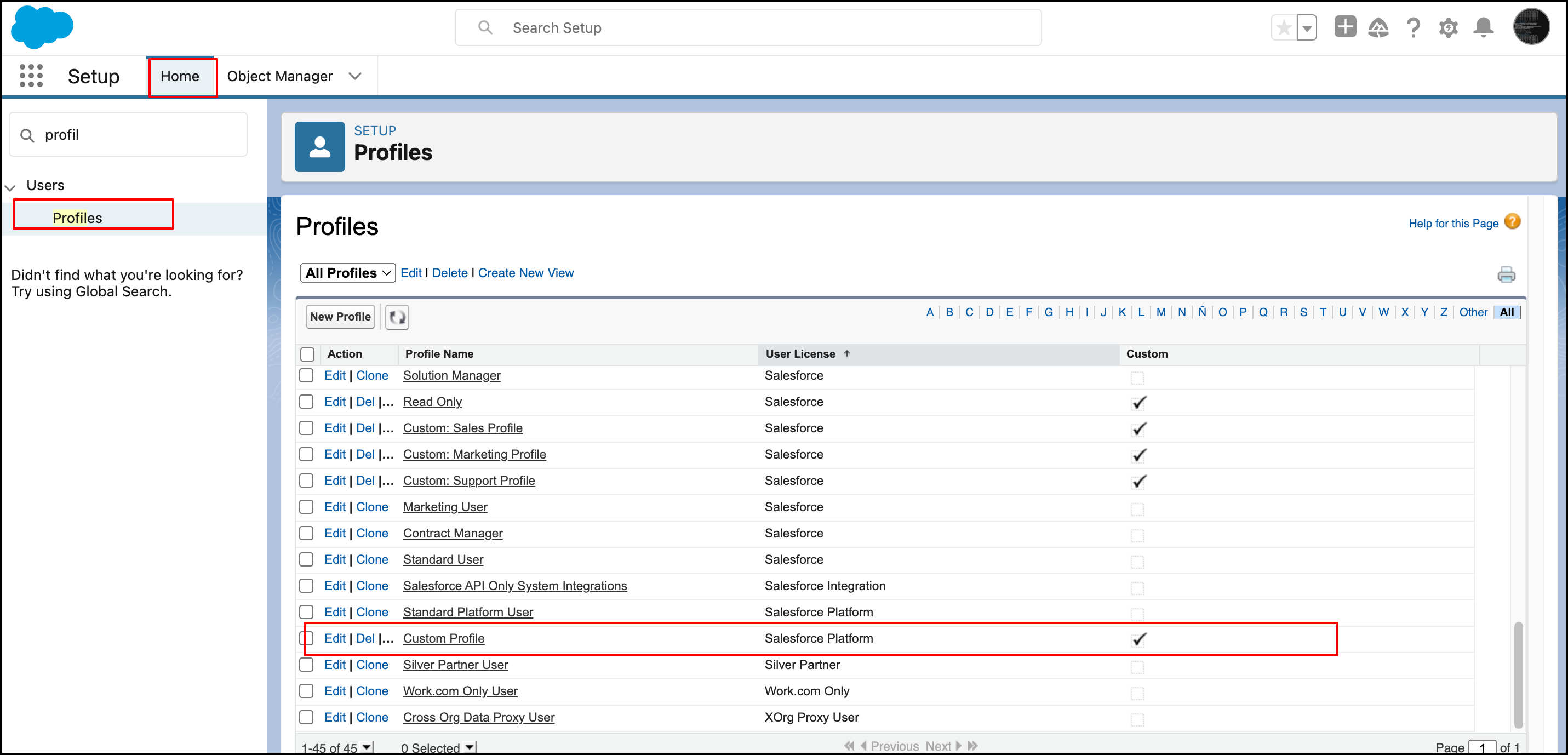
- Go to "Setup."
- Navigate to "Home."
- Search for the user profile that is encountering the error and select it.
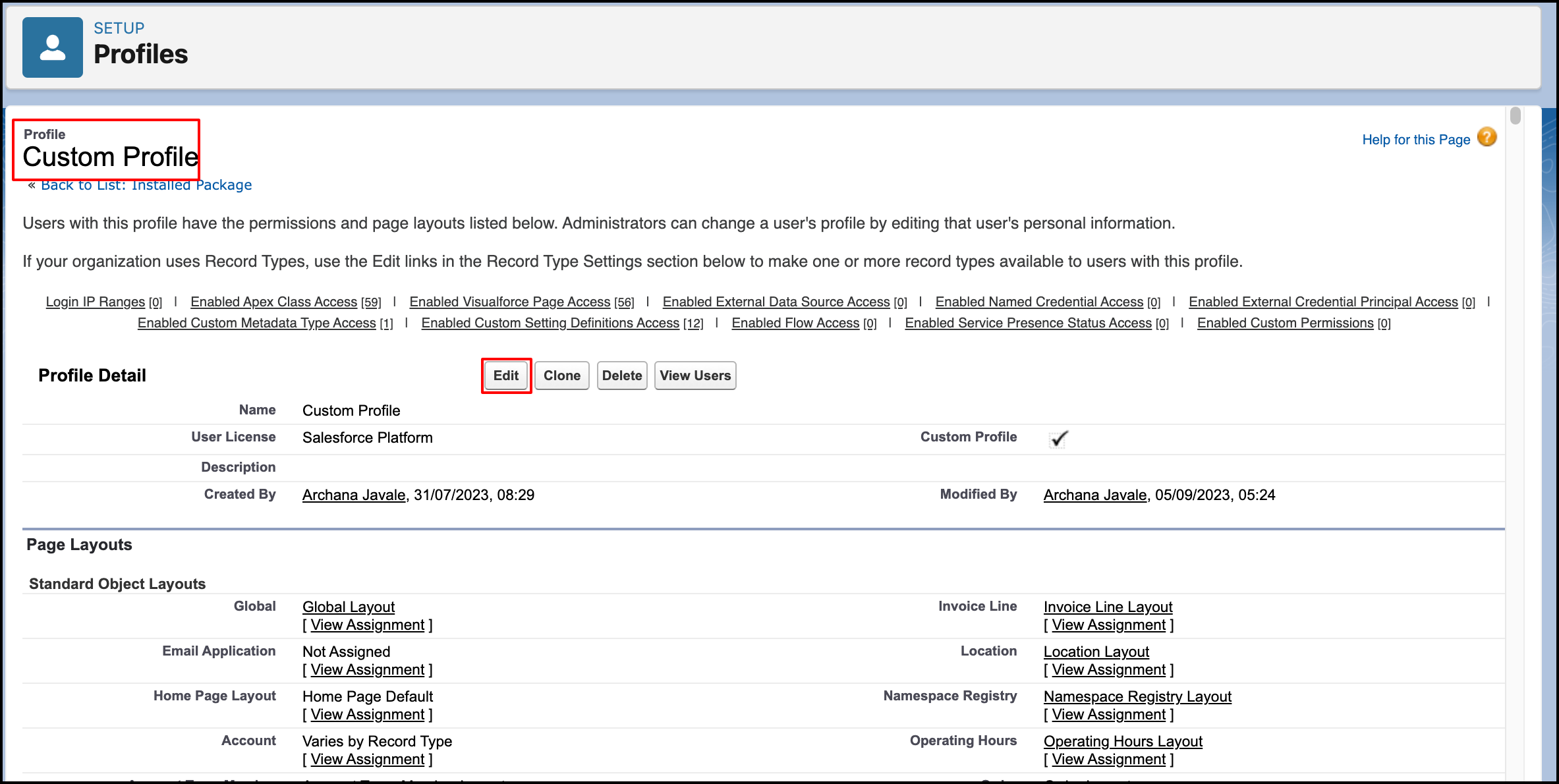
- On the profile page, click on the "Edit" button.
- In the profile editing page, search for "View All Custom Settings" and check the corresponding checkbox.
- Save your changes.
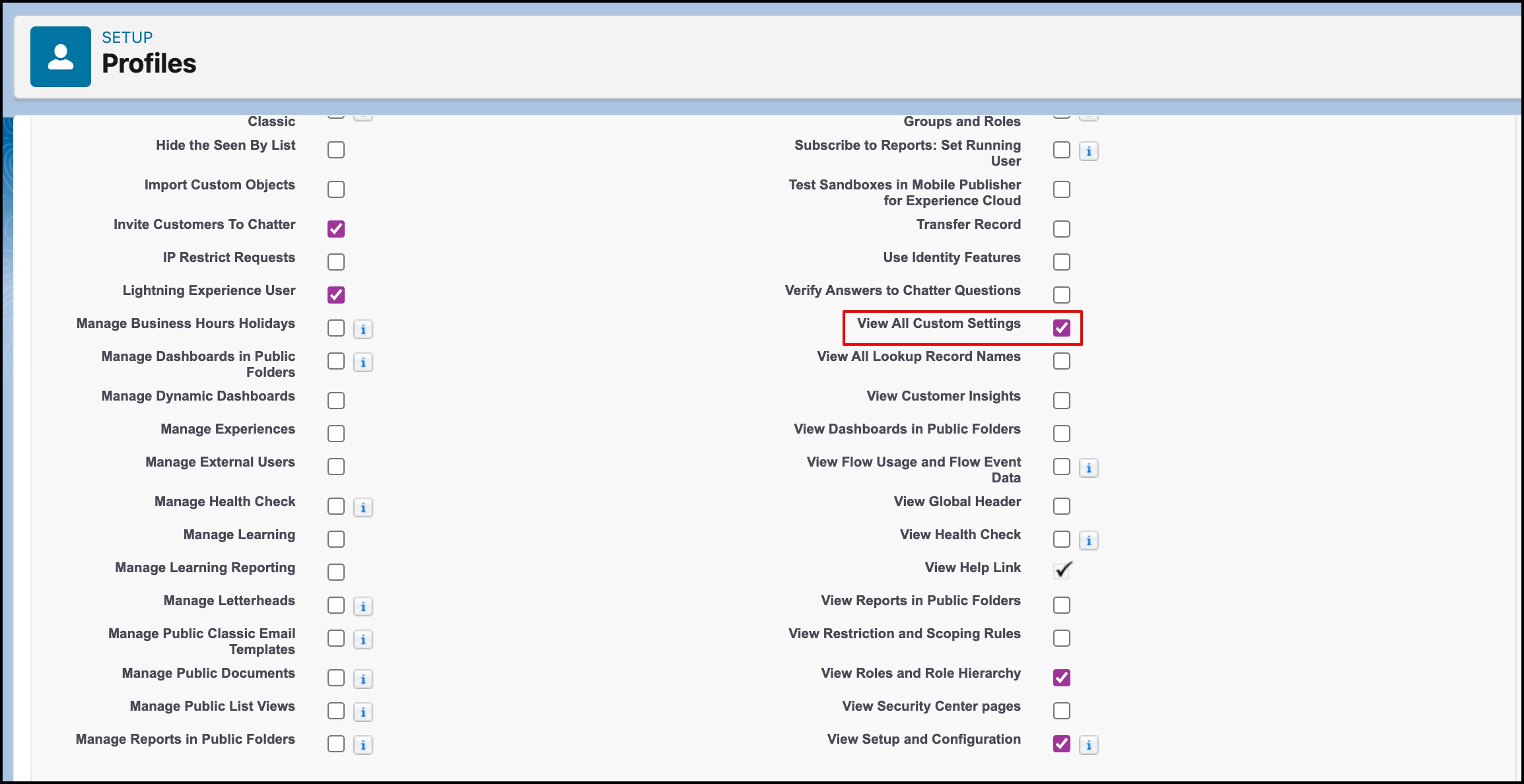
By granting the "View All Custom Settings" permission, you will provide the user with the necessary access to resolve the error and configure the application successfully.
PS: View Drag, Drop & Upload Files to Amazon S3, a Salesforce AppExchange app for moving files from Salesforce to Amazon S3: https://appexchange.salesforce.com/appxListingDetail?listingId=a0N3000000B5ZPqEAN
