
To assign the app licenses to users, you need to follow the below steps -
- From Setup, enter Installed Packages in the Quick Find box, then select Installed Packages to find the installed package that has available licenses.
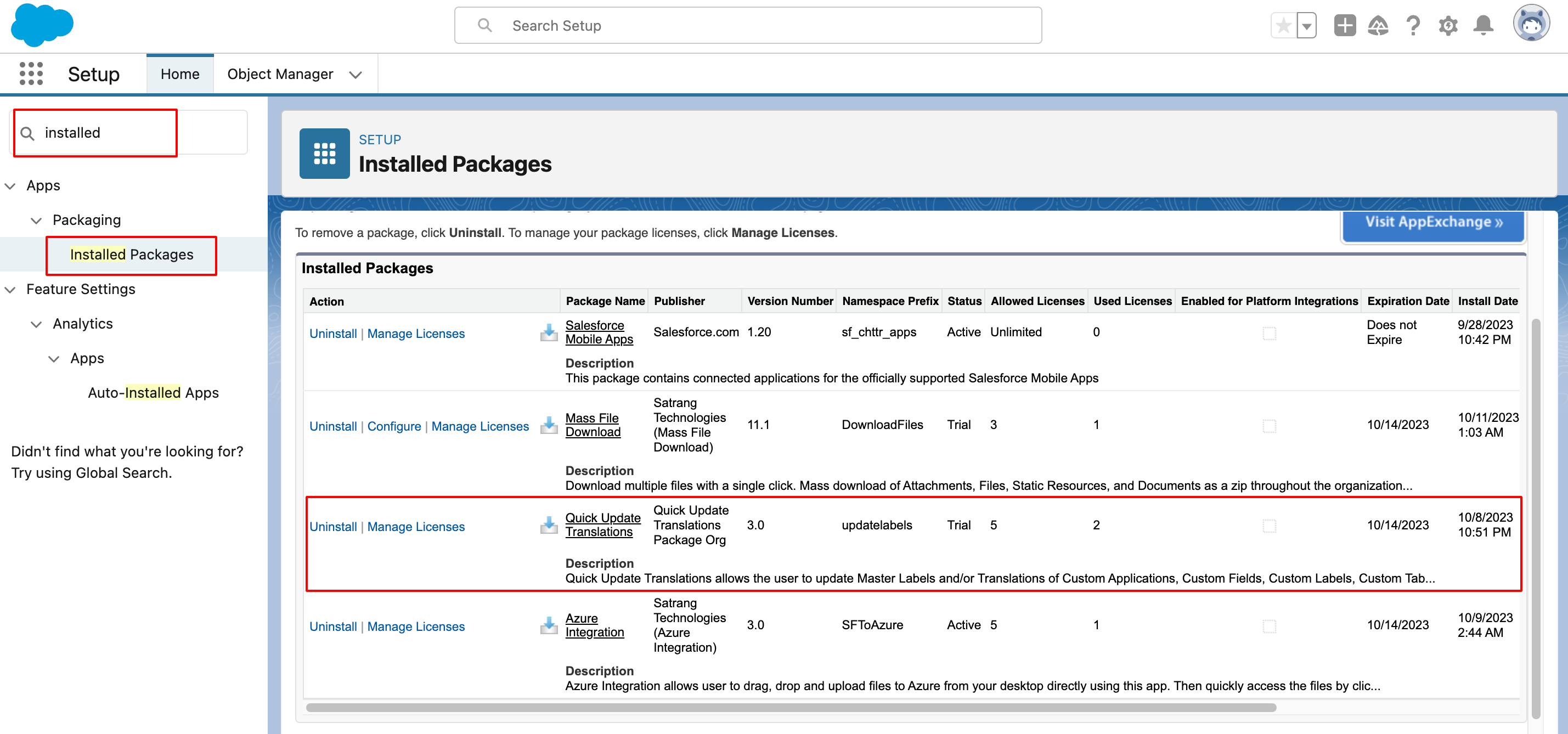
- Click the Manage Licenses link next to the Quick Update Translations name.

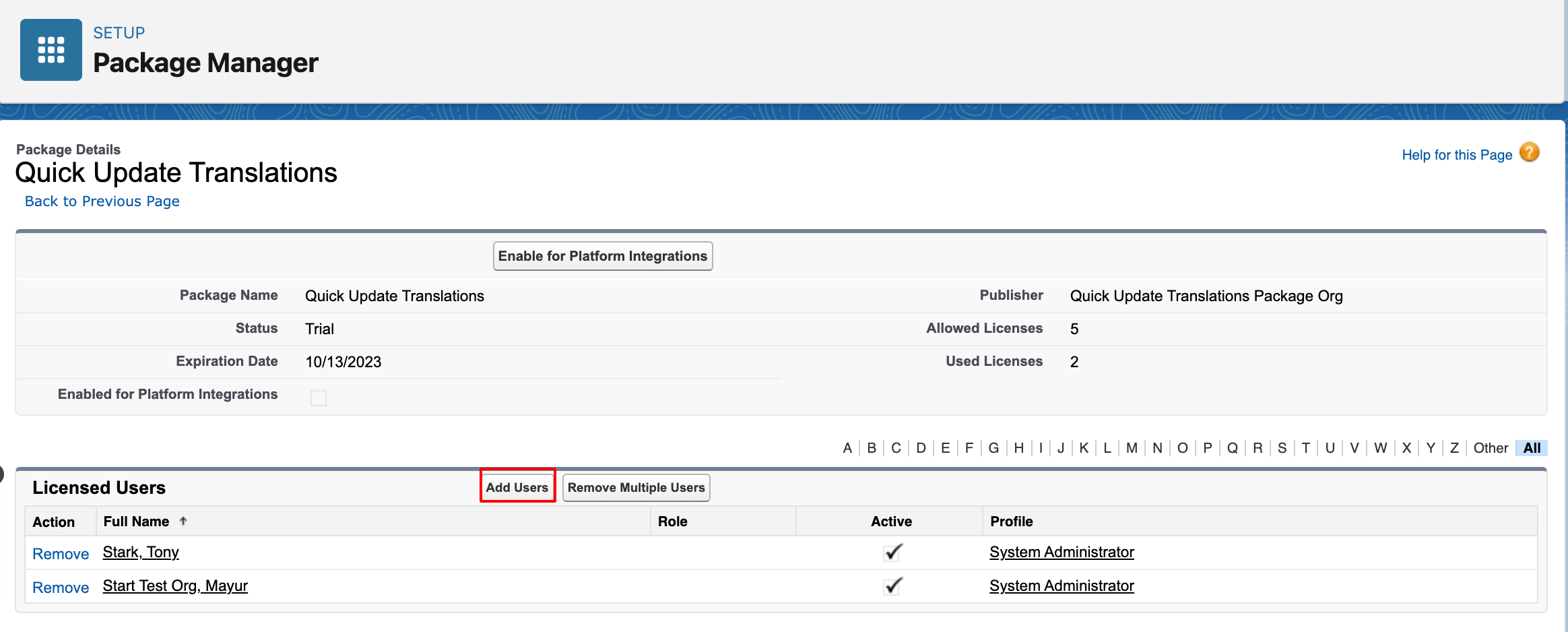
- Click "Add Users".
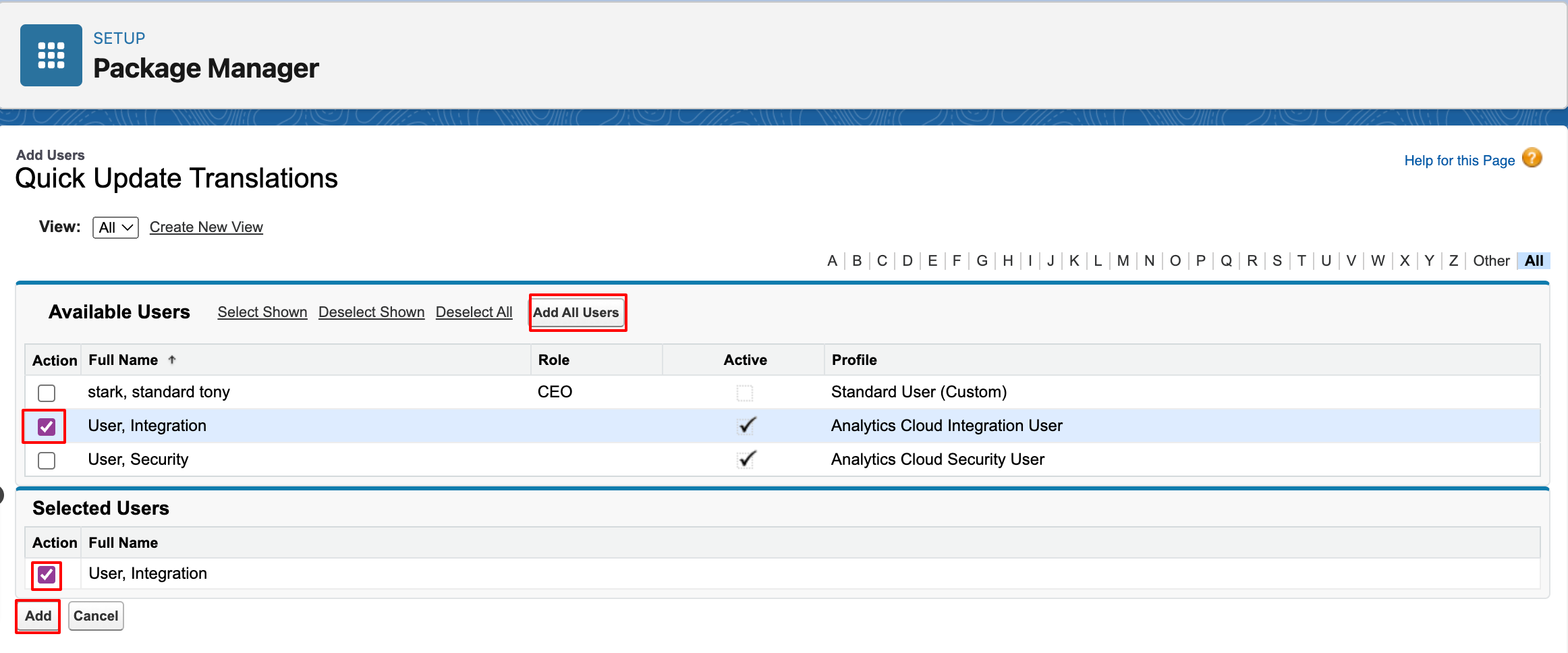
- To select individual users, use the checkboxes. Selected users are listed in the Selected list. When the list includes all the users to whom you want to assign licenses, click Add.
- To select all users for the current view, click Add All Users button, then click OK.
P.S. Discover Quick Update Translations, the simple way to update Labels and Translations in just a few clicks. Find it on AppExchange: https://appexchange.salesforce.com/appxListingDetail?listingId=fa9afbfe-74ff-4027-ac32-2cdfd58184d3