
You can update the master values of Custom Links and Buttons using the "Quick Update Translations" app. Follow these steps:
- Open the "Quick Update Translations" app and navigate to the "Quick Update Translations" tab.
- From the "Select Entity to Translate" section, choose "Custom Links/Buttons".
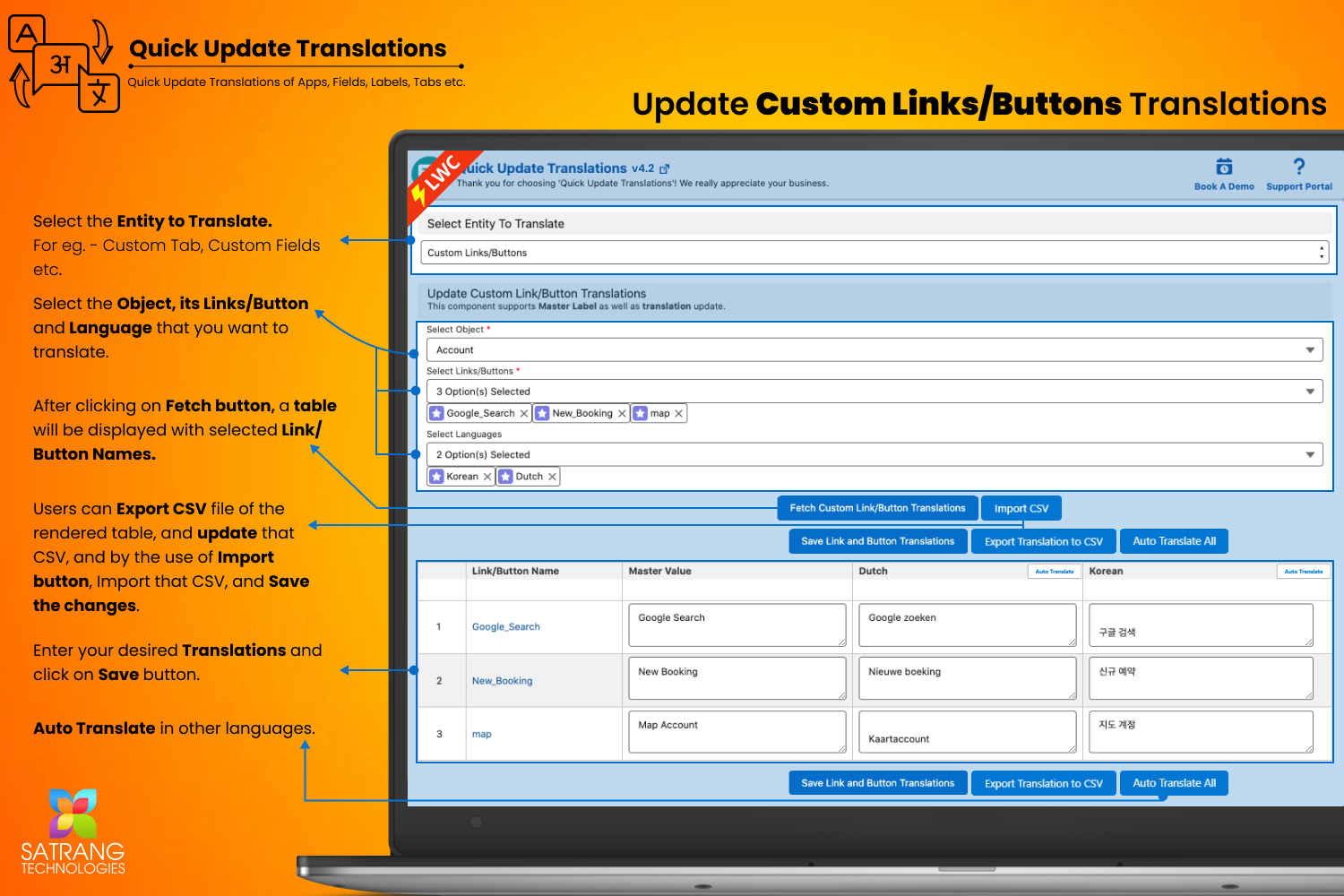
- This will open the "Update Custom Link/Button Translations" page.
- In the "Select Object" section, select the object for which you want to update the custom Links and Buttons labels
- In the "Select Links/Buttons" dropdown, select the specific custom link/button for which you want to update the master labels.
- As you want to update only master labels, no need to select any language from "Select Languages"
- Click on the "Fetch Custom Link/Button Translations" button.
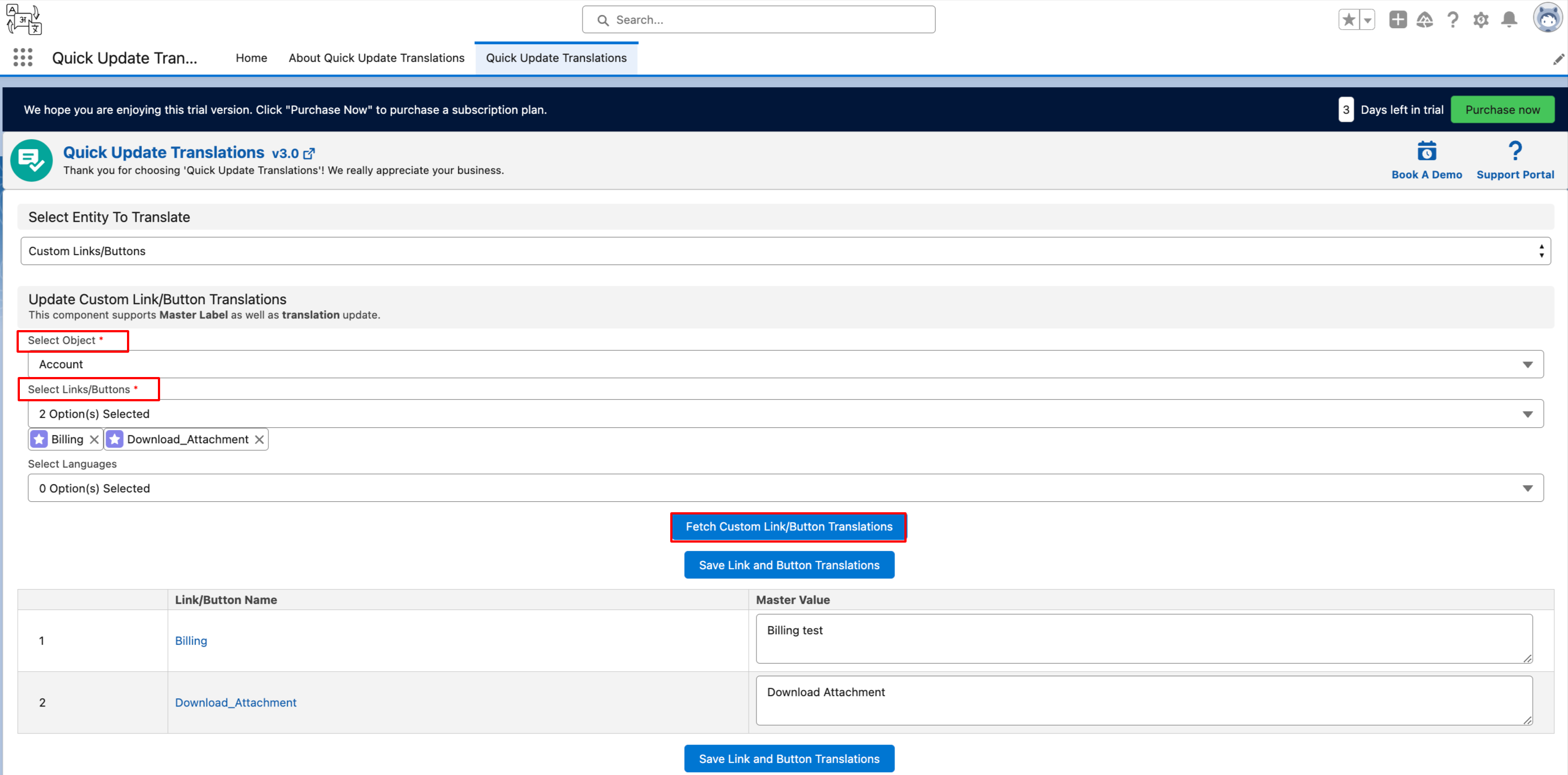
- The page will display a table with the selected custom links/buttons.
- Update the master labels as per your requirements in the table.
- Click on the "Save Link and Button Translations" button to save your changes.
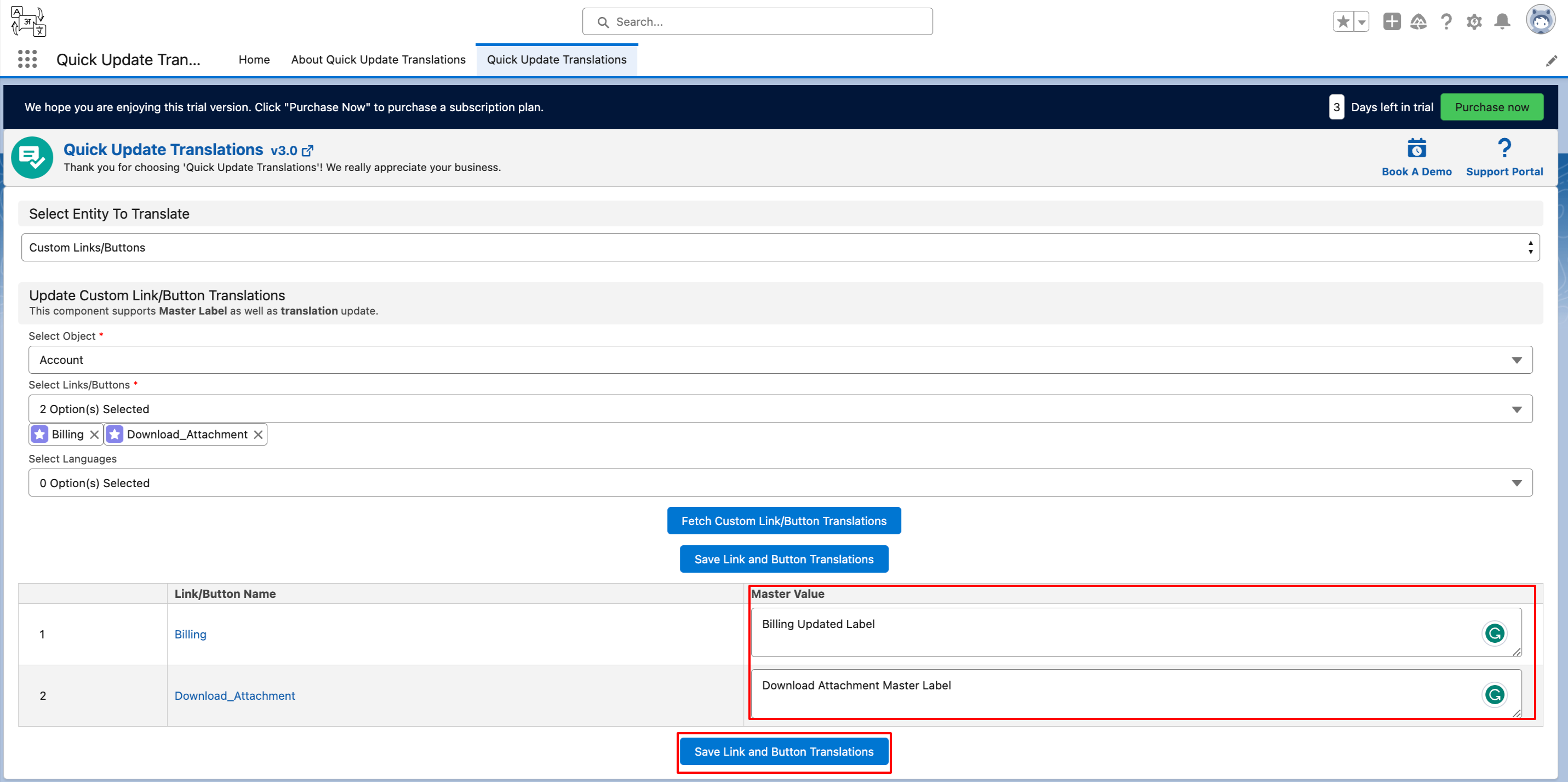
By following these steps, you can easily update the master values of custom Links and Buttons.
P.S. Discover Quick Update Translations, the simple way to update Labels and Translations in just a few clicks. Find it on AppExchange: https://appexchange.salesforce.com/appxListingDetail?listingId=fa9afbfe-74ff-4027-ac32-2cdfd58184d3