
If you are facing issues while downloading PDF files, please follow the steps below to enable session settings:
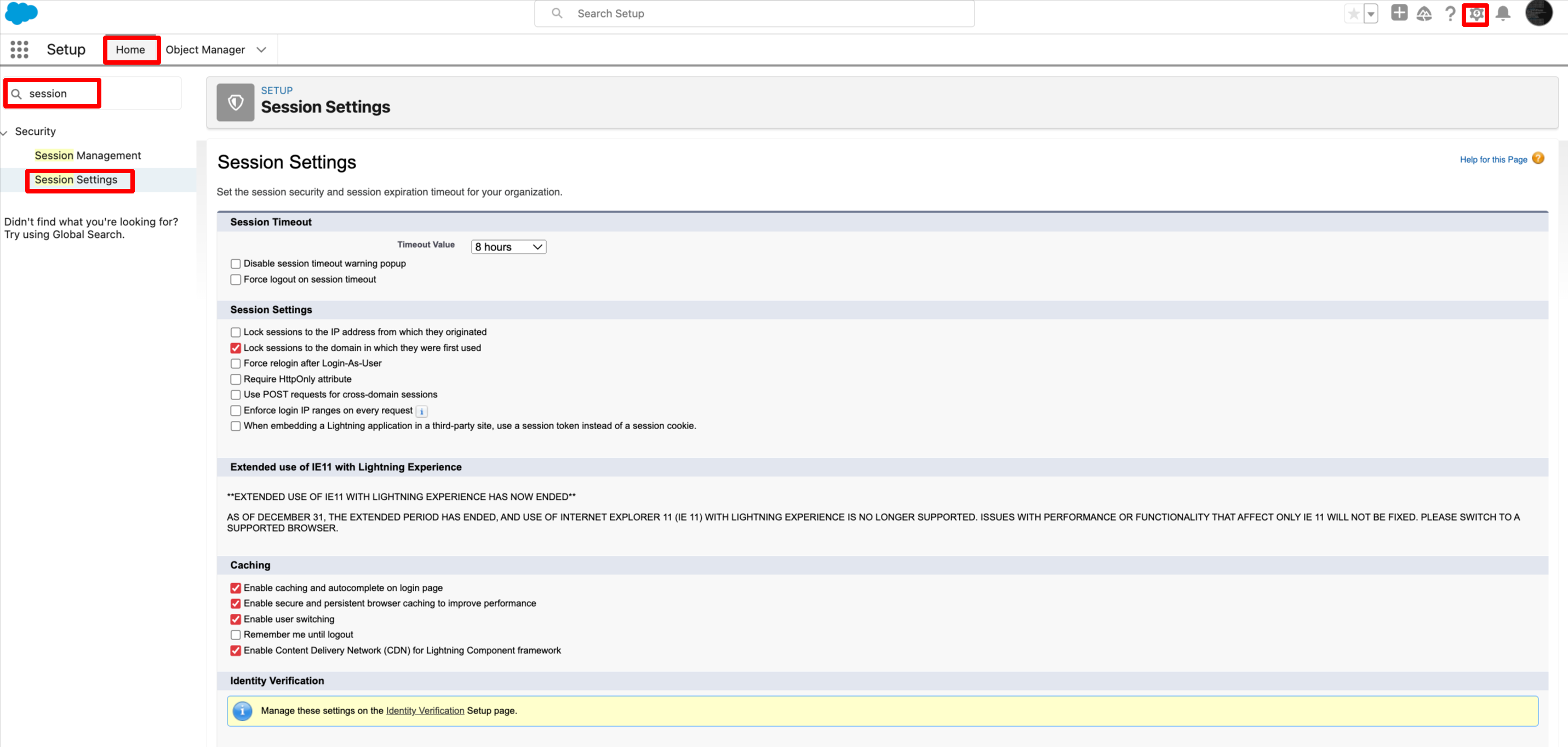
- Go to Setup.
- Navigate to Home.
- Search for "Session Settings" and click on it.
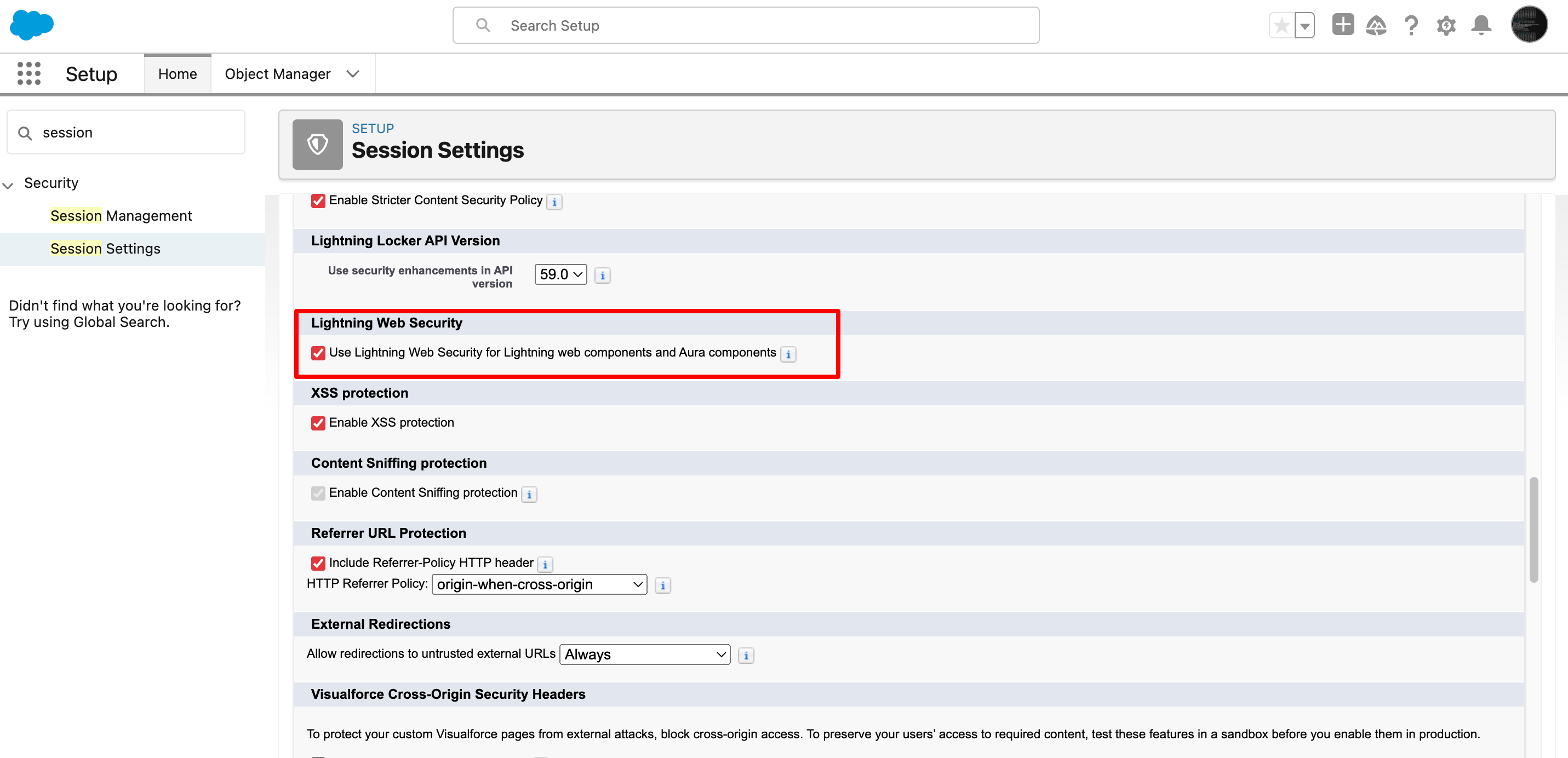
- In Session Settings, locate the "Lightning Web Security" section.
- Check the checkbox labeled "Use Lightning Web Security for Lightning web components and Aura components".
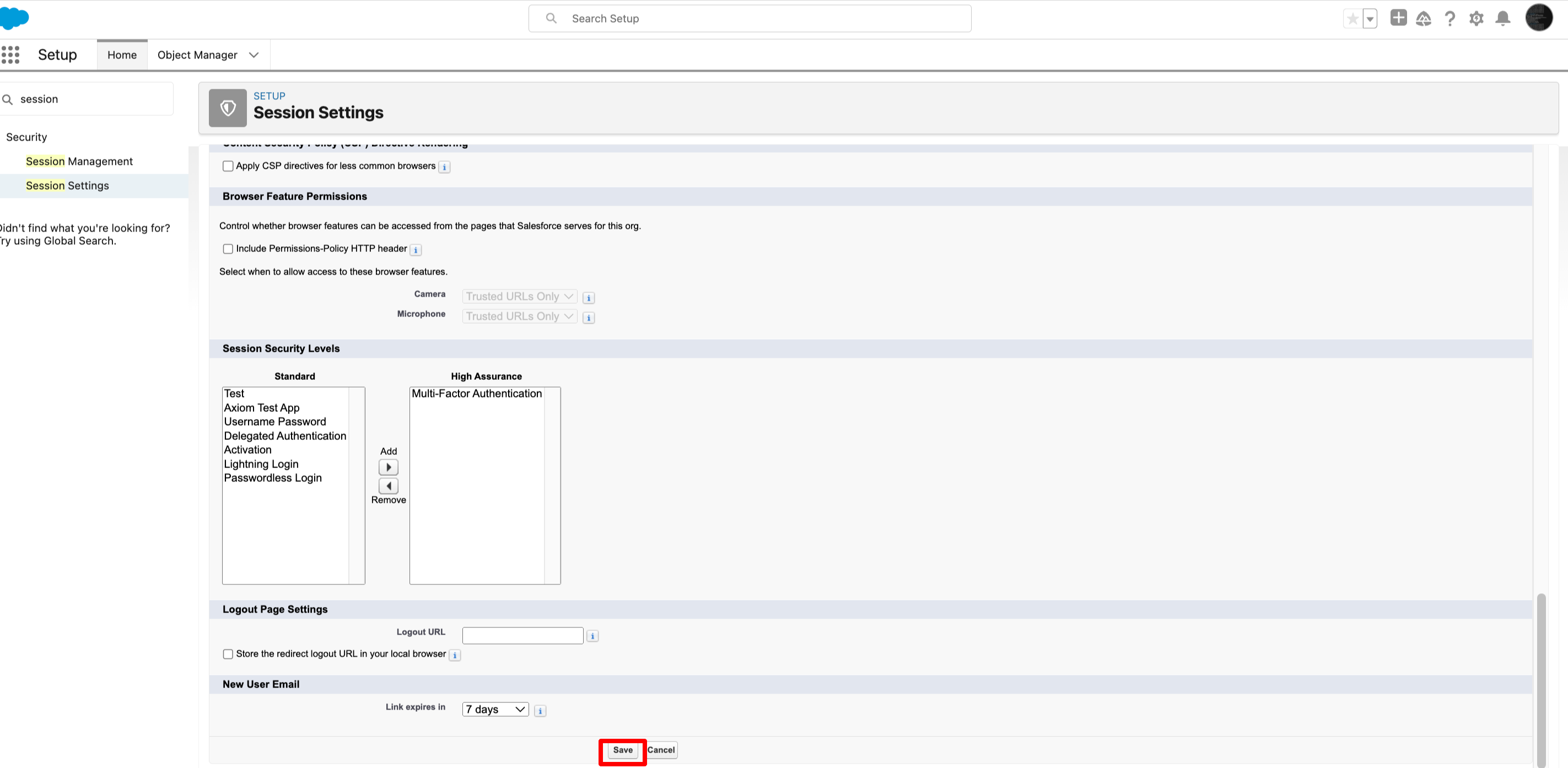
- Save your changes.
Now, your PDF download should be working fine.
PS: View Metadata Search, Salesforce quick search app on Salesforce AppExchange: https://appexchange.salesforce.com/appxListingDetail?listingId=a0N30000009wgF7EAI