
If you want to give only file Upload and Delete Permission to the user and not the Advanced feature access, follow the below steps:
- Go to Permission Sets from the setup.
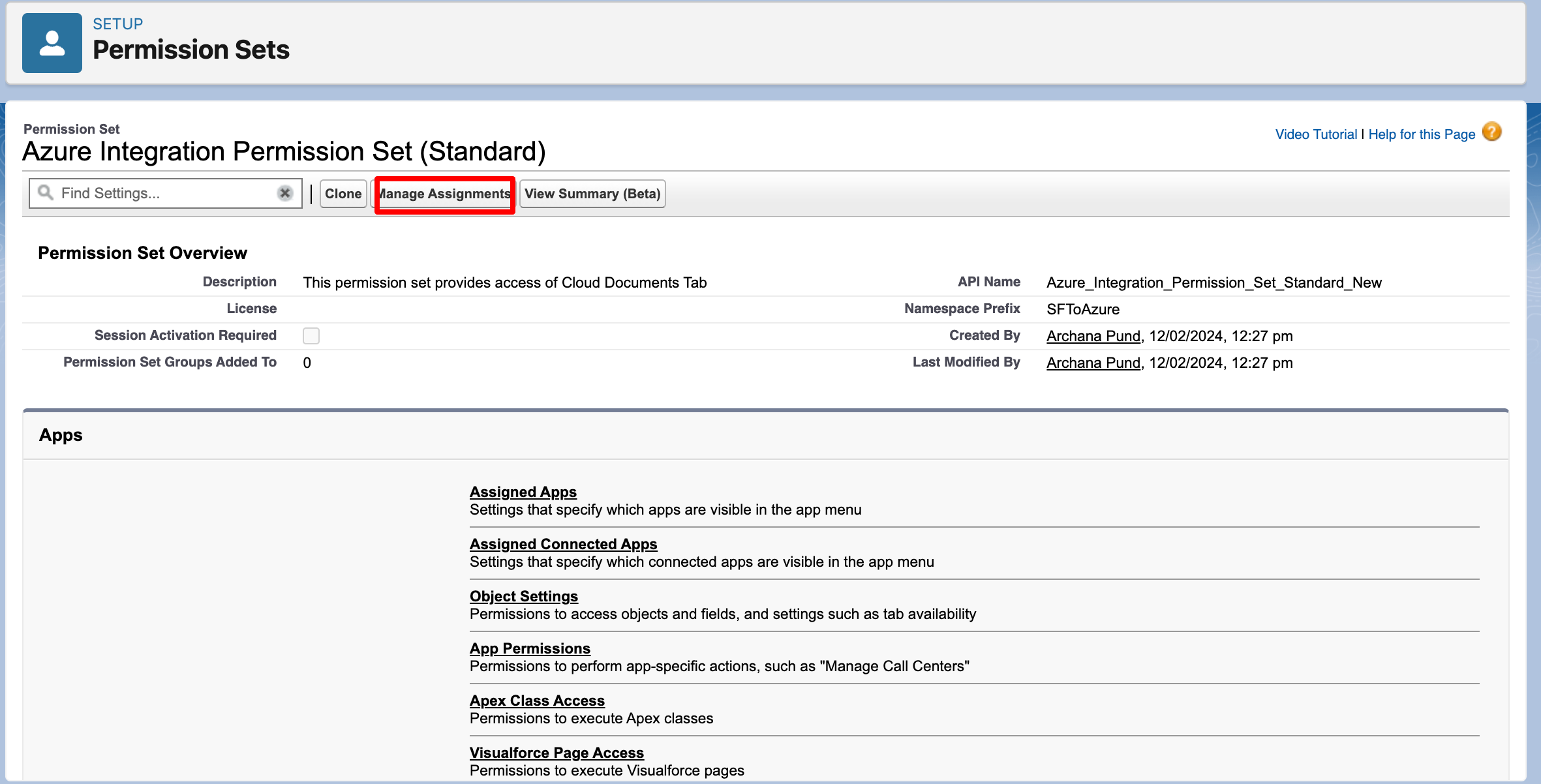
- Search for the permission set "Azure Integration Permission Set (Standard)" and click on it.

- Once the page opens, click on "Manage Assignments".
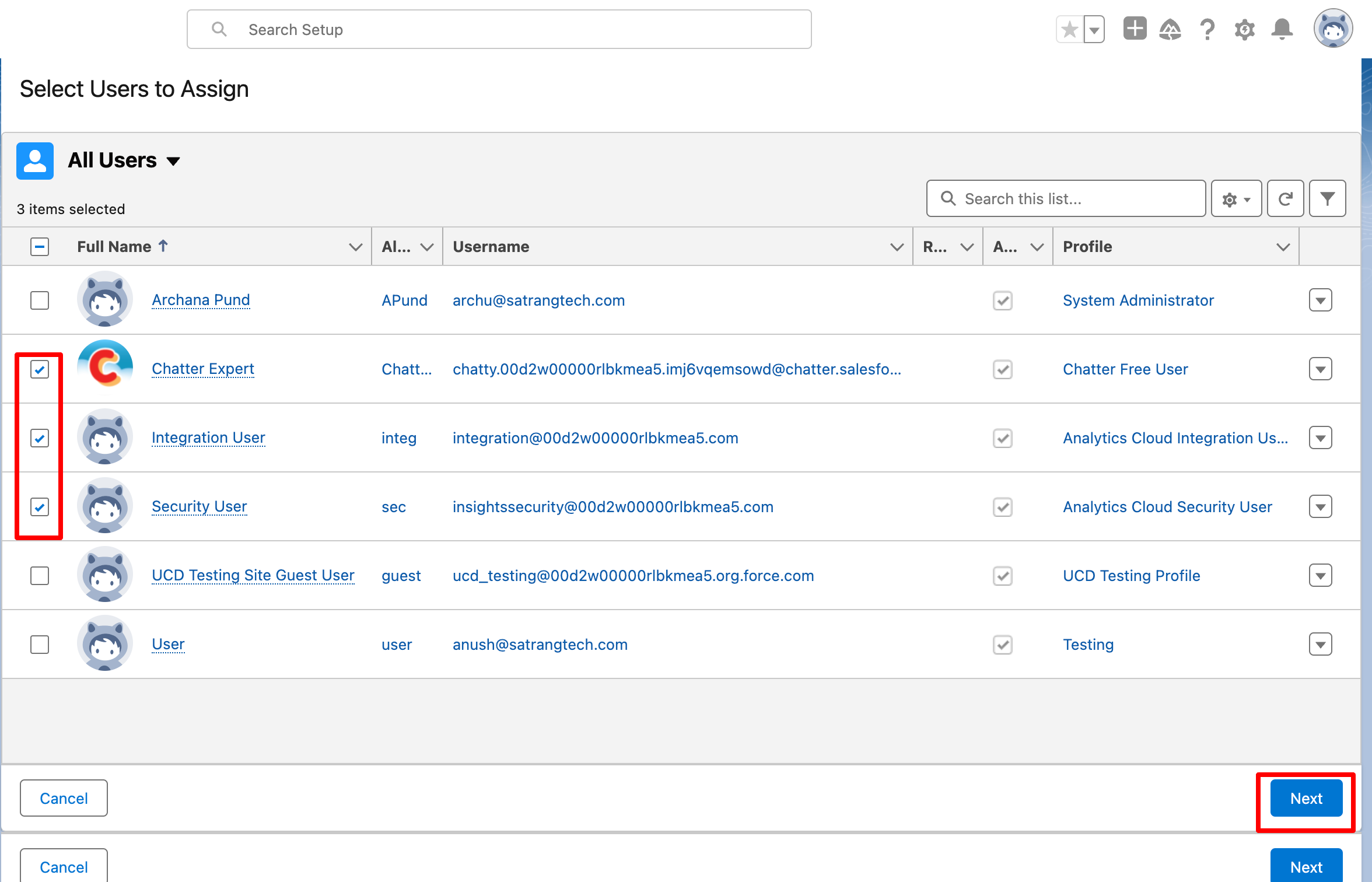
- Select users and click on "Next".
- On this page, click on "Assign".
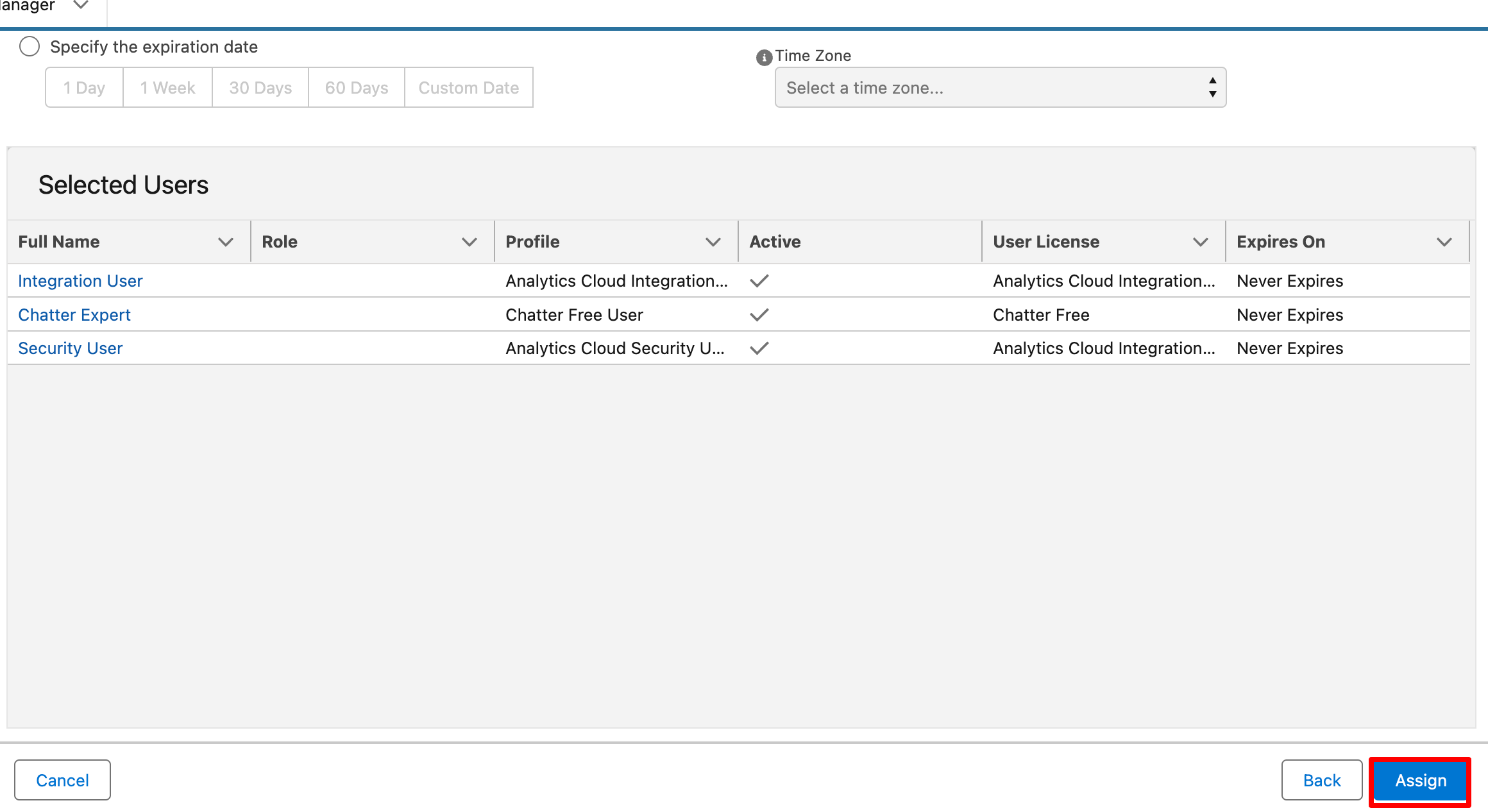
With these permissions, the user can upload and delete files within the Azure Integration App without accessing advanced features.
P.S. Discover Azure Integration, the easy way to upload files from any Salesforce record to Azure. Find it on AppExchange: https://appexchange.salesforce.com/appxListingDetail?listingId=c9e71bd6-5bab-4182-a461-b82d4f971183