
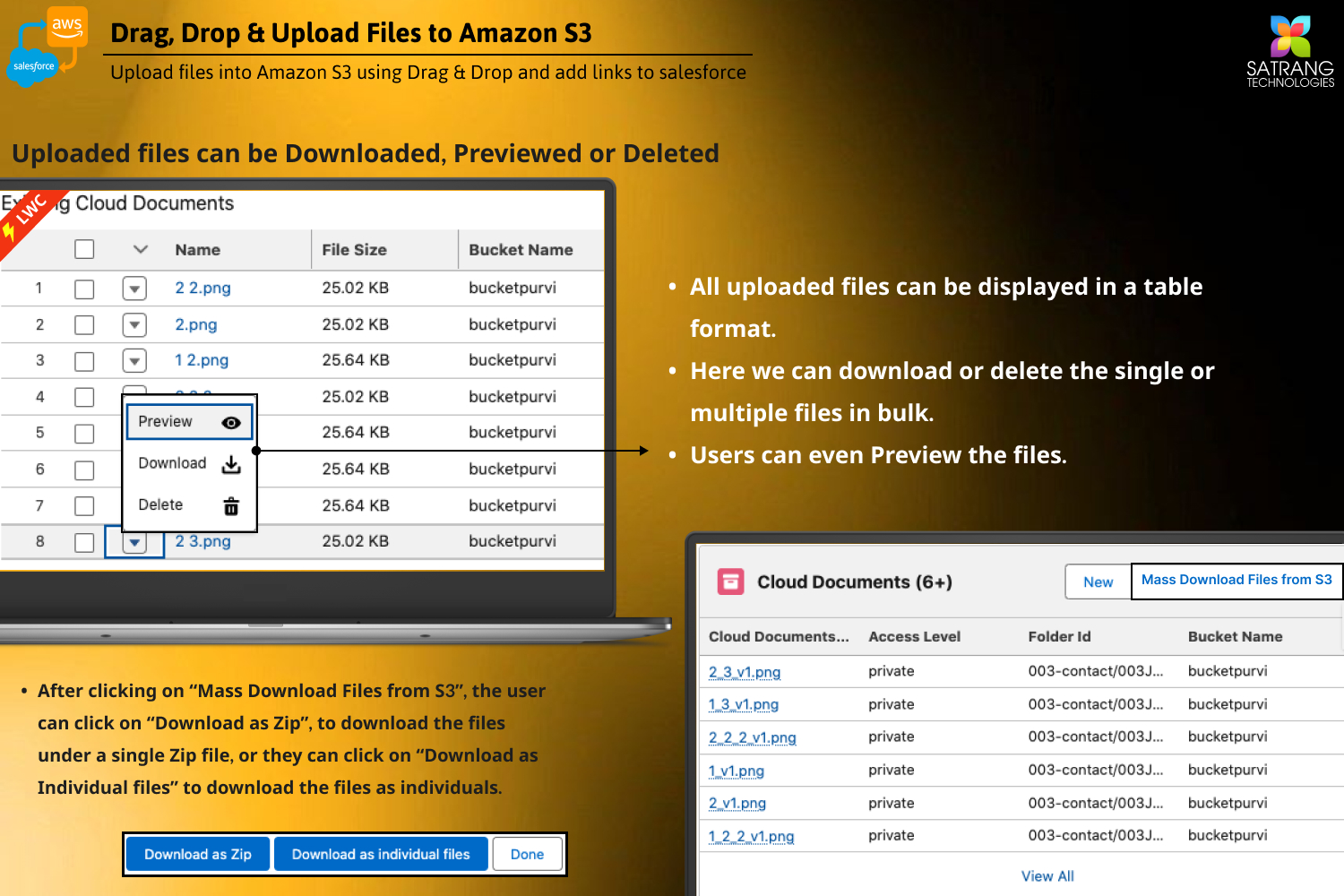
Yes, you can download, preview, and delete existing cloud documents in the lightning component itself. Follow the steps below:
- Go to the record page where you have added the DDU lightning component.
- Look for the Existing Cloud Documents List.
- Click on the arrow before the cloud document Name.
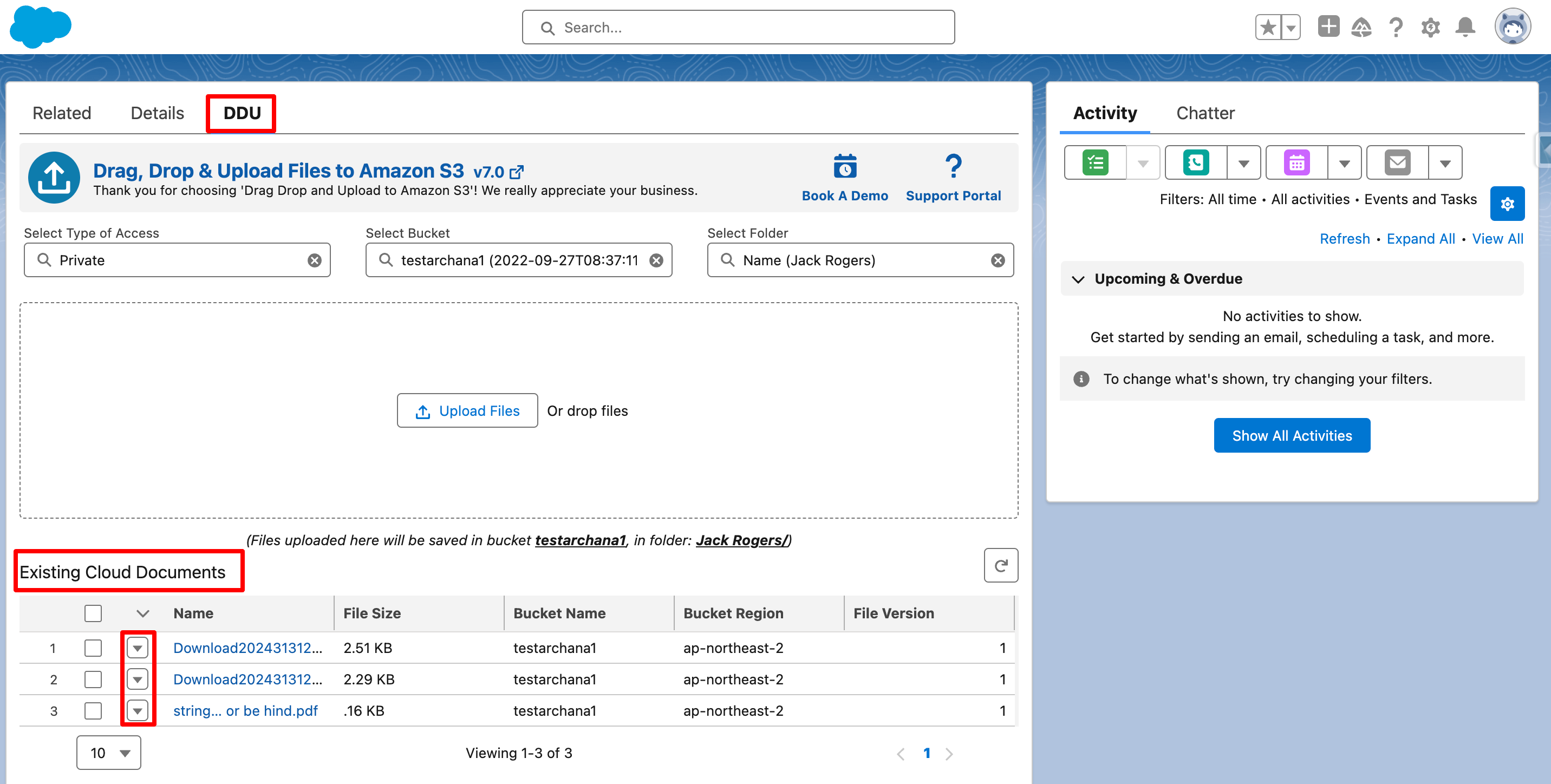
- Once you click on this arrow, it shows you options to download, preview, and delete existing cloud documents.
PS: View Drag, Drop & Upload Files to Amazon S3, a Salesforce AppExchange app for moving files from Salesforce to Amazon S3: https://appexchange.salesforce.com/appxListingDetail?listingId=a0N3000000B5ZPqEAN