
To access the "Mass File Migrate" app in Lightning, follow these steps:
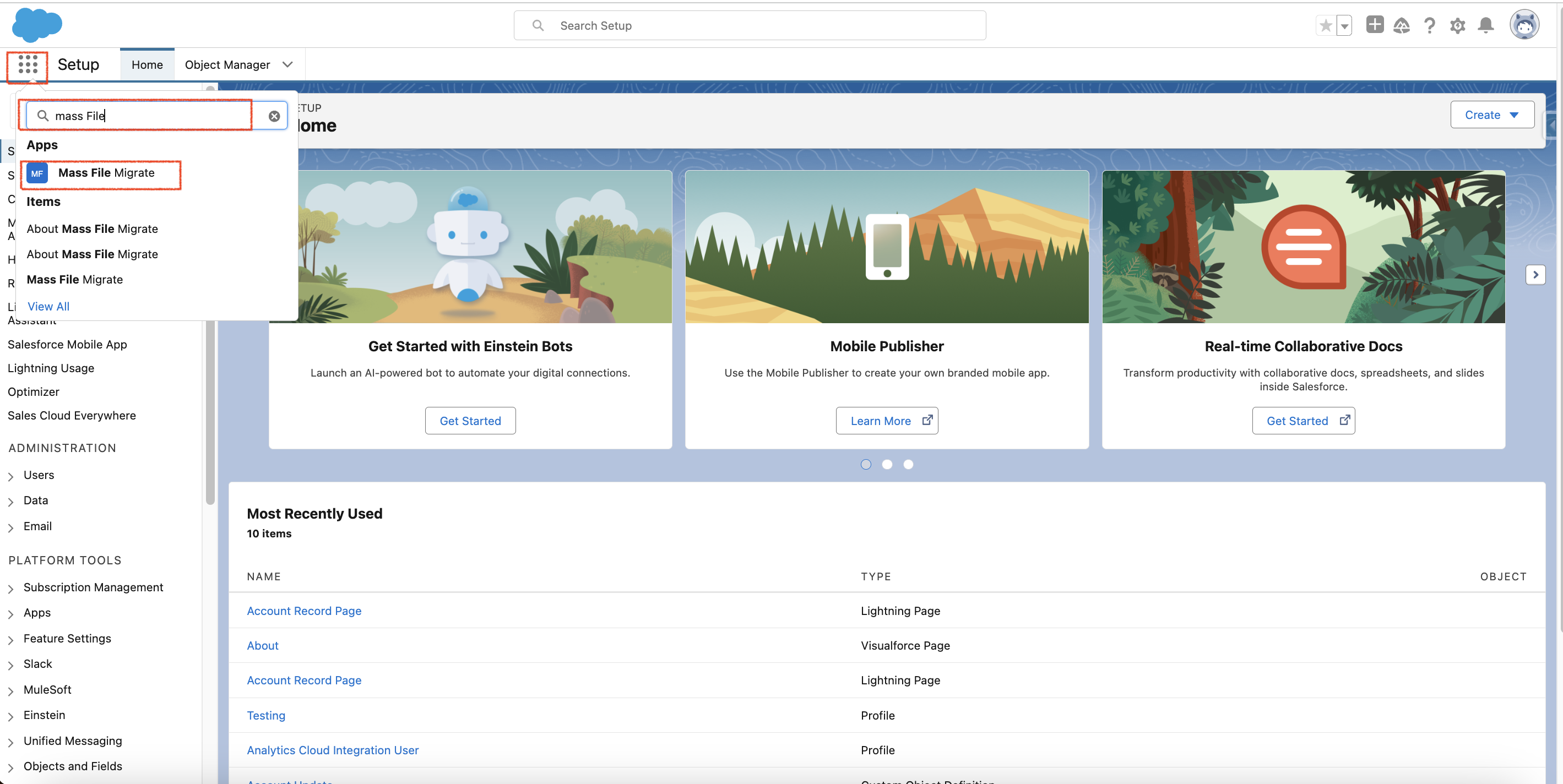
- Open Salesforce and locate the App Launcher icon (usually found in the upper-left corner of the screen).
- Click on the App Launcher icon to open the launcher, Search for "Mass File Migrate" and click on it as shown in the image below -
- The app will open, allowing you to start using its features immediately.
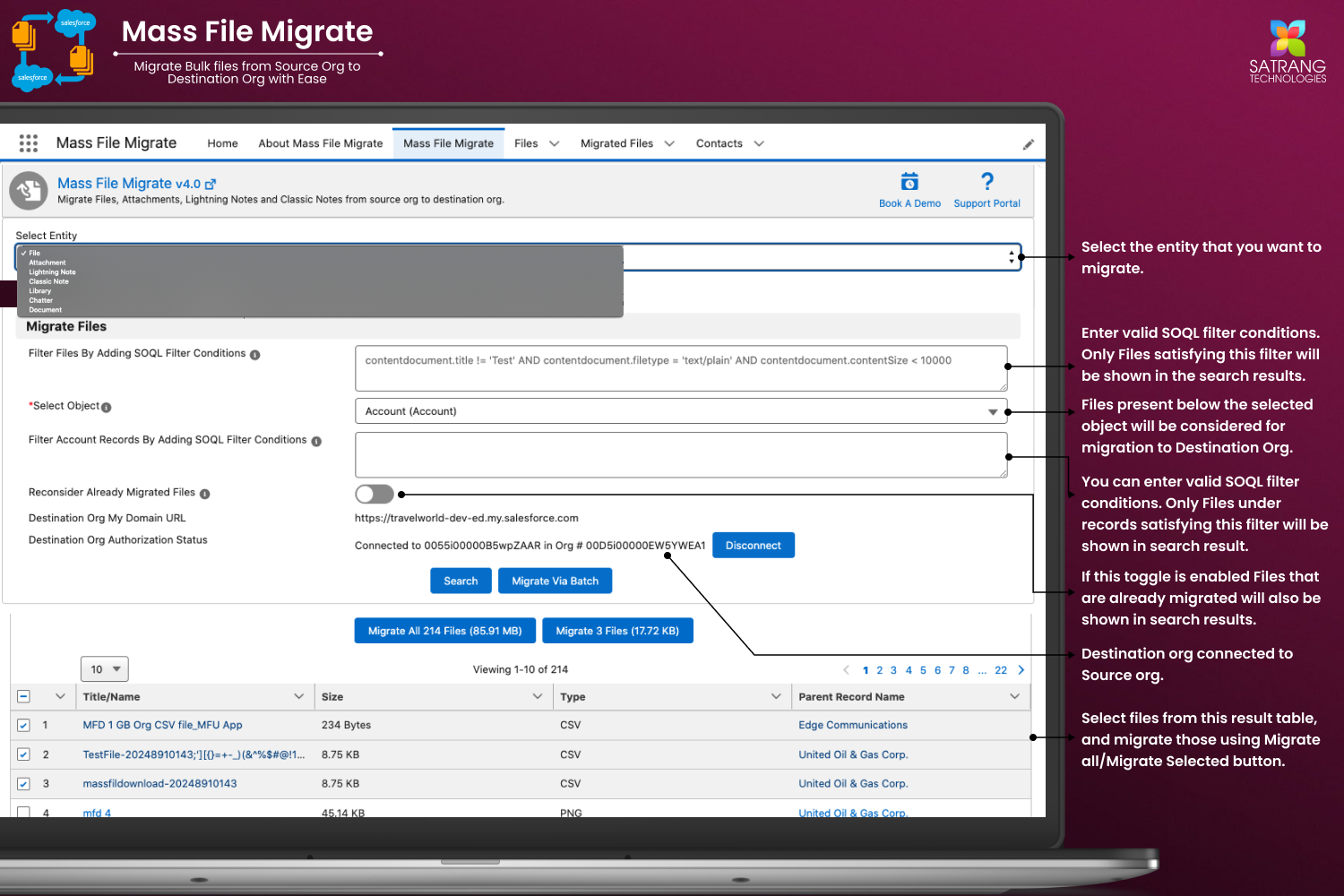
PS: View Mass File Migrate Salesforce file migration app on Salesforce AppExchange:
https://appexchange.salesforce.com/appxListingDetail?listingId=e9874a66-2001-4e3d-8a29-3a2ed7f584c4