
Yes, you can upload files directly to the Amazon S3 bucket without creating any folders. Follow the steps below:
- Go to the "About Drag & Drop and Upload to Amazon S3" tab.
- Look for the "Important Post Install Steps" section.
- Look for "Step 6"
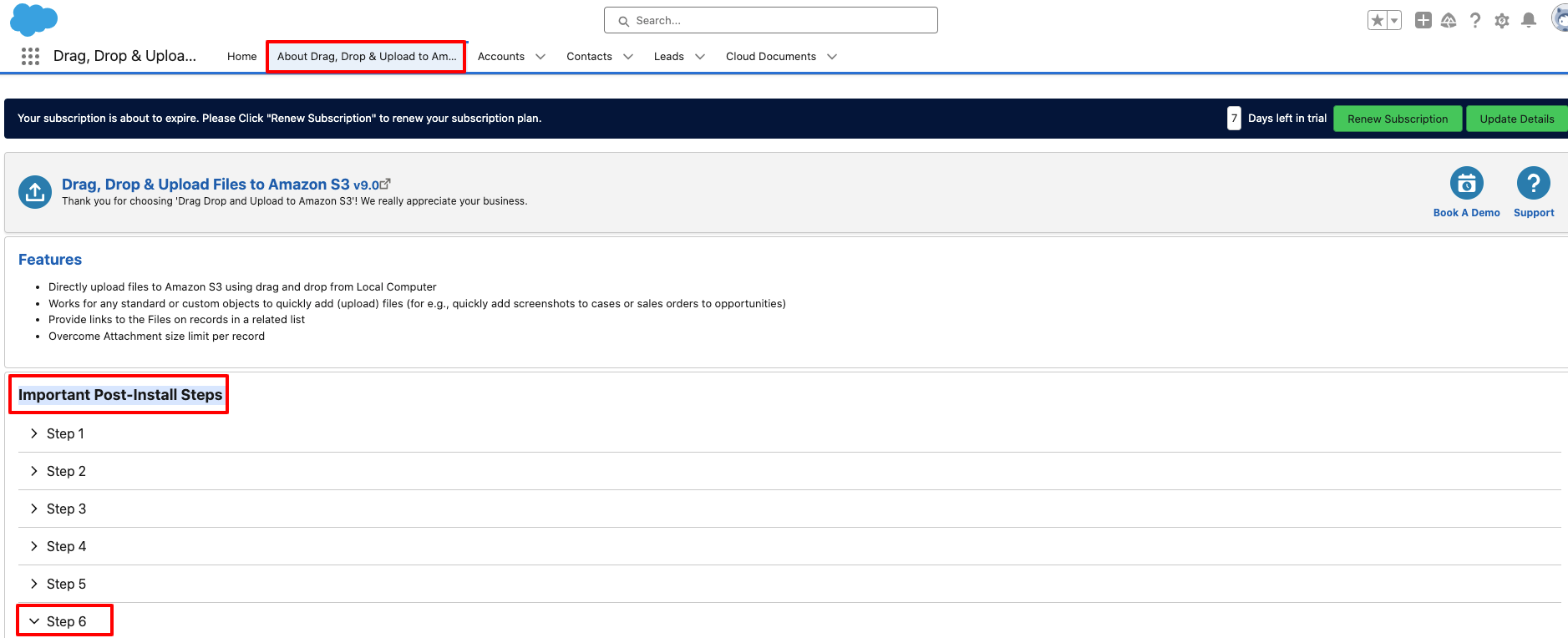
- In Step 6, enable the "Upload Files Directly to Bucket" toggle.
- Click Save.
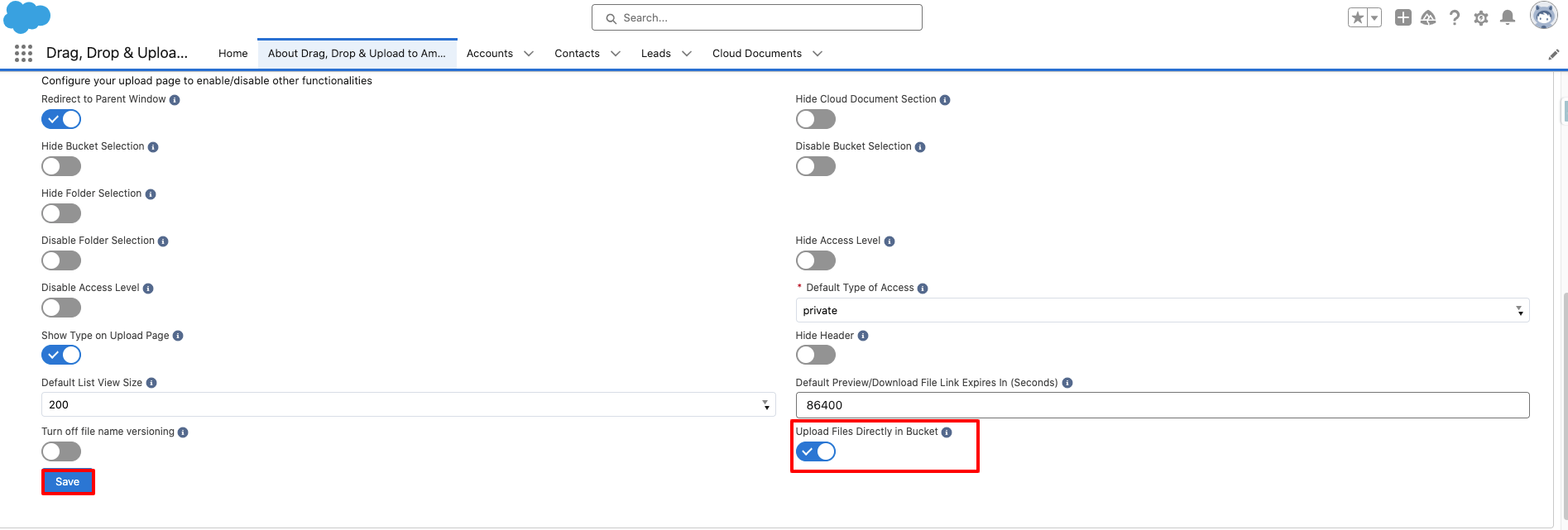
With this setting enabled, files will be migrated directly to the S3 bucket without creating any folders.
PS: View Drag, Drop & Upload Files to Amazon S3, a Salesforce AppExchange app for moving files from Salesforce to Amazon S3: https://appexchange.salesforce.com/appxListingDetail?listingId=a0N3000000B5ZPqEAN