
You can view both the total number and total size of files or attachments migrated to Azure using the Migrate feature via the Credit Summary page.
To check the Credit Summary:
- Go to the “About Azure Integration” tab.
- Click on the “Credit Summary” section.
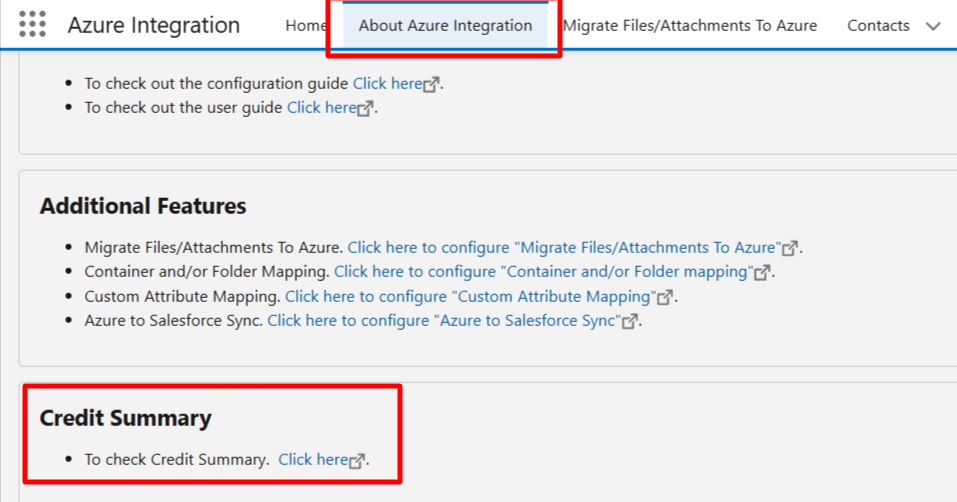
This will provide you with a detailed overview of:
- The total number of files/attachments migrated.
- The total file size consumed.
- Available credits.

This feature helps you monitor your migration activity and storage usage effectively.
P.S. Discover Azure Integration, the easy way to upload files from any Salesforce record to Azure. Find it on AppExchange: https://appexchange.salesforce.com/appxListingDetail?listingId=c9e71bd6-5bab-4182-a461-b82d4f971183