
With the latest update, files downloaded from AWS S3 now retain their original file names. Admins can enable or disable this feature from the ‘About Drag, Drop & Upload Files to Amazon S3’ screen.
- Go to the ‘About Drag, Drop & Upload Files to Amazon S3’ tab.
- Scroll down and click on Step 6.
- Turn ON the “Download File with Actual Name” toggle.
- Click the Save button.
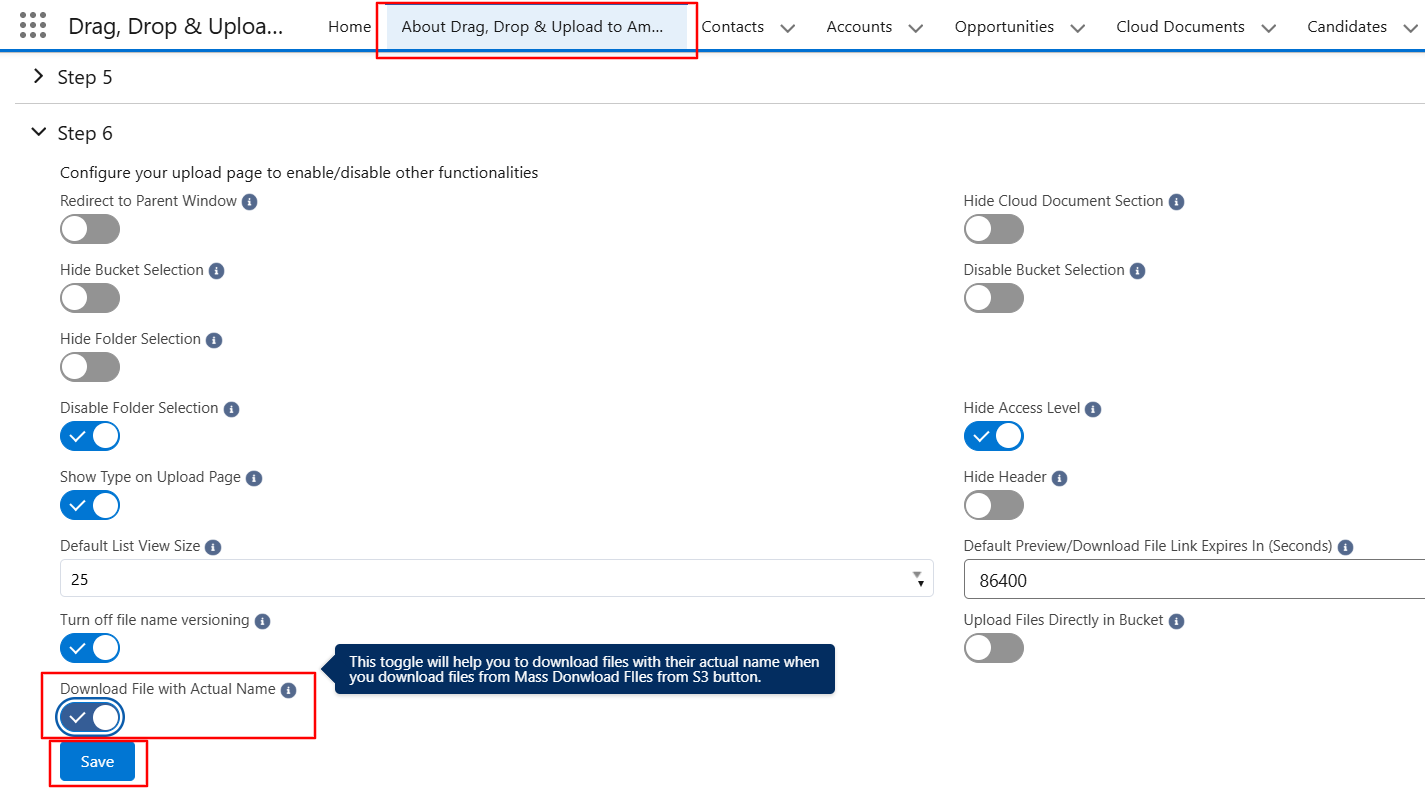
This way, you can download the files with their actual file names.
PS: View Drag, Drop & Upload Files to Amazon S3, a Salesforce AppExchange app for moving files from Salesforce to Amazon S3: https://appexchange.salesforce.com/appxListingDetail?listingId=a0N3000000B5ZPqEAN