
You can now enter a parent record filter directly from the Migrate Real-Time screen.
- Go to the ‘About Drag, Drop & Upload Files to Amazon S3’ tab.
- Scroll down to the ‘Additional Features’ section and click on ‘Click here to configure “Migrate Attachment To S3”’.
- Now go to the ‘Migrate Real-Time’ section. Here, you can select the object and enter the SOQL filter to configure or narrow down the records.
- Click the Save Settings button.
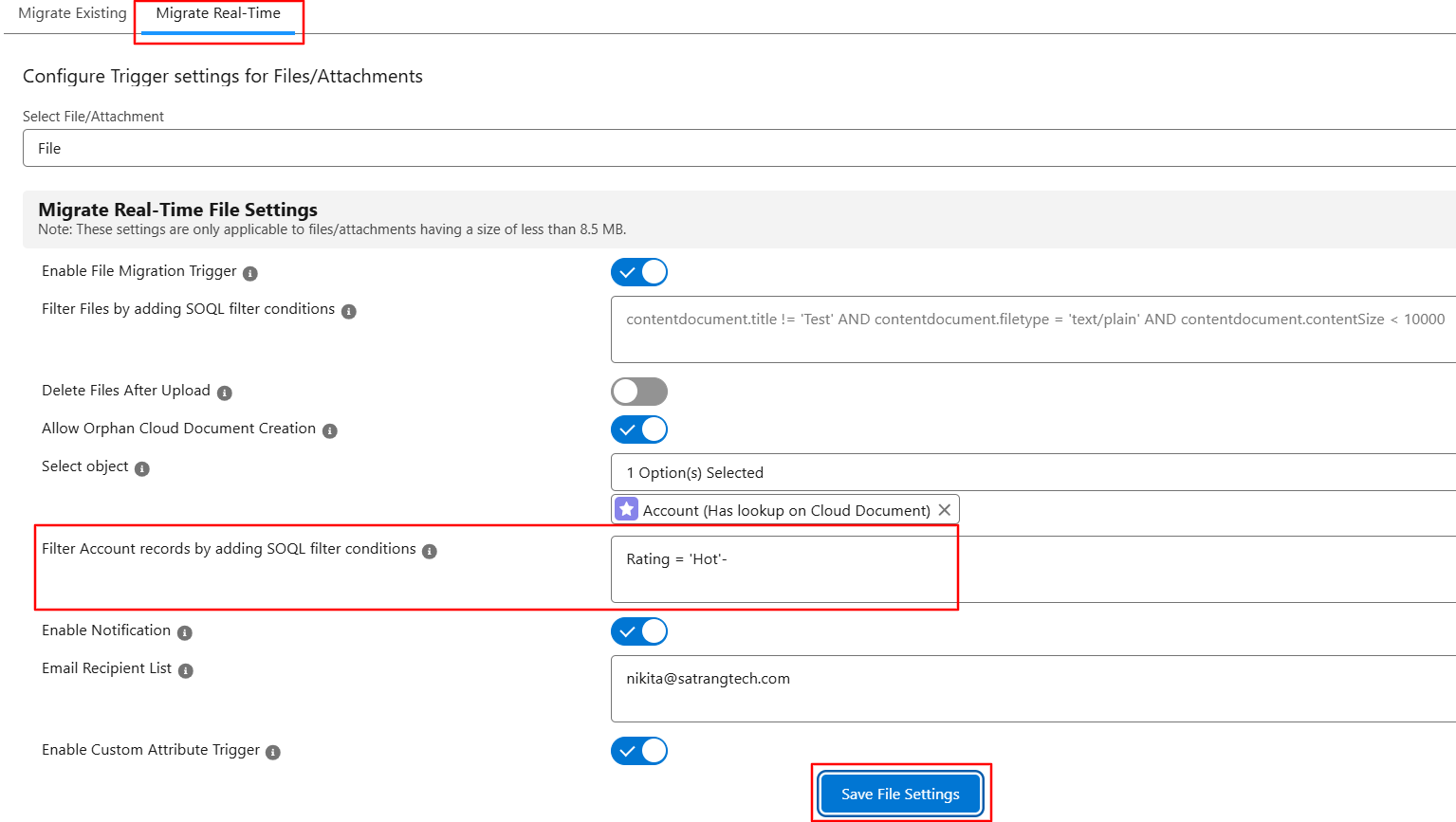
This will allow you to filter parent records directly before running the real-time migration.
PS: View Drag, Drop & Upload Files to Amazon S3, a Salesforce AppExchange app for moving files from Salesforce to Amazon S3: https://appexchange.salesforce.com/appxListingDetail?listingId=a0N3000000B5ZPqEAN