
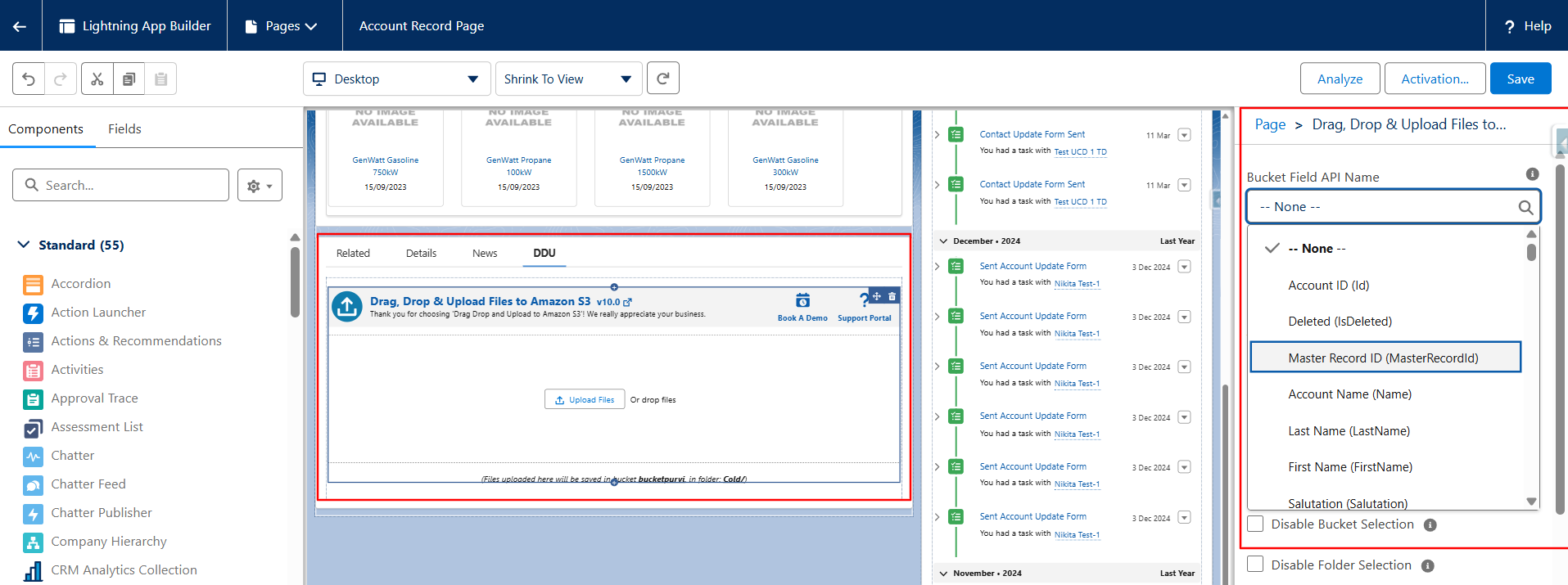
The upload Lightning component screen now provides a predefined drop-down list for selecting fields, instead of entering API names manually. The default value is set to “None.”
- Go to the record page where you have added the “Drag, Drop & Upload Files to Amazon S3” Lightning component.
- Click Edit Page.
- Since this is a latest-release feature, you must first remove the component and then add it again to ensure the feature works smoothly.
- On the right side, you will see the configuration options.
- In these options, you will now see a drop-down list that allows you to select fields directly.
- You no longer need to copy and paste the exact field API names from Object Settings.
- All available fields will appear in the drop-down, and you can easily select the one you need.
- Save the settings.
- Go back to the record page.
This enhancement makes field selection much easier and eliminates API name errors.
PS: View Drag, Drop & Upload Files to Amazon S3, a Salesforce AppExchange app for moving files from Salesforce to Amazon S3: https://appexchange.salesforce.com/appxListingDetail?listingId=a0N3000000B5ZPqEAN