
You can update this in the respective Email Alert.
- Go to the 'Setup', search for the Email Alerts.
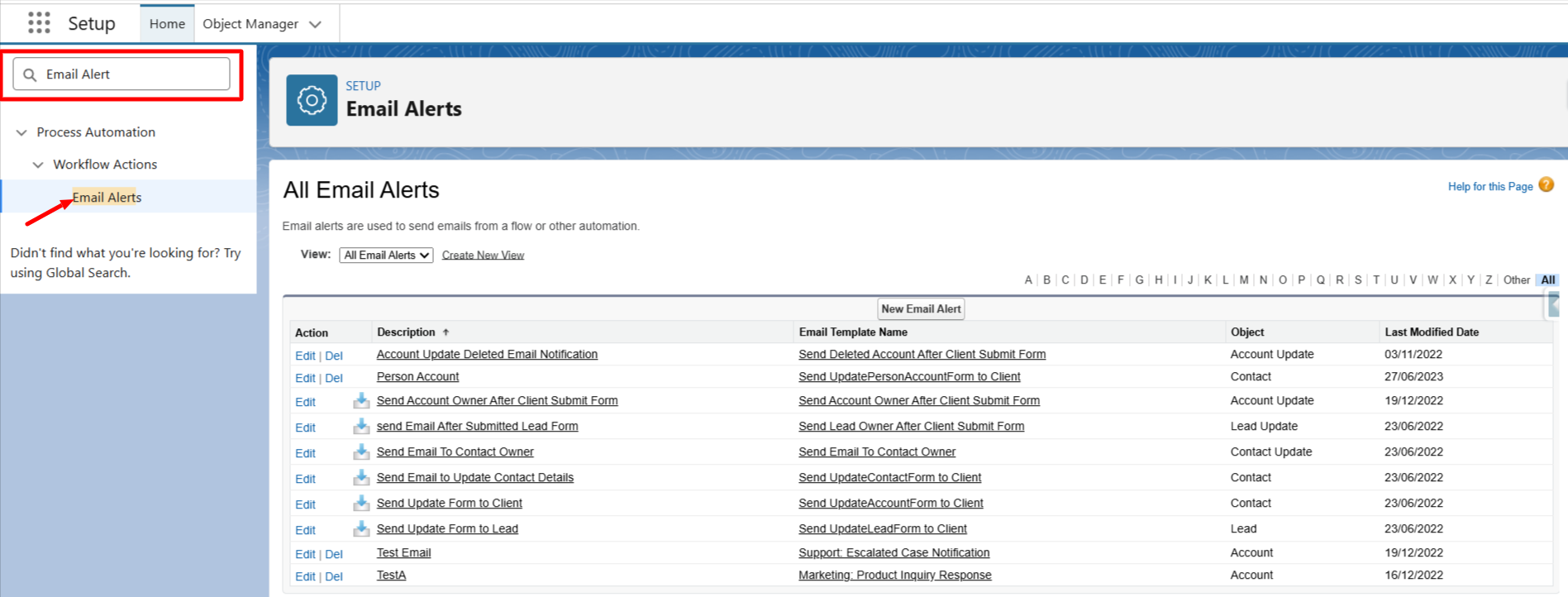
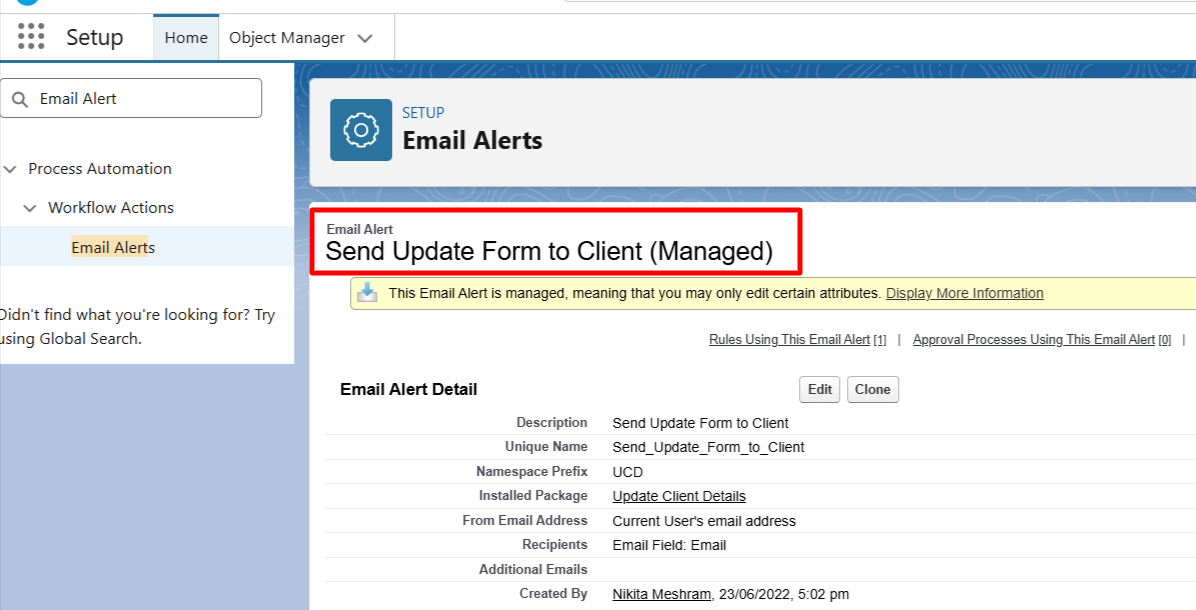
- If you want to update 'Account Form Email Sender', then open the 'Send Update Form to Client' Email Alert.
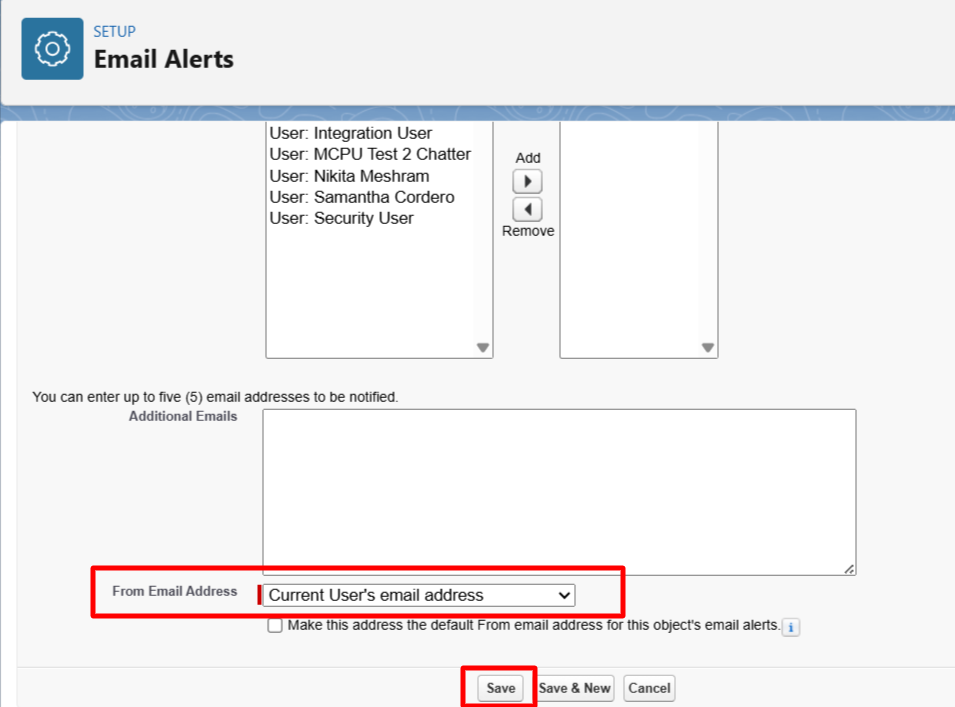
- Edit the alert and update the From Email Address (and sender name, if applicable) to the desired user.
- Save the changes to apply the update.
Note: In the same way, you can update the Lead and Contact form’s email sender and receiver.
- For Contact Form: Open the “Send Email to Update Contact Details” email alert.
- For Lead Form: Open the “Send Update Form to Lead” email alert.
P.S. Discover Update Client Details, the easy way to keep client information up to date in Salesforce. Find it on AppExchange - https://appexchange.salesforce.com/appxListingDetail?listingId=a0N3A00000EcsATUAZ