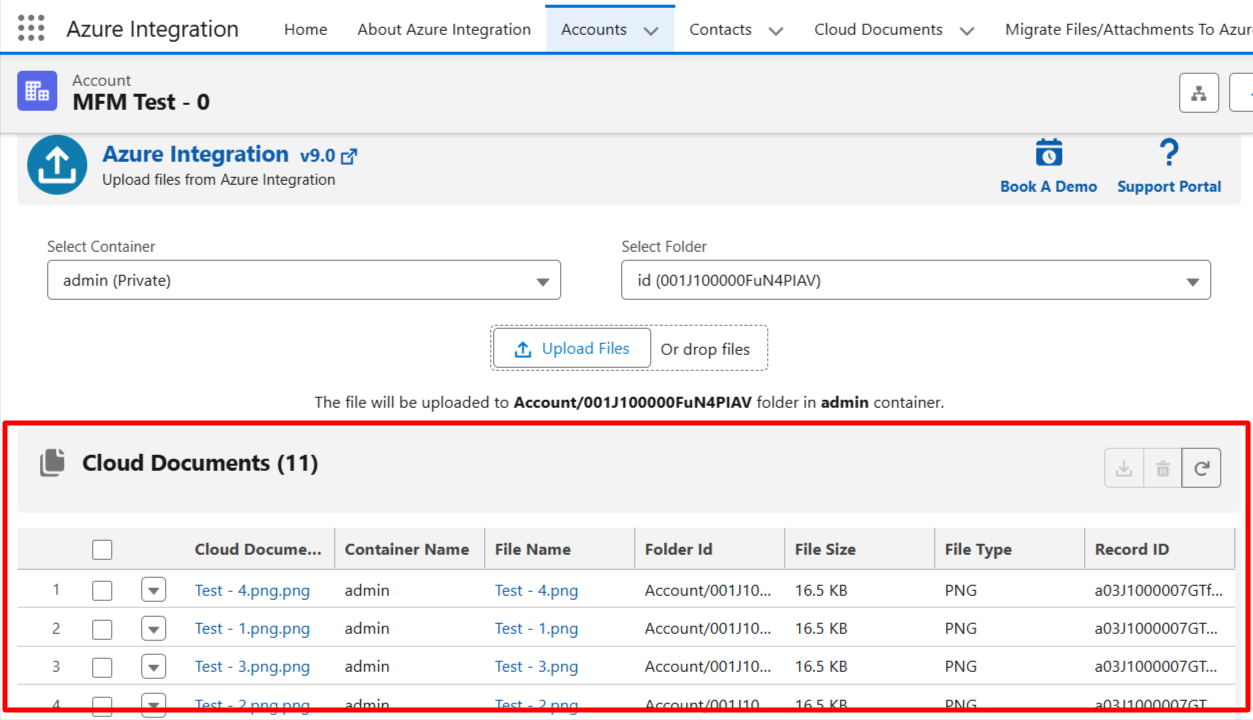
Admins can now add the Cloud Documents Related List Lightning Component to a Lightning Record Page and:
- Configure a Field Set
- Dynamically control which columns are displayed in the related list
Follow the steps below:
1. Go to the required object record and open any record.
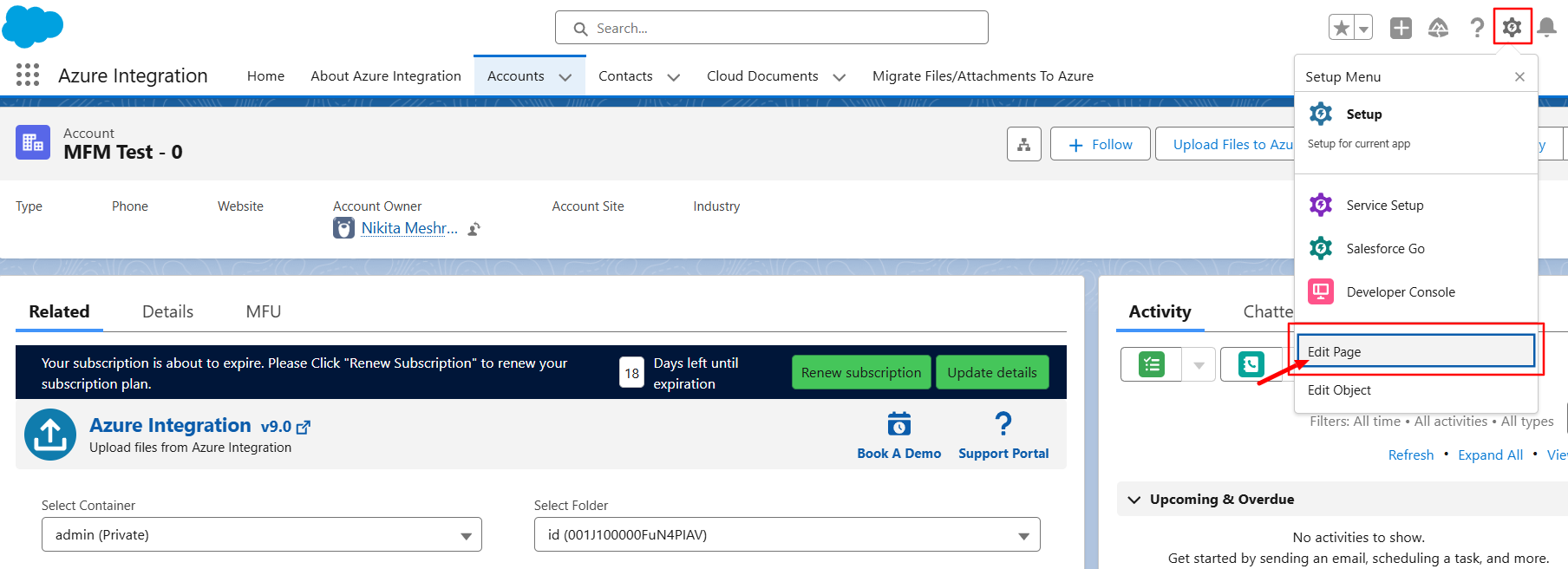
2. Click Edit Page to open the Lightning App Builder.
3. Drag the Azure Integration – Cloud Documents Related List component onto the page.
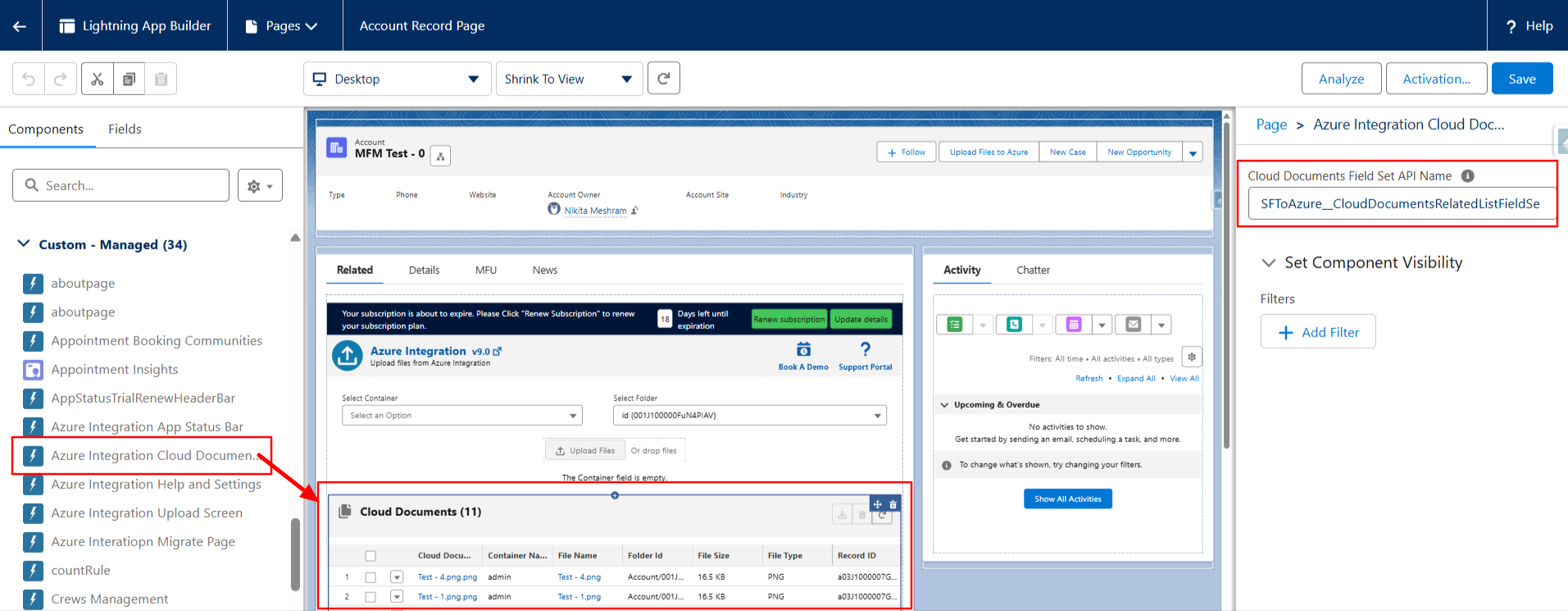
4. Enter the Cloud Document object Field Set API Name in the component settings.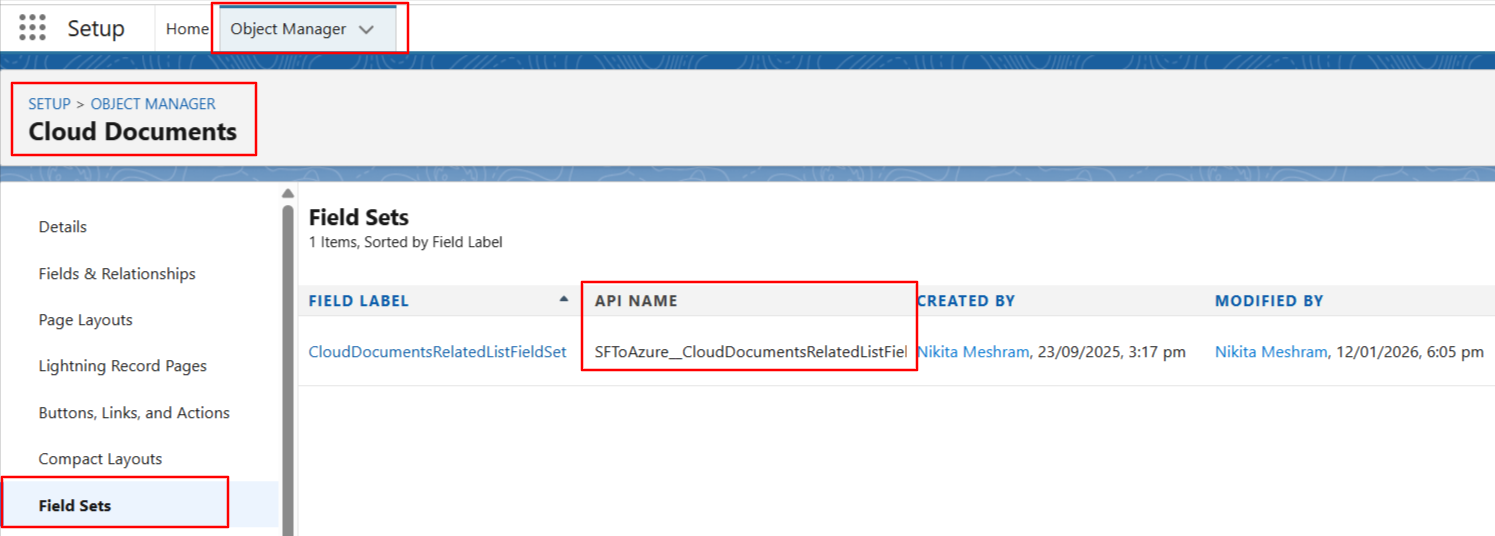
5. Click Save, then return to the record page.
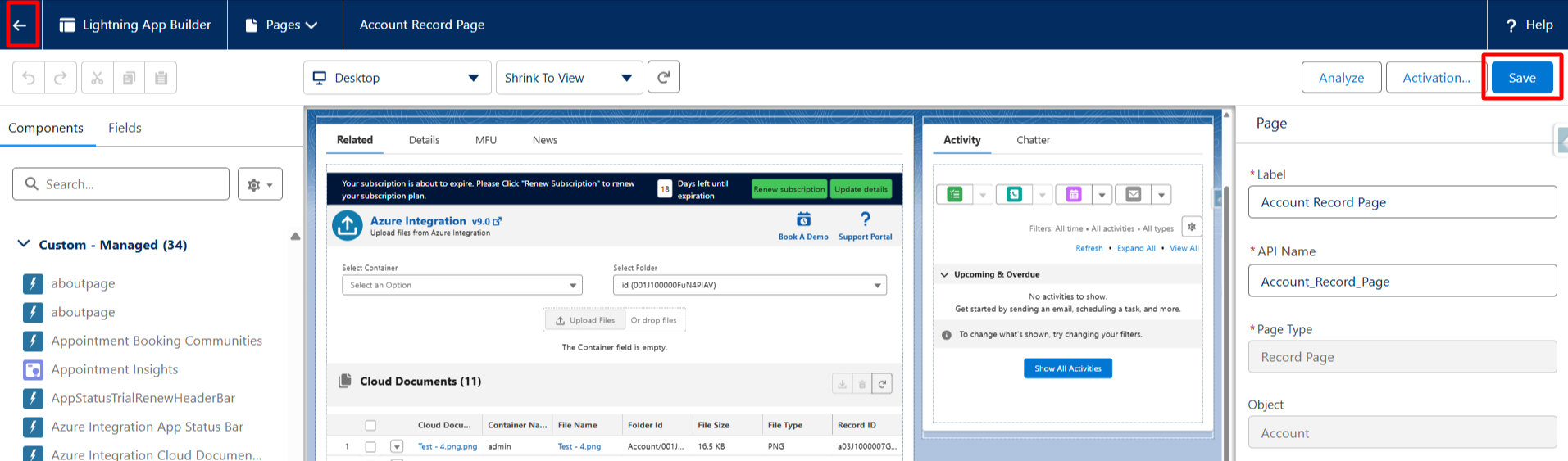
6. You will now see the Cloud Documents related list, displaying only the fields defined in the selected Field Set.