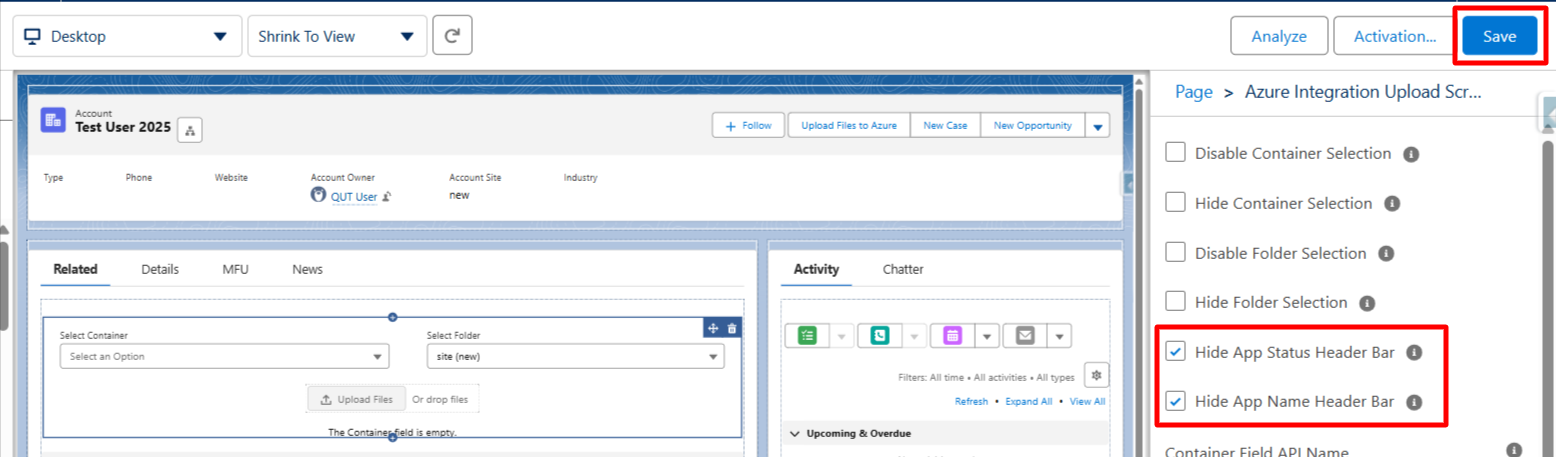
Yes. Admins can now hide the App Status Bar and App Name Header Bar using component configuration on the Lightning layout for a cleaner UI.
Follow the steps below:
- Go to the record page where the Azure Integration Component is added.
- Remove the existing component and add the Azure Integration Upload Screen component.
- On the right-hand side, you will see the component settings.
- Select the Hide App Status Header Bar and Hide App Name Header Bar checkboxes.
- Save the page. The app status bar and app name header will now be hidden.