
Please follow the steps below to perform a hard refresh:
- Navigate to the relevant tab.
- In this case, open the Mass File Migrate tab.

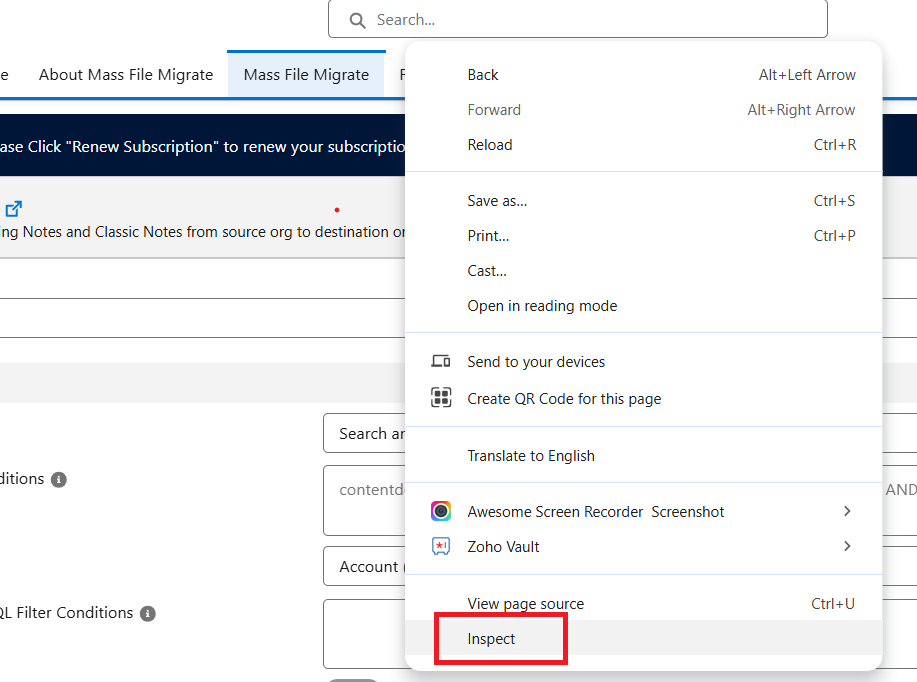
- Right-Click anywhere on the screen and select Inspect.
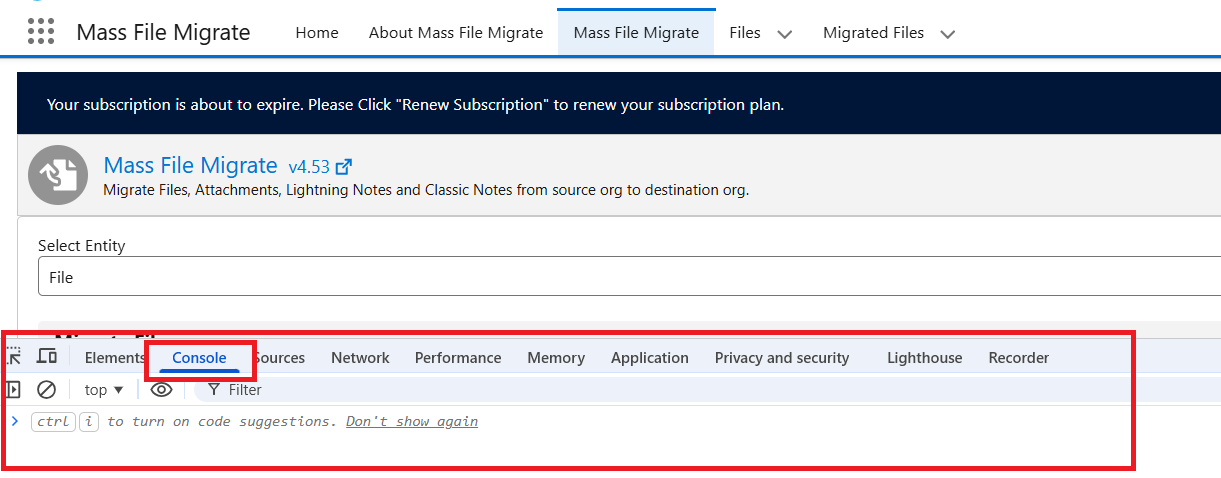
- Now the Console will open.
- In the browser, go to the address bar where the URL is displayed.
- Locate the Refresh (Reload) icon next to the address bar.
- Right-click on the Refresh icon and select “Empty Cache and Hard Reload.”
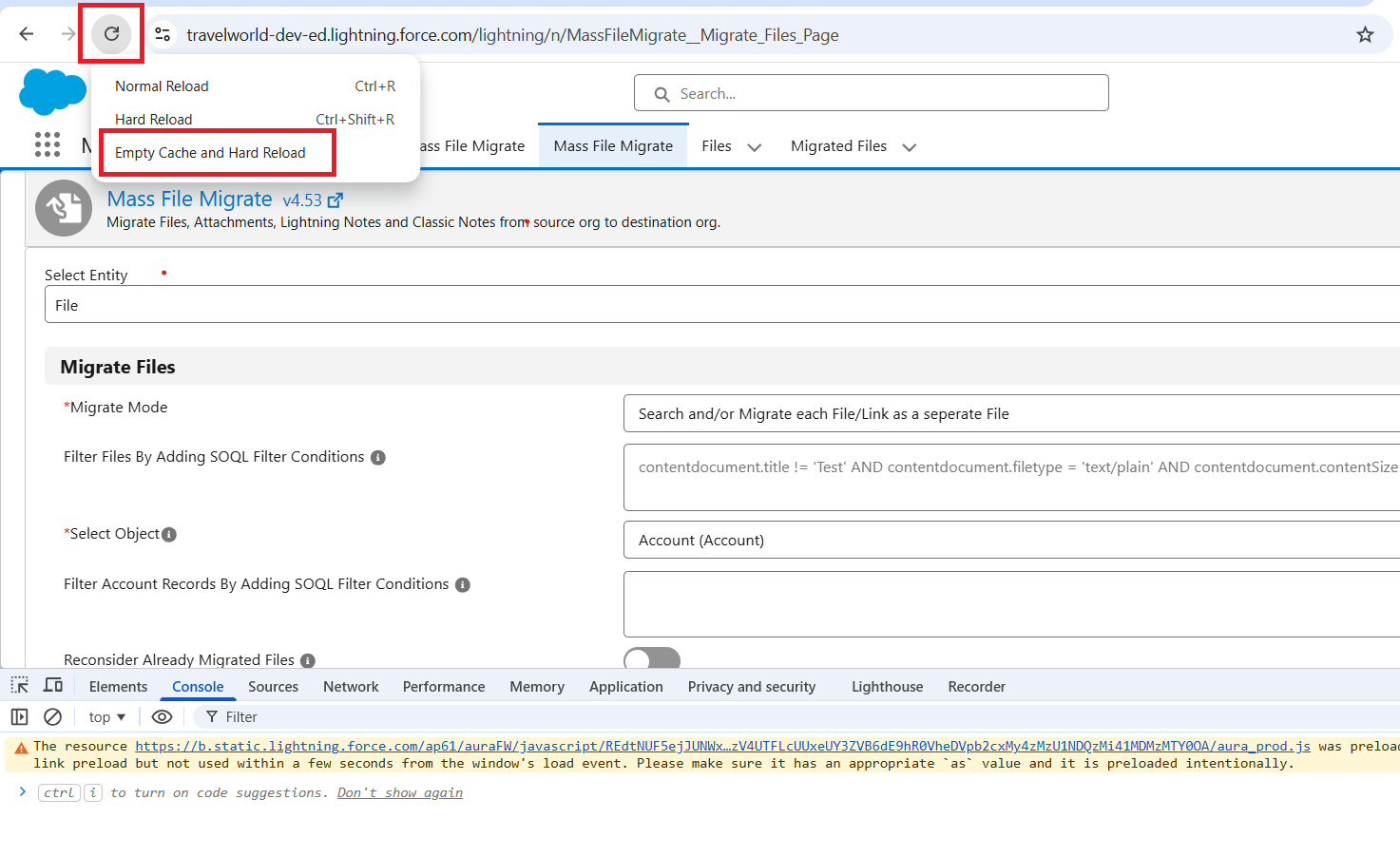
This will perform a hard refresh of the page and ensure the latest changes are loaded correctly.