
Error:
Can't assign permission set "Query All File" to user XYZ. This permission set contains an object that requires a license. Before continuing, assign the user to the related permission set license.
If you are facing this error while assigning the “Query All Files” permission to users, you can try the below approach.
Recommended Solution
Instead of relying on the “Query All Files” permission, it is recommended to grant access using Sharing Rules on the relevant objects.
This ensures users can access the records and, in turn, the files associated with those records.
How This Works
In Salesforce, files are linked to records using relationships (e.g., via ContentDocumentLink).
- If a user has access to the record (e.g., Contact)
- Then they automatically gain access to the files associated with that record
Therefore, providing record-level access resolves the file access issue.
Step-by-Step Resolution
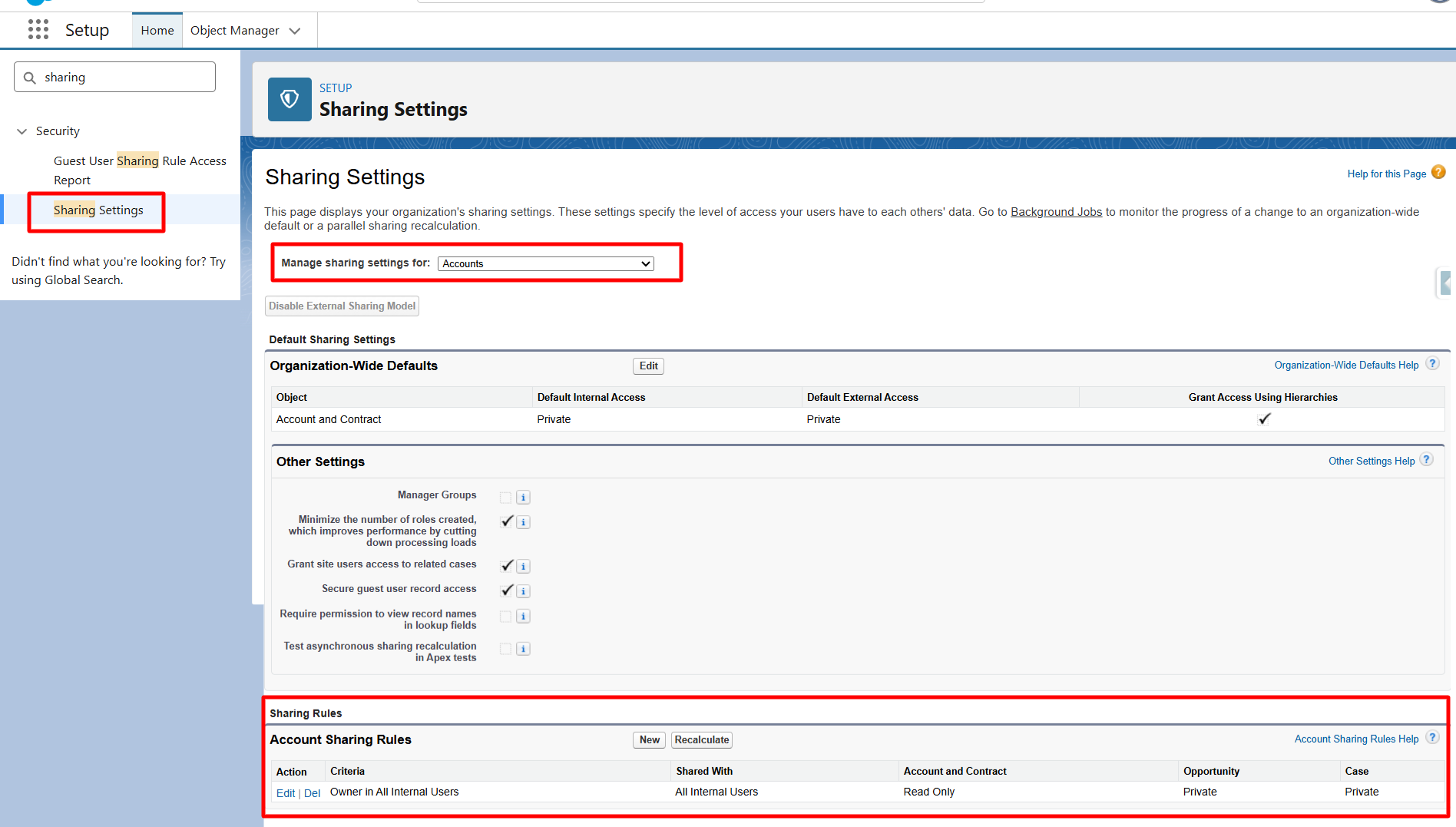
- Go to Setup → Sharing Settings
- Select the relevant object (e.g., Account)
- Create a New Sharing Rule:
- Define the criteria (e.g., all records or specific conditions)
- Choose the users/roles/public groups to share with
- Set appropriate access:
- Read Only or Read/Write
- Save the rule
Repeat the same steps for other relevant objects where files are linked, such as:
- Opportunity
- Contact
- Any custom objects involved in file storage or migration
If users are unable to access files despite having the required permissions, the issue is most likely related to insufficient record access. Implementing Sharing Rules on relevant objects is a reliable and effective solution to resolve this issue.
Final Step
Now you're all set. Go to the "Mass File Migrate" tab, search for the object, and you will be able to see all the files/attachments/notes. You can now proceed with the migration.