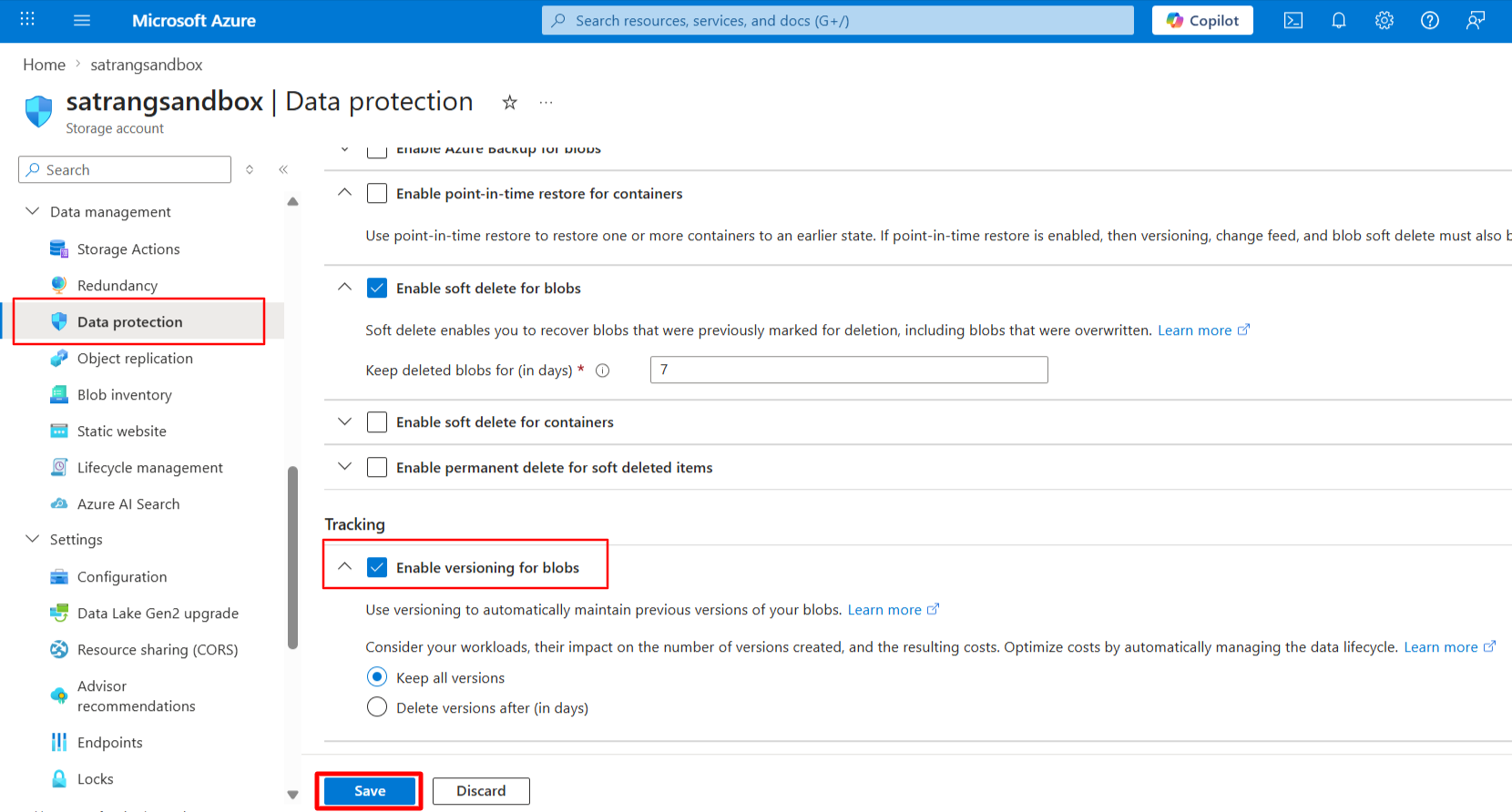
Azure Blob Versioning allows multiple versions of the same file to be stored in Azure. When enabled, a new version is created whenever a file is modified or a duplicate file is uploaded in the same location. This versioning capability is managed entirely within Azure and works regardless of how the file is uploaded, whether from Salesforce, directly to Azure, or via any other integration. Each version has a unique Version ID, which is also visible in the corresponding Cloud Document record in Salesforce.
The Salesforce application respects Azure Blob Versioning when it is enabled, meaning if a file upload results in an overwrite in Azure, a new version will be created accordingly.
Follow the steps to enable this:
- Go to your Azure Storage Account.
- Navigate to the Data Protection section.
- Under the Tracking section, enable the option “Enable versioning for blobs” by checking the checkbox.
- Click Save to apply the changes.