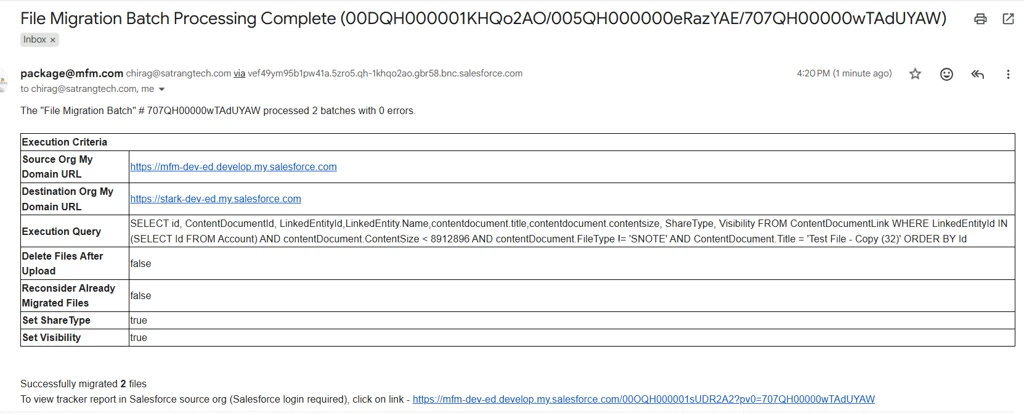
You can monitor the ongoing migration progress directly from the migration reports available inside Salesforce.
Steps to Monitor Migration Progress
- Navigate to the migration reports provided by the application (Via the email notification received once the migration process is completed)
- Copy the Batch ID generated during the migration initiation process.
- Add the Batch ID in the report filter/search criteria.
- The report will display:
- Total files processed
- Successfully migrated files
- Failed files
- Migration status updates
This allows you to track the migration progress in real time while the batch is being processed.
Important Note
Email notifications sent by the application are summary notifications shared after the processing is completed. They are not intended for real-time migration monitoring.
To actively monitor the migration progress, users need to log in to Salesforce and check the migration reports using the Batch ID.