
Yes, we can. All you have to do is follow the following steps:
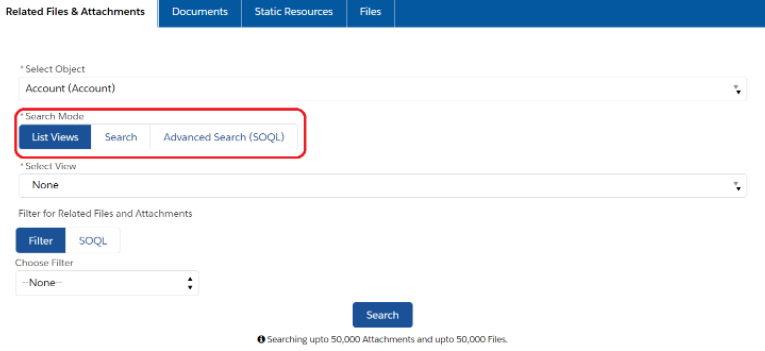
- Go to the Mass File Download Tab, and the "Related Files & Attachments" section will be displayed, where you'll get the following format as shown in the image.
- Choose the "List Views" in Search mode under the "Related Files & Attachments" section, and select the list view accordingly in the drop-down. This feature is particularly useful if you want to download multiple files for all records in a specific object list view. All you need to do is use either an existing list view (All Accounts) or create your own list view with no filters.
- All the files and attachments related to that selected List view will be displayed, and you can download them.
PS: View Mass File Download, Salesforce file download app on Salesforce AppExchange: https://appexchange.salesforce.com/appxListingDetail?listingId=a0N3A00000EcsAOUAZ