
If you need to rename folders to include both the parent's name (Account) and the child's name (Opportunity), please follow these steps:
- Create a Formula Field on Opportunity:
- Navigate to Setup.
- In the left sidebar, find and click on Object Manager.
- Choose Opportunity under the list of objects.

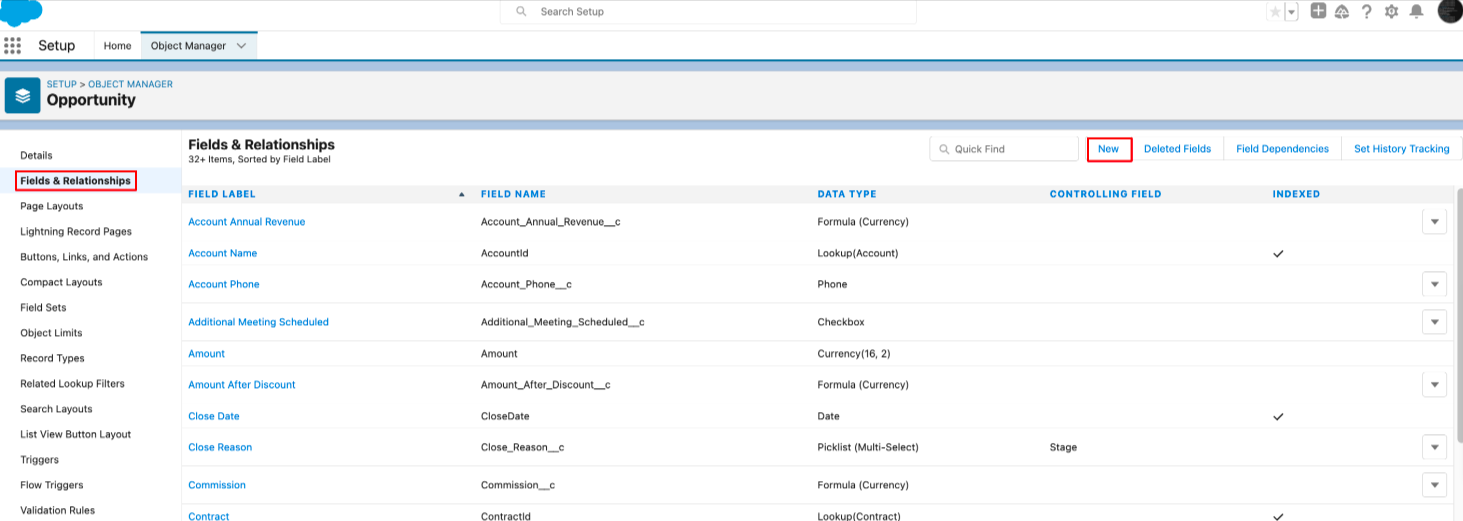
- Click on Fields & Relationships and then select New to create a new field.
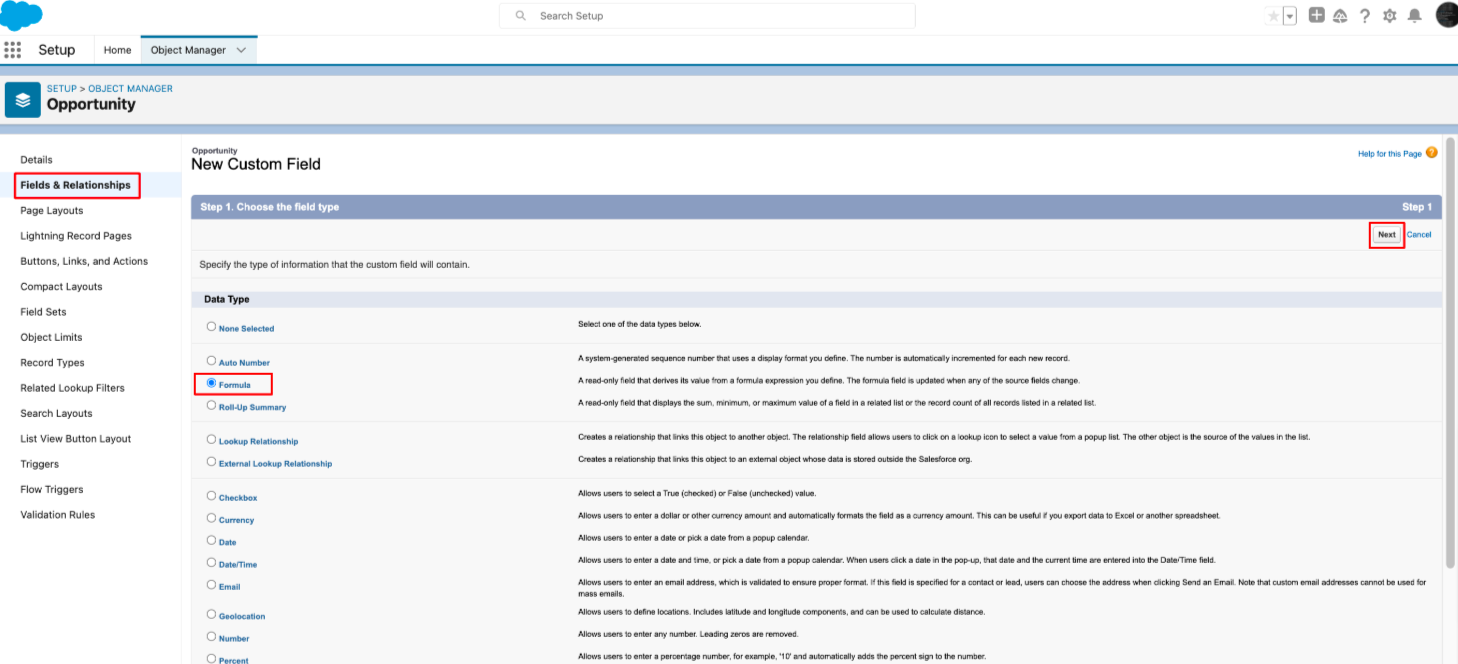
- Choose the data type as Formula and click Next.
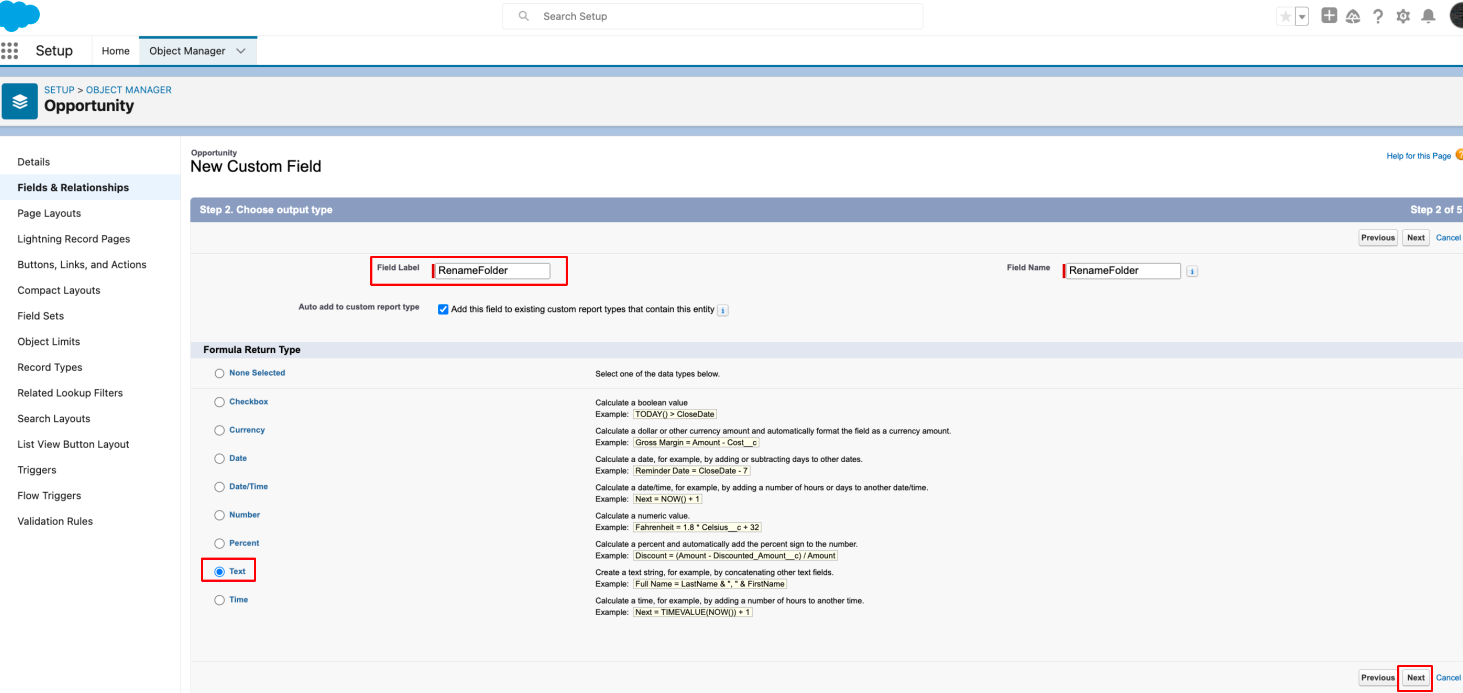
- Select the formula type as Text set a field name, and click Next.
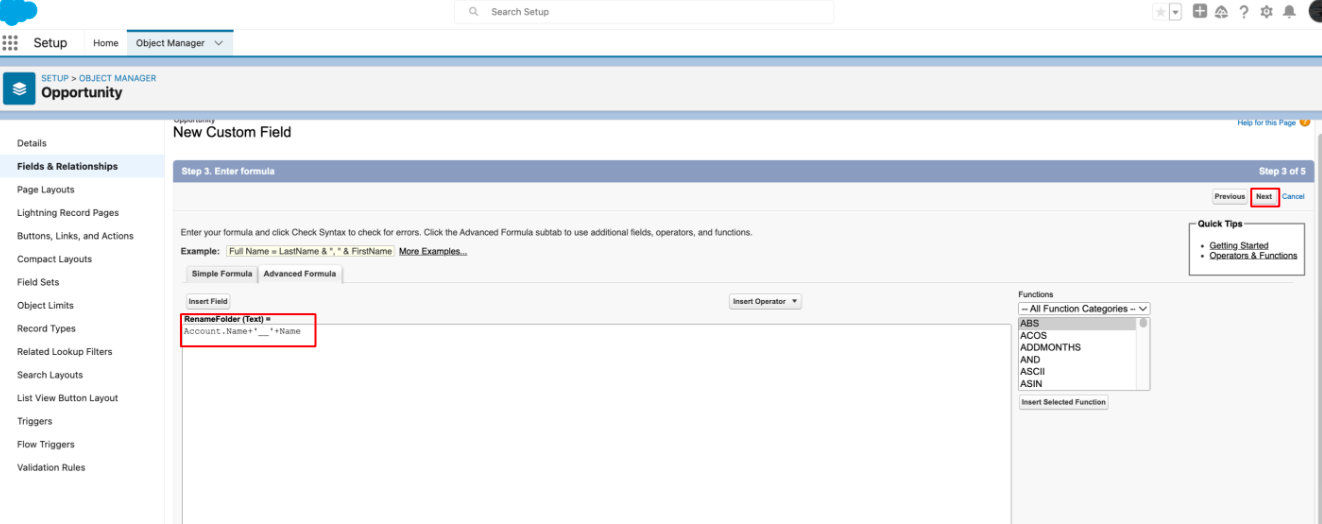
- In the Formula Editor, add the following formula: Account.Name + '__' + Name
- Click Next and then click Save to create the formula field.
2. Configure Excluded Object Settings:
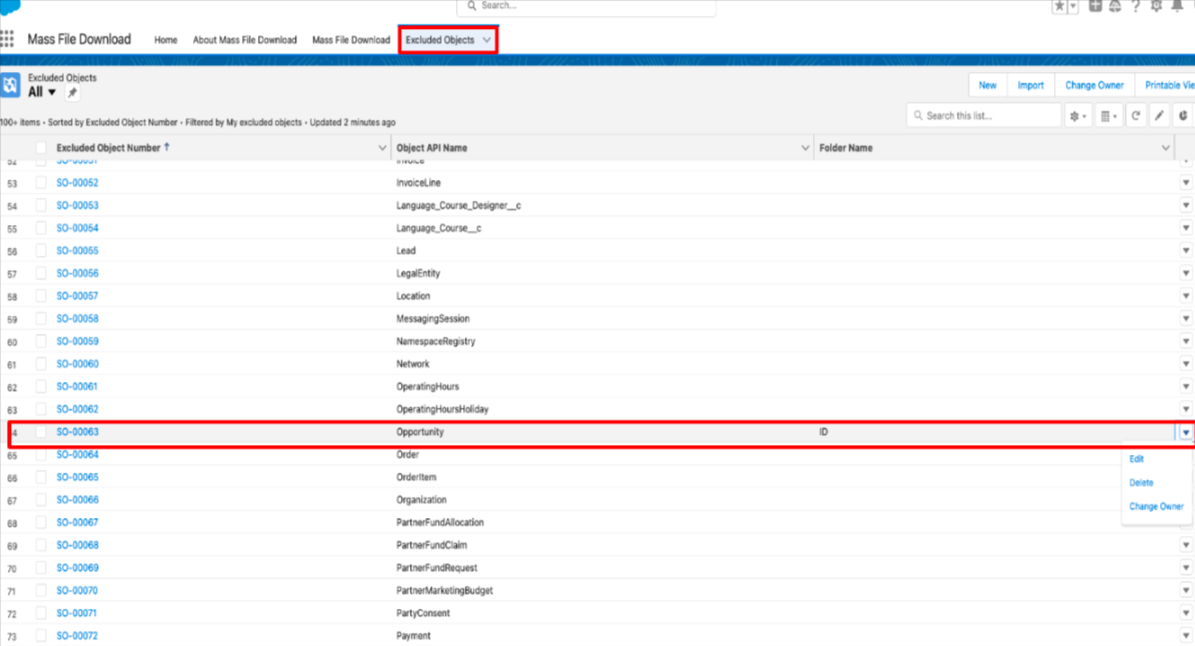
- Go to the Excluded Objects setup.
- b. Set the List View to All.
- c. Search for the Opportunity object and click on Edit.
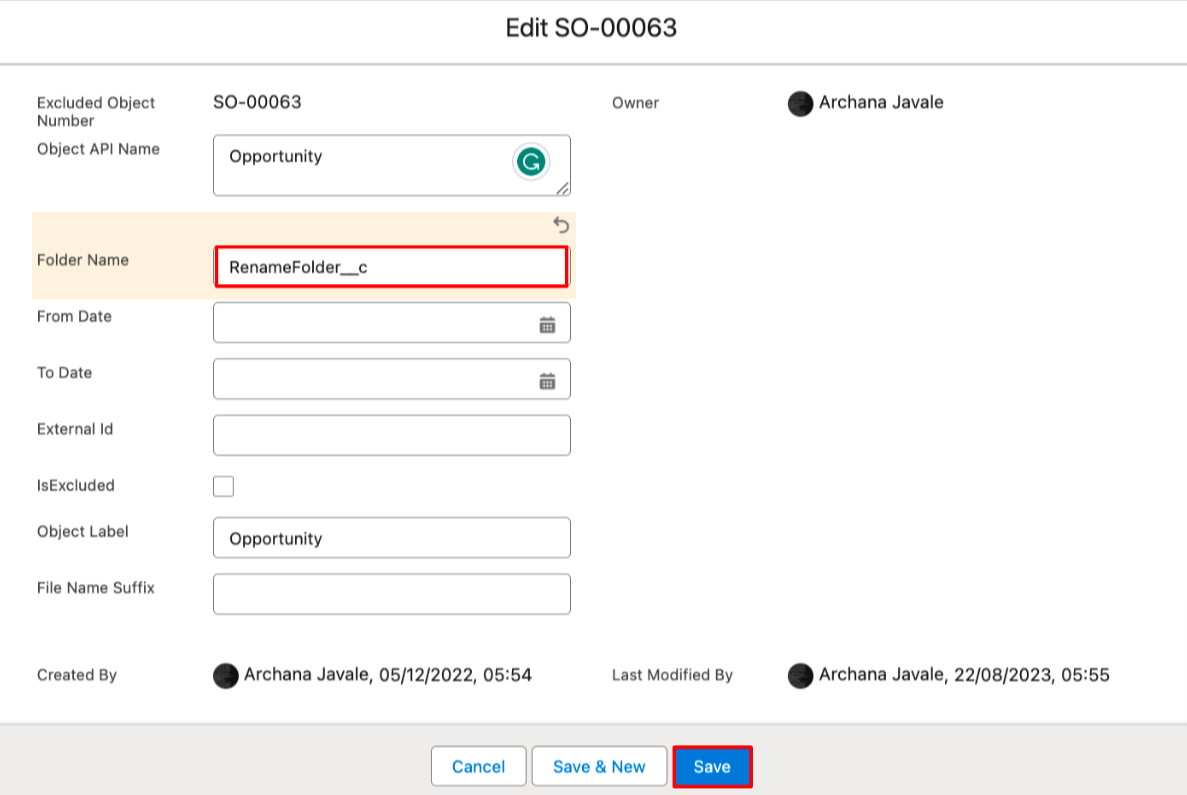
- In the Folder Name field, add the API name of the formula field created earlier. Then, click Save.
3. Adding Mass File Download Component to Account Record:
- To add the Mass File Download Related Files lightning component to Account-related records, please follow these steps:
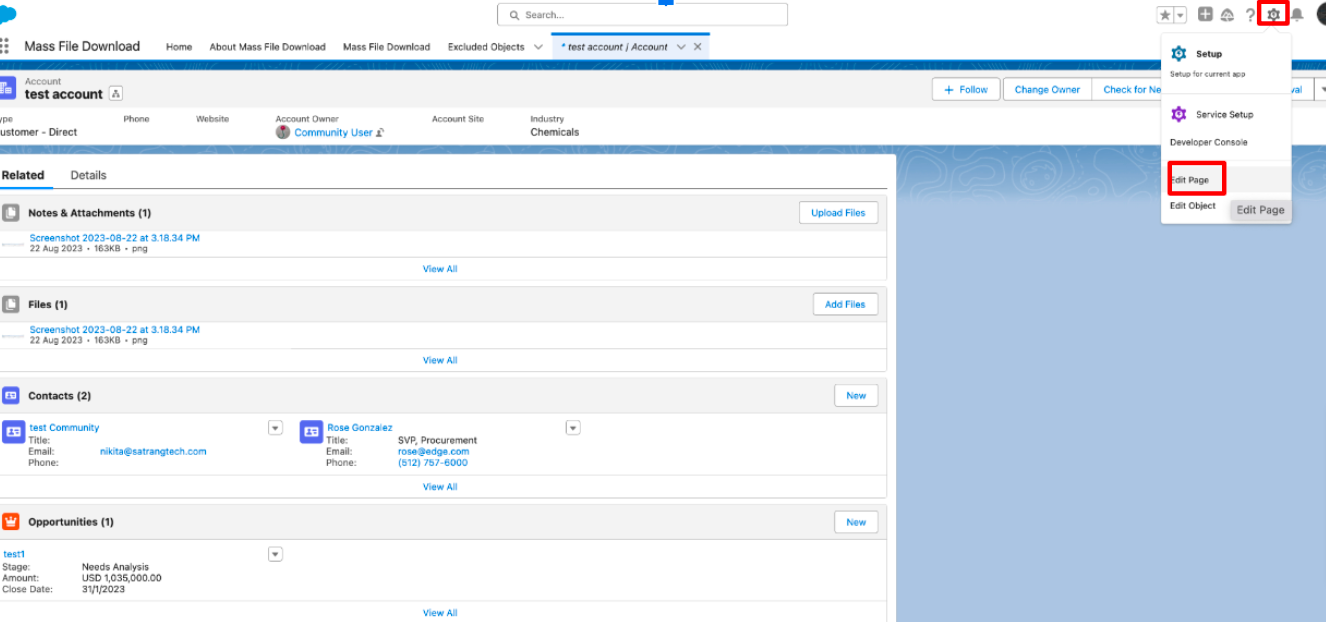
- Go to the specific Account record you're interested in.
- Click on the Setup gear icon.
- Select Edit Page.
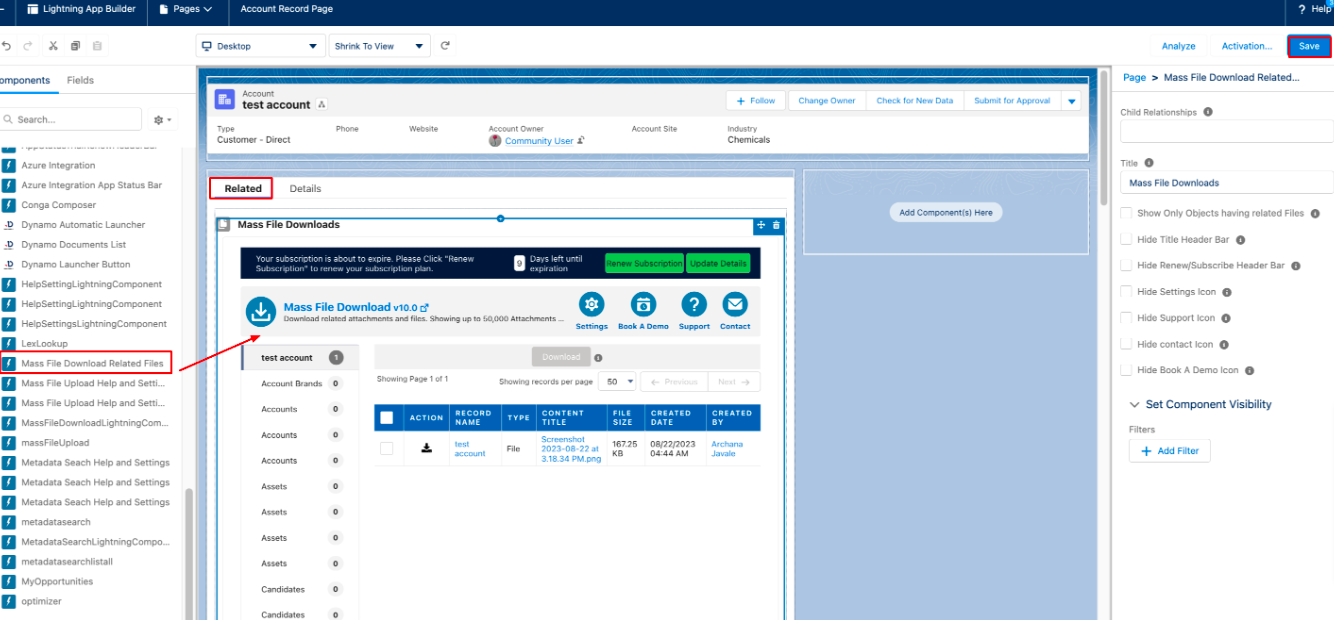
- Search for the Mass File Download Related Files lightning component in the left panel.
- Drag and drop this component into a related list section on the Account layout.
- Click Save to apply the changes.
 4. Use Mass File Download Related Files Lightning Component:
- To download files related to Opportunities, navigate to the Opportunity object.
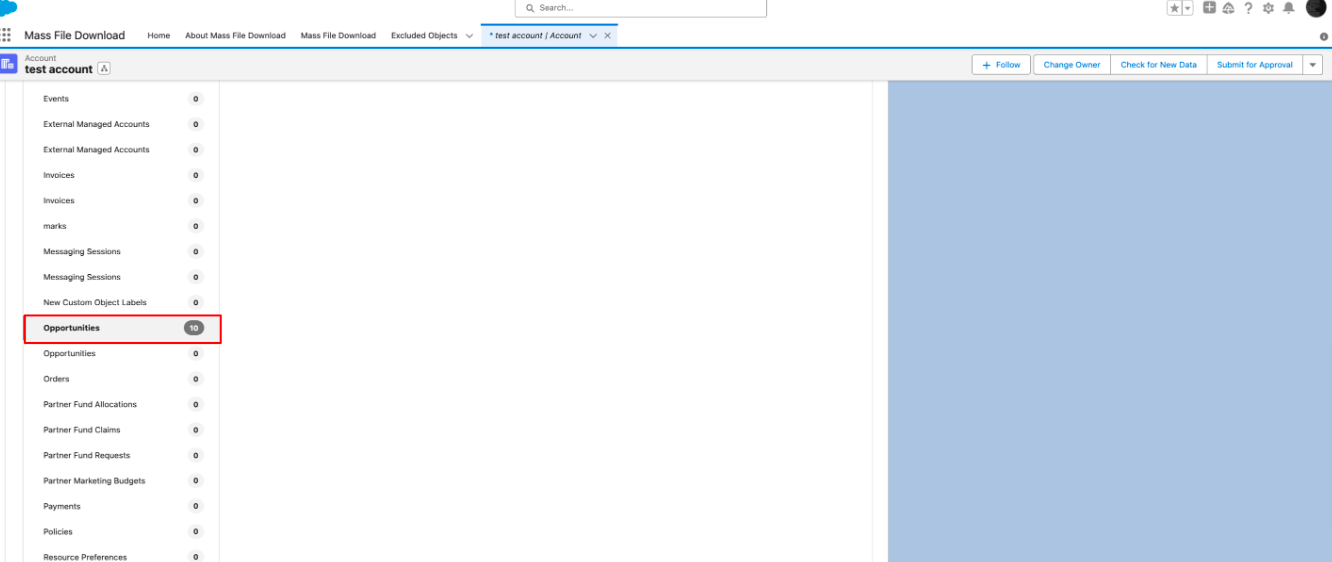
- Select the files you want to download.
- Click the Download button.
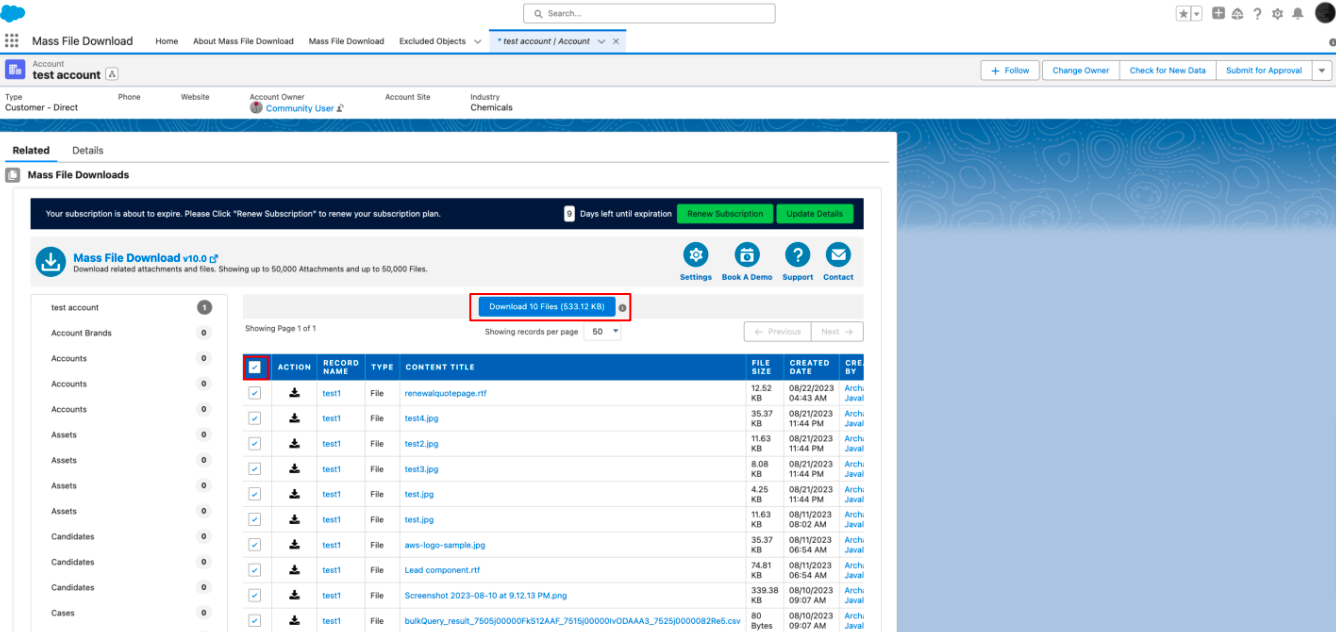
- When you download files using the Mass File Download Related Files lightning component, the downloaded files will be automatically renamed according to the formula you created. The new file name will include both the Parent Name (Account) and Child Record Name (Opportunity). This naming convention will make it easier to identify and organize your downloaded files.

PS: View Mass File Download, Salesforce file download app on Salesforce AppExchange: https://appexchange.salesforce.com/appxListingDetail?listingId=a0N3A00000EcsAOUAZ