
If you want to query on EmailMessage and provide a filter of Case IDs, Then you need to use the below SOQL Query to get the appropriate result.
SOQL Query ---> PARENTID IN ('5003i0000055PXq','5003i0000055Pcx',.....)
Follow the below Steps -
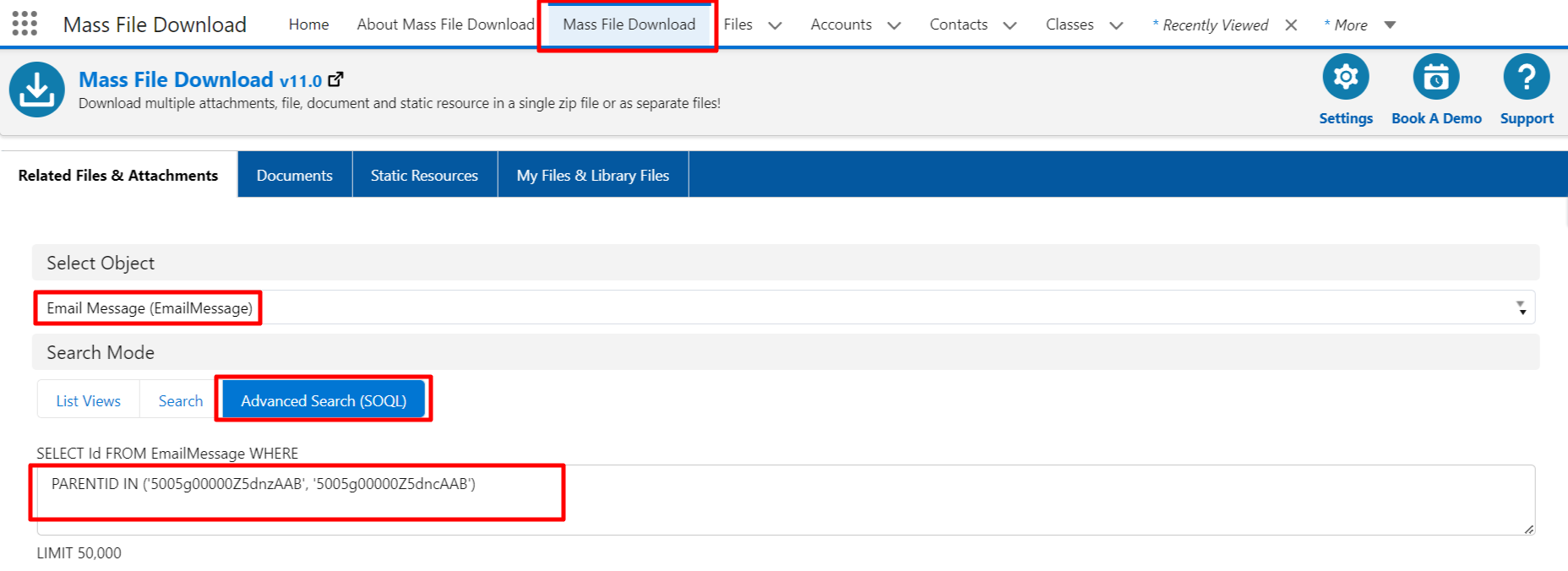
1. Open the "Mass File Download" App and Click on the "Mass File Download" Tab.
2. From "Select Object" search for the EmailMessage.
3. In Search Mode Select "Advanced Search (SOQL)" and enter the Quarry, Here you need to add Case record IDs.
PARENTID IN ('5003i0000055PXq','5003i0000055Pcx',.....)
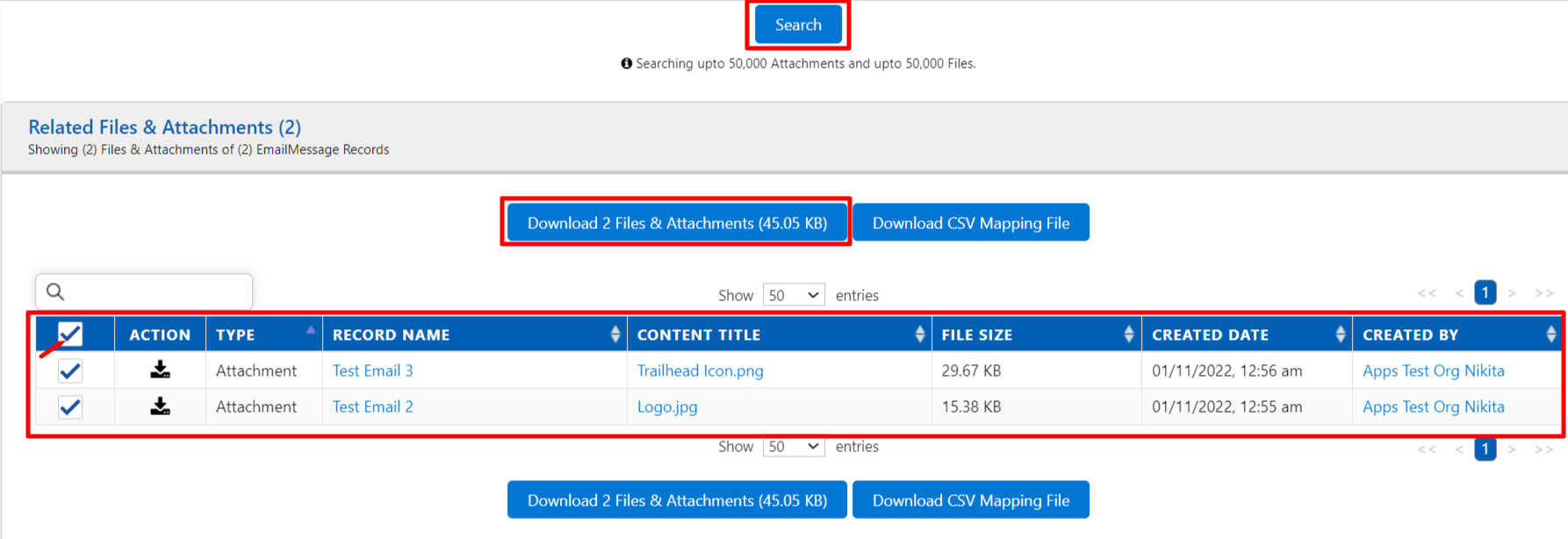
4. Click on the "Search" button.
5. Now in the below table you will get the list of Attachments then select and download the Attachments.
PS: View Mass File Download, Salesforce file download app on Salesforce AppExchange: https://appexchange.salesforce.com/appxListingDetail?listingId=a0N3A00000EcsAOUAZ