
If your salesforce records contain Notes and you wish to download Notes in bulk using the "Mass File Download" AppExchange App, then you must take the following actions.
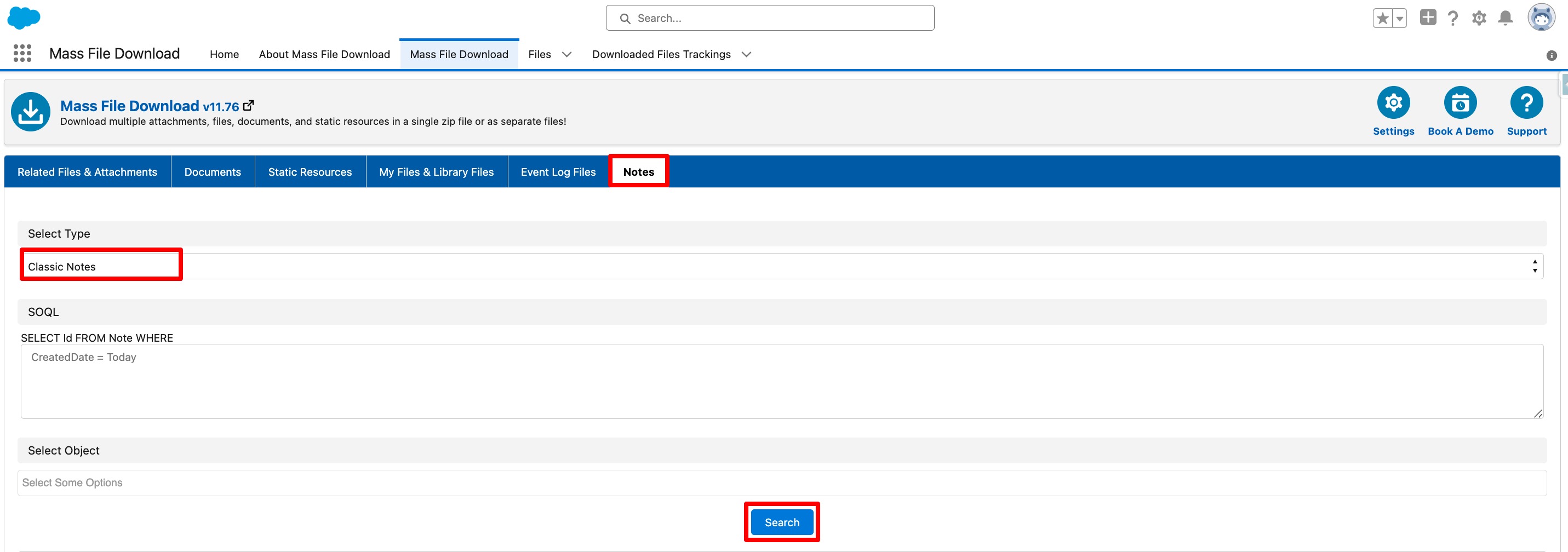
For Downloading All Classic Notes :
- Go to the "Mass File Download" Tab.
- Under the "Notes" subtab select the Type as "Classic Notes" and click on the "Search" button.
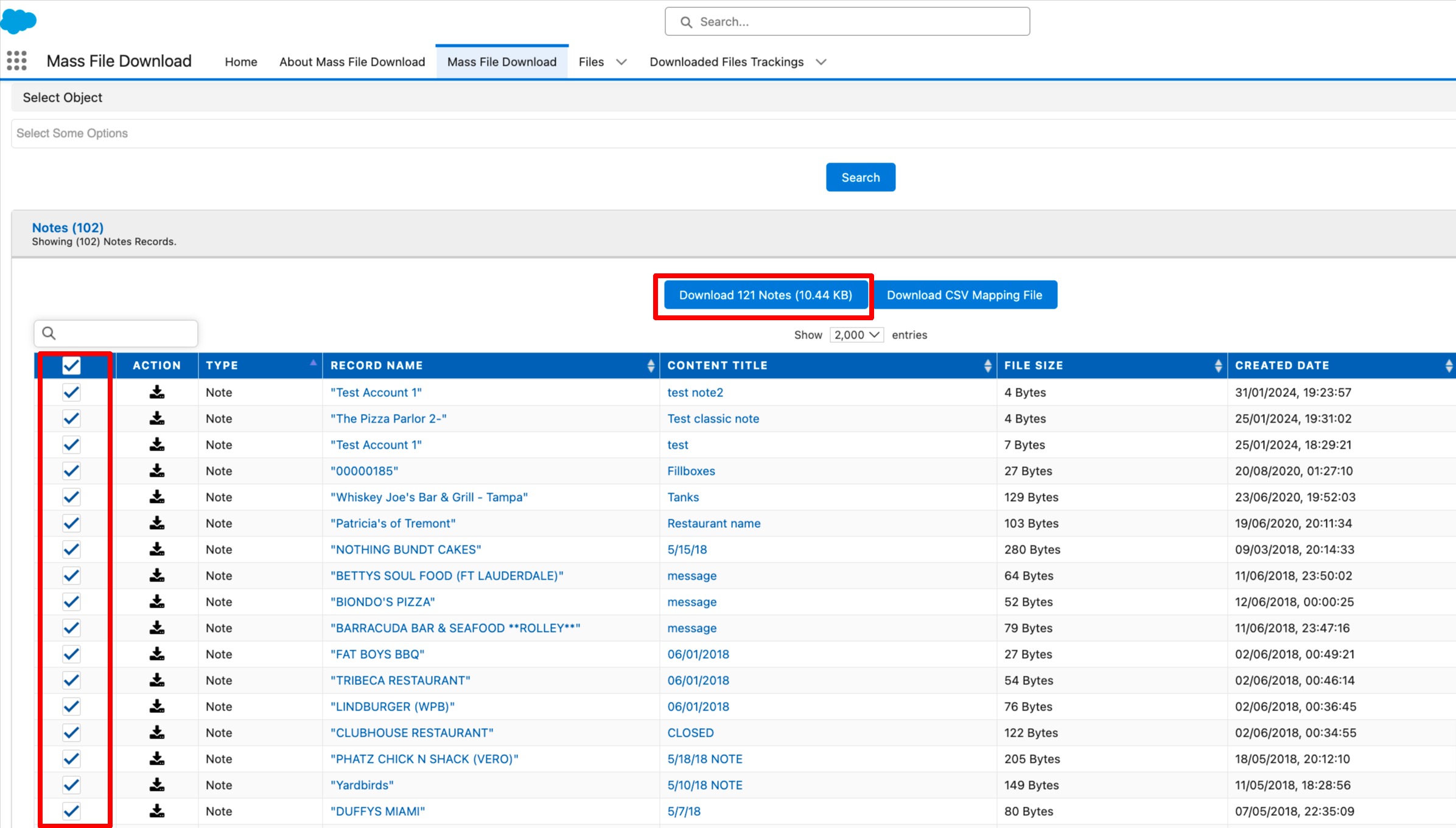
- A table with a list of each classic note will show up. To download all of the selected Notes at once, check the box next to each note, then click the "Download Notes" button.
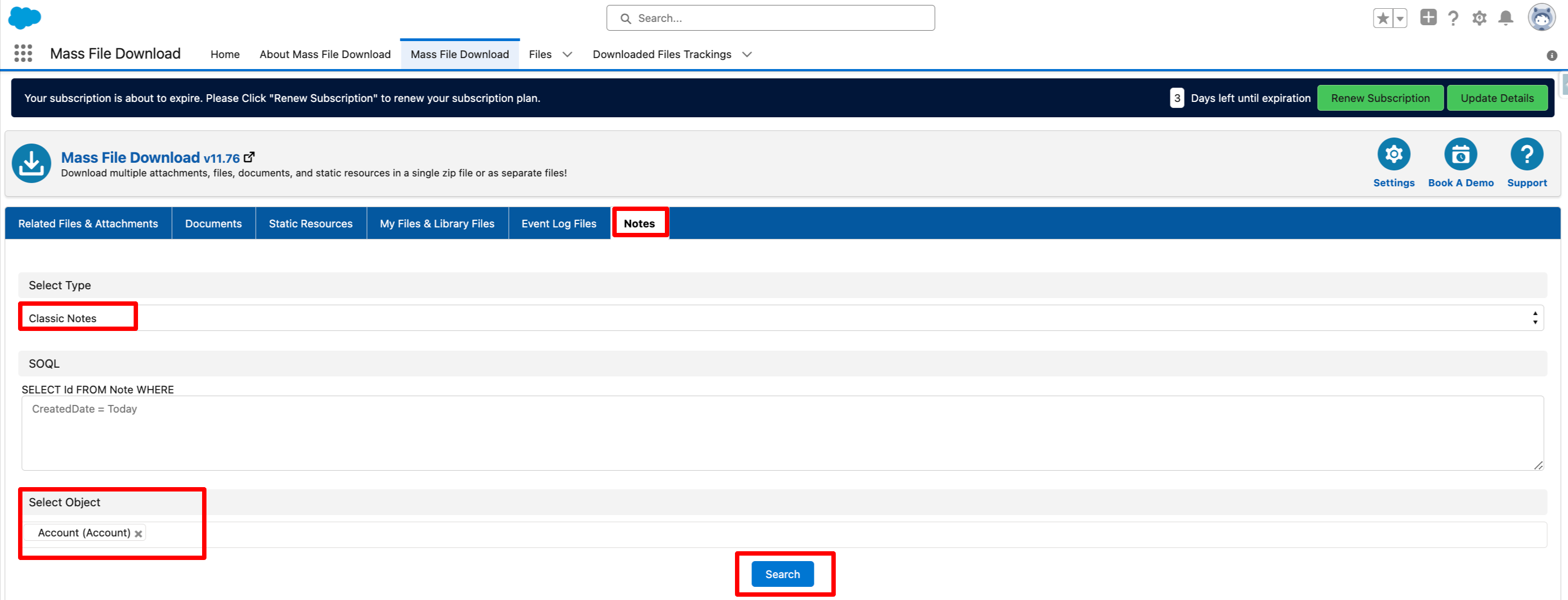
For Downloading Notes for a Specific Object:
- Go to the "Mass File Download" Tab.
- Under the "Notes" subtab select the Type as "Classic Notes" and click on the "Search" button.
- Again select an object from the "Select Object" drop-down.
- Click on the "Search" button.
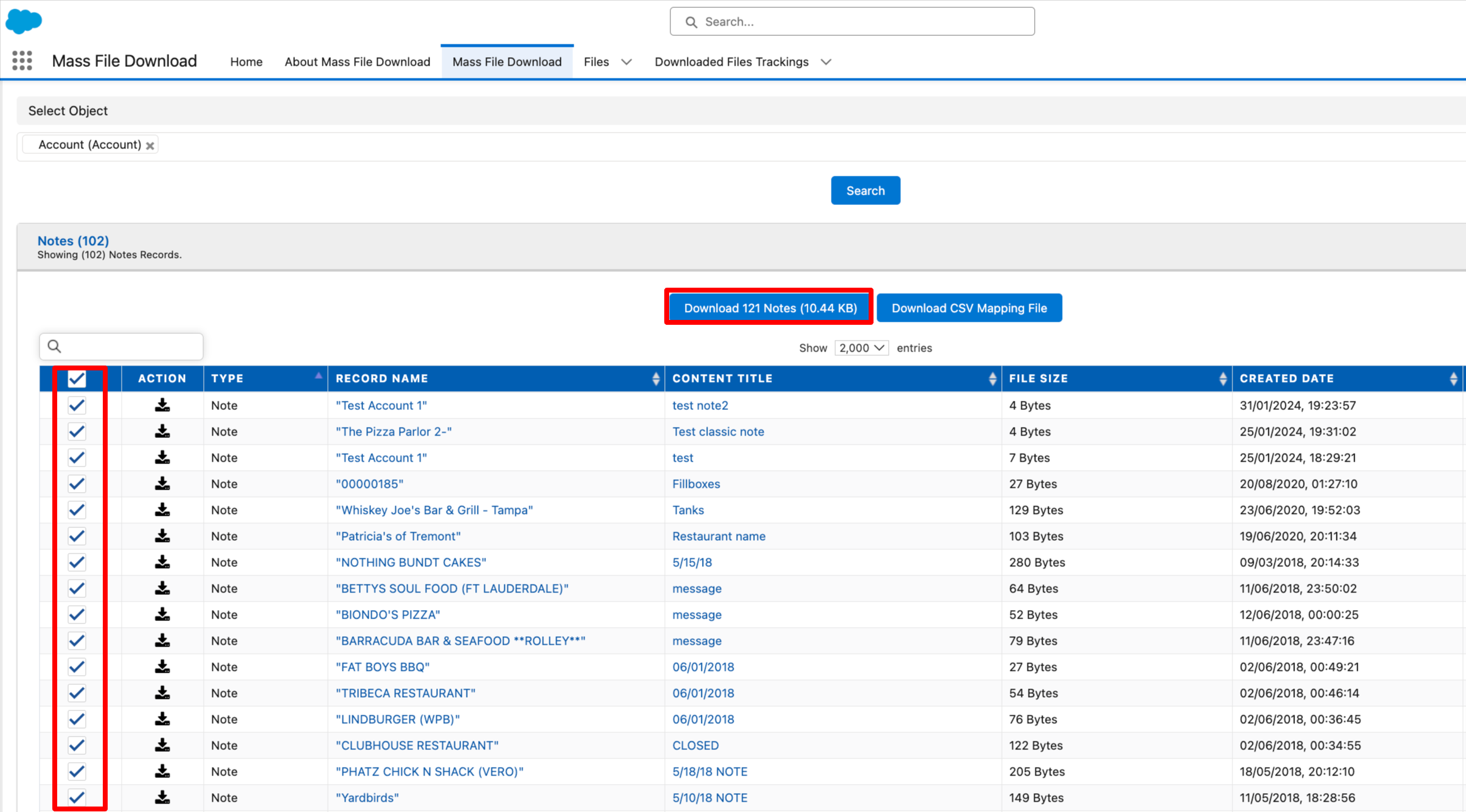
- A table with a list of each classic note for the selected object will show up. To download all of the selected Notes at once, check the box next to each note, then click the "Download Notes" button.
PS: View Mass File Download, Salesforce file download app on Salesforce AppExchange: https://appexchange.salesforce.com/appxListingDetail?listingId=a0N3A00000EcsAOUAZ