
If the "This file is dangerous, so Chrome has blocked it." error appears when you try to open a file that you downloaded using the Mass File Dowanlo App then follow the instructions to avoid this problem.
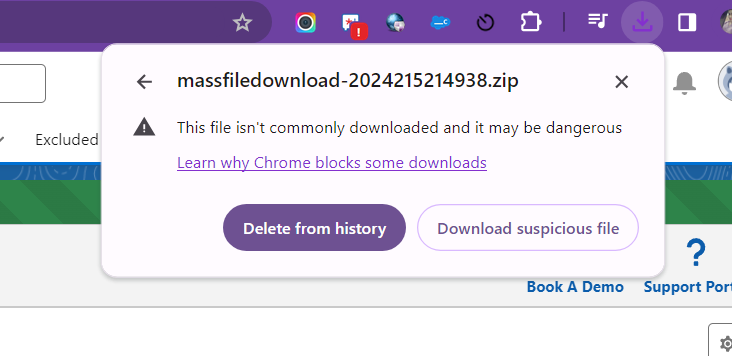
Solution:
This feature can be bypassed or disabled temporarily if you trust the contents that you hosted on BIM 360 Team:
To bypass the security feature:
- Right-click on the file.
- Select "Save link as"
To disable it temporarily:
- In the top-right corner of the browser window, click the three dots icon.
- Select "Settings" from the menu.
- Select "Privacy and security" on the left side of the page.
- In the section "Privacy and security", click "Security".
- Select "No protection" (not recommended).
- Confirm the following pop-up with "Turn off".
- Download the file in question.
- Repeat steps 1.- 4. to return to the security settings.
- Recommended: Select "Enhanced protection" to re-enable safe browsing.
PS: View Mass File Download, Salesforce file download app on Salesforce AppExchange: https://appexchange.salesforce.com/appxListingDetail?listingId=a0N3A00000EcsAOUAZ