
To add the "Mass File Download (Record Detail Page Lightning Component)" component to a Lightning page, follow the steps below:
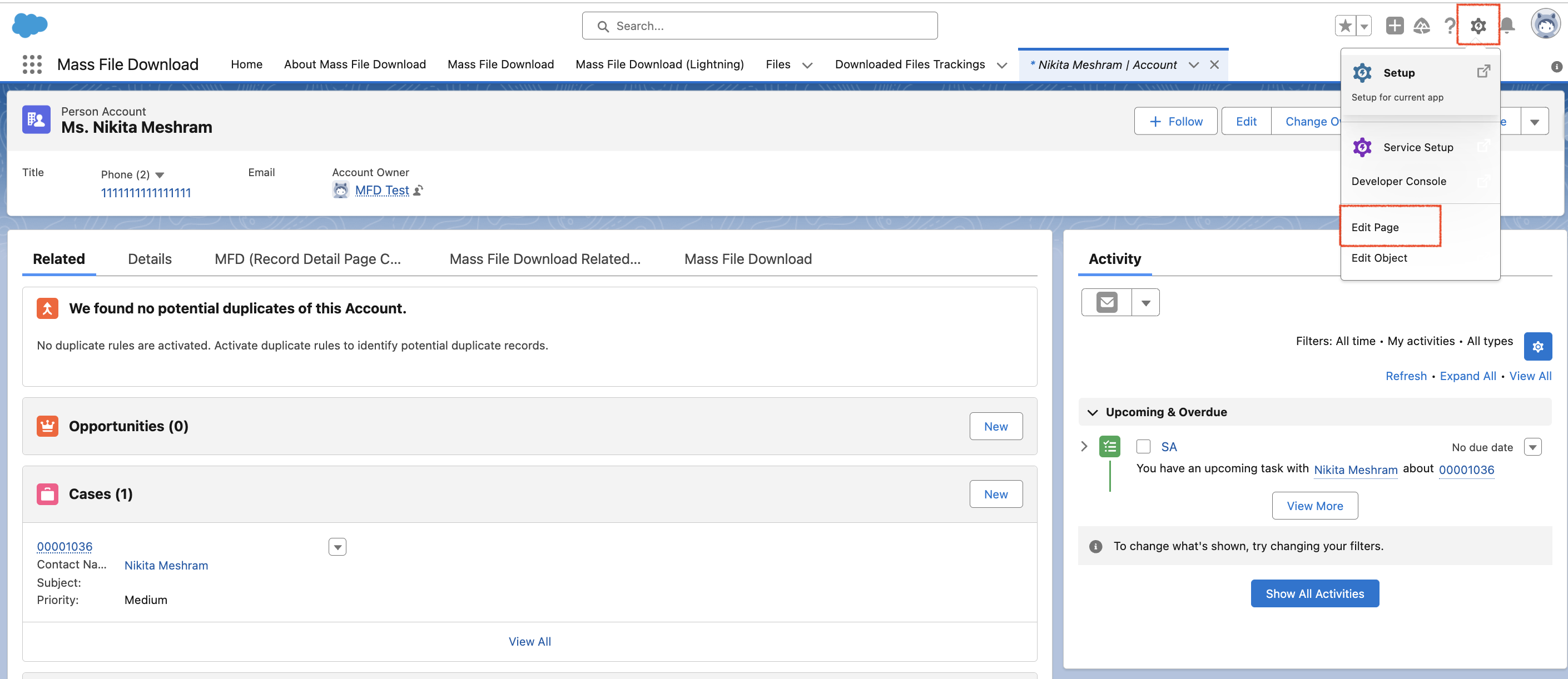
- Go to the records page where you want to add the component.
- Click on the Gear icon.
- Select "Edit Page" to enter into the Lightning App Builder.
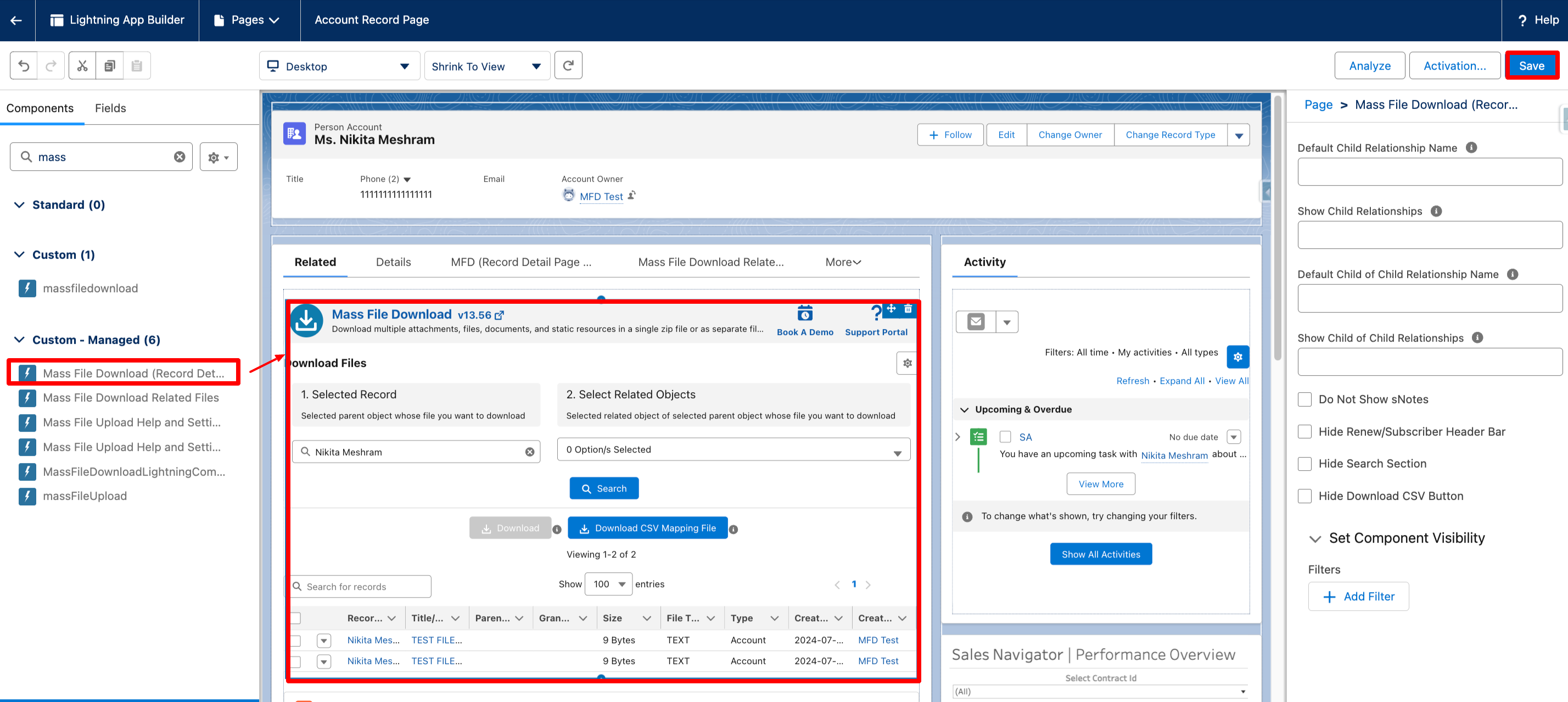
- In the Lightning App Builder, search for the "Mass File Download (Record Detail Page Lightning Component)" component in the component search bar.
- From the search results, locate the "Mass File Download (Record Detail Page Lightning Component)" component.
- Drag the component and drop it onto the desired location on the record page.
- Once the component is placed on the page, configure it as per requirements and click on the "Save" button to save the changes.
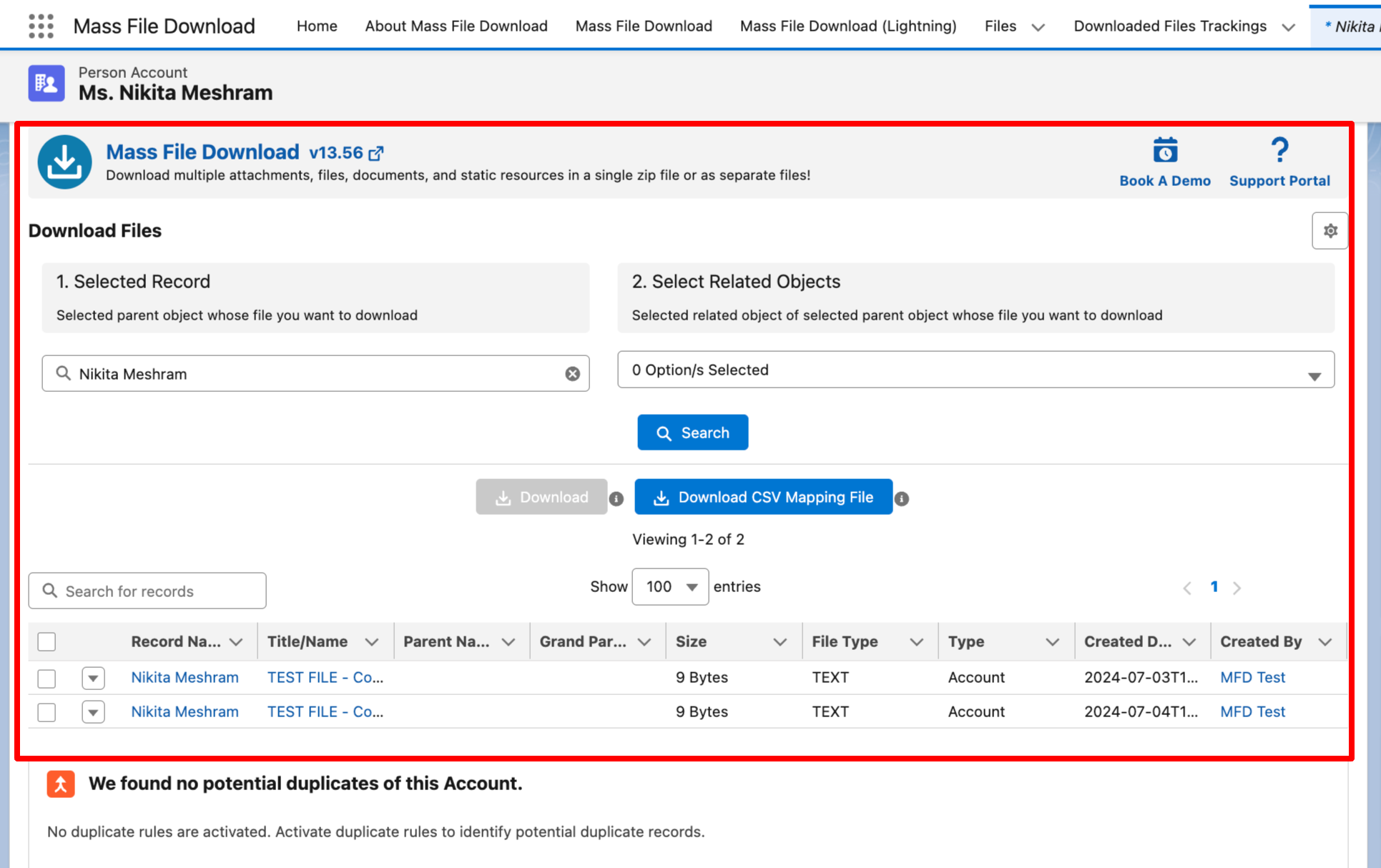
- After following these steps, the "Mass File Download (Record Detail Page Lightning Component)" Component will be successfully added to the record page.
PS: View Mass File Download, Salesforce file download app on Salesforce AppExchange: https://appexchange.salesforce.com/appxListingDetail?listingId=a0N3A00000EcsAOUAZ